How Slowloris Attacks Work: Step-by-Step Mechanics
A single connection can exhaust server resources by keeping HTTP requests open indefinitely, requiring no bandwidth or complex tools.

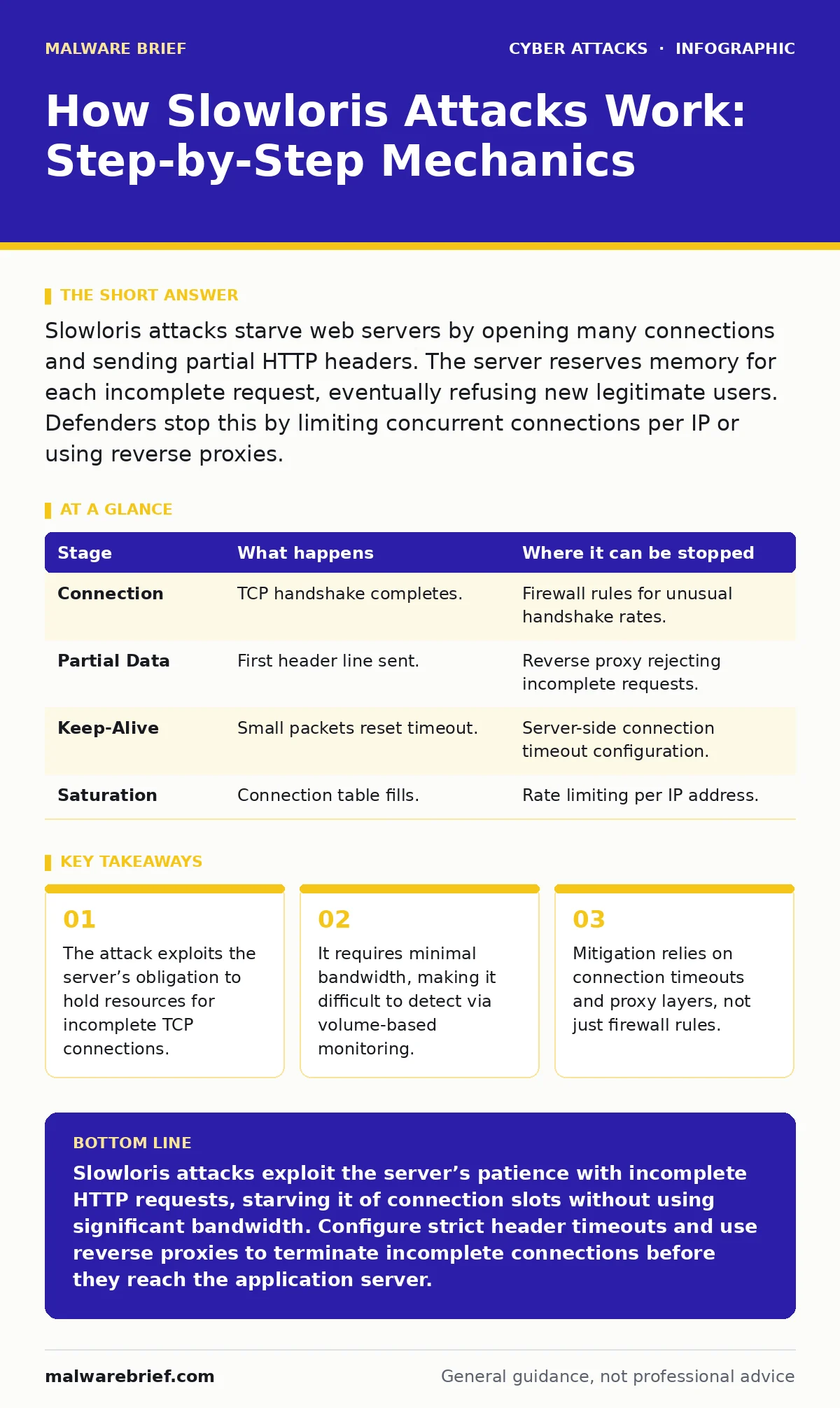
Slowloris attacks starve web servers by opening many connections and sending partial HTTP headers. The server reserves memory for each incomplete request, eventually refusing new legitimate users. Defenders stop this by limiting concurrent connections per IP or using reverse proxies.
The Resource Exhaustion Principle
Web servers are designed to handle multiple requests simultaneously. They allocate memory and processing power for every incoming connection until that connection is either completed or closed. This design assumes good faith from clients. Attackers exploit this assumption by creating many connections that never finish. They do not need to send malicious payloads. They only need to keep the door open.
This technique targets the application layer of the network stack. Unlike volumetric attacks that flood a link with data, this method floods the server’s connection table. The server waits for the final byte of the HTTP header. That wait consumes a thread or a process slot. When all slots are occupied, the server cannot accept new connections. Legitimate users receive timeout errors or connection refused messages.
### Stage 1: The Initial Connection
The attacker begins by establishing standard TCP connections to the target server. These connections follow the standard three-way handshake. The server acknowledges the connection and opens a slot for incoming data. At this stage, the traffic looks identical to normal web browsing. Firewalls and intrusion detection systems rarely flag these connections because they are technically valid.
The attacker does not send a full HTTP request immediately. Instead, they send the first line of the HTTP header. This line typically contains the method, such as GET, and the resource path. It ends with a carriage return and line feed. The server registers this as the start of a request. It allocates a buffer to receive the rest of the headers.
### Stage 2: Sending Partial Headers
The core of the attack lies in incomplete data transmission. The attacker sends one or two HTTP headers, such as Host or User-Agent. They then stop sending data. The HTTP specification requires headers to be separated by specific line breaks. The server expects more headers or the final empty line that signals the end of the header section.
Because the attacker does not send the final line break, the server cannot parse the request. It cannot determine if the request is valid or malicious. It must wait. The server keeps the connection alive, hoping the rest of the data will arrive. This state is known as a half-open or pending connection. The server reserves memory for the buffer and keeps the thread active.
### Stage 3: The Keep-Alive Loop
Servers are configured with a timeout value. If no data arrives within this period, the server closes the connection. The attacker circumvents this by sending a small amount of data just before the timeout expires. This could be a single character or a new, incomplete header. The server resets its internal timer. It now waits for the timeout period again.
This cycle repeats continuously. The attacker sends a tiny packet, waits, and sends another. The connection remains open indefinitely. The server believes the client is still preparing the request. It continues to hold the resource. The attacker manages hundreds or thousands of these connections from a single machine or a small botnet. Each connection consumes a small amount of memory, but the cumulative effect is significant.
### Stage 4: Resource Saturation
As the number of open connections grows, the server’s available resources dwindle. Each connection requires a file descriptor and a portion of memory. The server’s operating system has limits on how many files it can have open. The web server software also has limits on concurrent connections.
When the limit is reached, the server cannot accept new connections. It drops incoming TCP handshakes. Legitimate users trying to access the site see their browsers hang or fail to connect. The server appears offline. However, the server is still running. It is simply busy waiting for data that will never arrive. The attack succeeds without crashing the server process. It starves it of capacity.
See also: SIM Swapping Explained: How Attackers Steal Your Identity
### Stage 5: Detection and Interruption
Detecting this attack requires looking at connection states, not just traffic volume. Administrators must monitor the number of connections in the waiting state. A sudden spike in half-open connections from a single IP or a small range is a strong indicator. Standard bandwidth monitors will show low traffic, which can be misleading.
Interruption requires changing how the server handles these connections. The server must enforce strict timeouts. It should close connections that do not complete the header section within a short period. Additionally, the server should limit the number of concurrent connections from a single IP address. This prevents one attacker from monopolising the connection table.
| Stage | What happens | Where it can be stopped |
|---|---|---|
| Connection | TCP handshake completes. | Firewall rules for unusual handshake rates. |
| Partial Data | First header line sent. | Reverse proxy rejecting incomplete requests. |
| Keep-Alive | Small packets reset timeout. | Server-side connection timeout configuration. |
| Saturation | Connection table fills. | Rate limiting per IP address. |
The Role of Reverse Proxies
Modern web architectures often place a reverse proxy in front of the application server. The proxy accepts connections from clients and forwards complete requests to the backend. This architecture provides a natural defence. The proxy can enforce strict timeouts and reject incomplete headers before they reach the application server.
If the proxy is configured correctly, it absorbs the attack. The application server never sees the incomplete connections. It only sees valid, complete requests forwarded by the proxy. This decouples the attack surface from the critical application logic. Without a proxy, the application server must handle these edge cases directly, which is often poorly implemented in default configurations.
Limitations of Standard Defences
Firewalls that filter based on IP reputation or port numbers are ineffective against this attack. The traffic uses standard HTTP ports and comes from legitimate-looking IP addresses. Intrusion Prevention Systems that look for known malware signatures will not trigger. There is no payload to scan.
Defences must be behavioural. They must understand the protocol state machine. A system that does not track the completeness of HTTP headers cannot distinguish between a slow user and an attacker. This highlights the importance of deep packet inspection at the application layer. It also explains why simple bandwidth throttling fails. The attack uses almost no bandwidth.
Connection to Other Attack Vectors
While this attack targets availability, it is often used in combination with other techniques. Attackers may use this method to distract defenders while they attempt account takeover or other intrusions. The noise of a denial of service can obscure other malicious activities.
Understanding this mechanism helps in designing broader incident response plans. When a server becomes unresponsive, defenders must check for connection saturation, not just high CPU usage. This distinguishes it from computational attacks. It also relates to the concept of security culture. Teams must understand that valid traffic can be weaponised. Defending against protocol abuse requires different tools than defending against data theft.
Key takeaways
- The attack exploits the server’s obligation to hold resources for incomplete TCP connections.
- It requires minimal bandwidth, making it difficult to detect via volume-based monitoring.
- Mitigation relies on connection timeouts and proxy layers, not just firewall rules.
Slowloris attacks exploit the server’s patience with incomplete HTTP requests, starving it of connection slots without using significant bandwidth. Configure strict header timeouts and use reverse proxies to terminate incomplete connections before they reach the application server.
Frequently asked questions
Can a residential IP launch a Slowloris attack?
Yes, a single residential connection can cause issues if the server has a low connection limit and long timeouts, though distributed sources are more effective.
Does HTTPS prevent this attack?
No, the attack occurs at the HTTP layer within the TLS tunnel. The server still waits for complete headers after the TLS handshake.
How do I detect this on a Linux server?
Use tools like netstat or ss to count connections in the ESTABLISHED state that have not sent full requests, or monitor web server logs for incomplete requests.
Is this attack legal?
No, intentionally disrupting service availability is illegal in most jurisdictions, regardless of the method used.
How this guide was produced: written by the Malware Brief editorial team with AI assistance, checked against the public references listed below, and reviewed when the facts change. See our editorial policy or report an error.