SIM Swapping Explained: How Attackers Steal Your Identity
Attackers convince mobile carriers to move your phone number to their device, bypassing security checks that rely on text messages for verification.

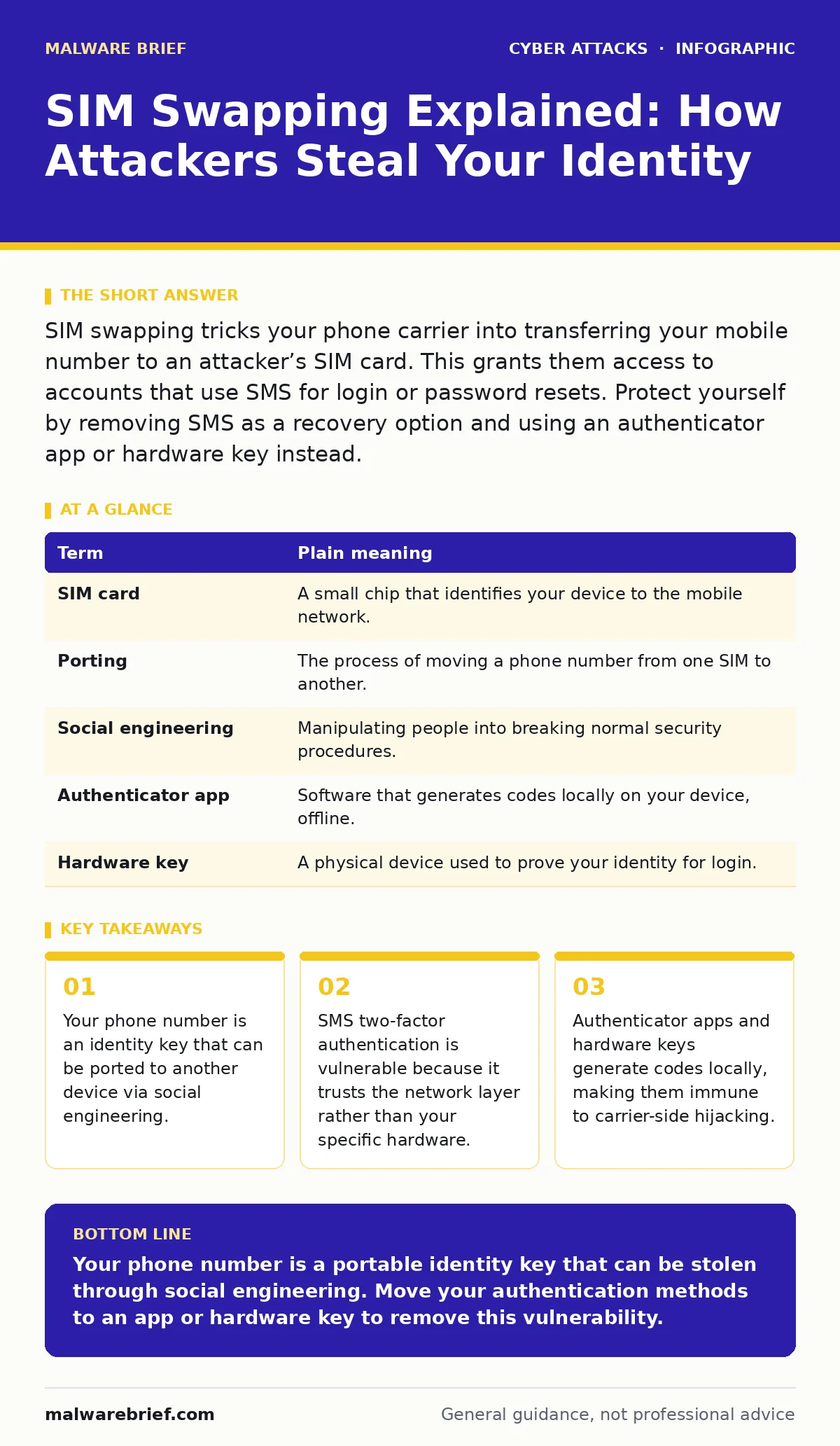
SIM swapping tricks your phone carrier into transferring your mobile number to an attacker’s SIM card. This grants them access to accounts that use SMS for login or password resets. Protect yourself by removing SMS as a recovery option and using an authenticator app or hardware key instead.
The Library Book Analogy
Imagine you use a public library. To borrow a rare book, the librarian asks for your library card number and your phone number. You confirm your identity by receiving a text message code on your mobile phone. The librarian believes that whoever holds the phone with that number is you. This is the core assumption of SIM swapping. The attacker does not break into the library. They convince the librarian to issue a new library card to them, using your name and your old card number. The system now accepts their phone as yours.
The Mechanics of Number Porting
Mobile carriers maintain a database linking your phone number to a physical Subscriber Identity Module card. This small chip identifies your device to the network. When you lose a phone, you call the carrier to deactivate the old chip and activate a new one. This process is known as porting. Attackers exploit the human staff who handle these requests. They gather personal details from social media or data breaches to impersonate you. They claim your phone is lost or stolen. The carrier staff, following standard procedure, transfers your number to the attacker’s SIM card. Your original phone loses signal instantly.
The Silent Loss of Signal
You will notice the attack when your phone suddenly drops all service. No calls, no texts, no internet. You might assume your phone is broken or you have entered a dead zone. The attacker now receives every text message sent to your number. This includes one-time passcodes for bank logins, social media resets, and email verifications. The attack is silent because the carrier does not notify you of the port. You are locked out of your digital life while the attacker gains entry. The damage occurs in minutes, not days.
Why SMS Verification Fails
Security professionals often warn against using SMS for two-factor authentication. This is not because SMS is encrypted poorly. It is because the authentication factor is tied to a network address, not a physical device. The network can be manipulated. SMS relies on the assumption that the phone number belongs to a single, immutable user. In reality, the number is a rented service. The provider can reassign it at will. This makes SMS a weak link in any security chain. It is easier to intercept a message in transit or reroute the destination than to steal a physical key or guess a static password.
The Cost of Convenience
Many services default to SMS verification because it is convenient for users. You do not need to install an app or buy a hardware token. However, this convenience shifts the security burden to the carrier. Carriers are not security firms. Their staff are trained for customer service, not fraud detection. They are incentivised to resolve issues quickly. This creates a systemic vulnerability. The attacker only needs to match a few data points to succeed. These might include your full name, date of birth, or last four digits of a credit card. All of this is often publicly available or easily guessed.
See also: How Zero-Click Attacks Work: Step-by-Step Analysis · MFA Fatigue Attack Response: Stop, Contain and Recover
Building a Defensive Layer
You must treat your phone number as a sensitive credential, not just a contact detail. Start by removing SMS as a recovery option for your most critical accounts. Use an authenticator app instead. These apps generate time-based codes on your device, independent of the cellular network. For high-value accounts, consider a hardware security key. This physical device must be plugged in or tapped to authorise access. It cannot be cloned or intercepted remotely. This approach aligns with best practices for incident response plans by reducing the attack surface before an incident occurs.
| Term | Plain meaning |
|---|---|
| SIM card | A small chip that identifies your device to the mobile network. |
| Porting | The process of moving a phone number from one SIM to another. |
| Social engineering | Manipulating people into breaking normal security procedures. |
| Authenticator app | Software that generates codes locally on your device, offline. |
| Hardware key | A physical device used to prove your identity for login. |
Immediate Protection Steps
- Contact your carrier and request a PIN or passcode for your account. This prevents staff from making changes without your explicit verbal confirmation.
- Audit your online accounts and replace SMS two-factor authentication with an authenticator app or hardware key. Prioritise email and financial accounts.
- Keep your personal details private on social media. Attackers use this information to pass carrier verification checks. Limit what is visible to the public.
Related Threat Vectors
SIM swapping is often a precursor to other attacks. Once an attacker controls your email, they can reset passwords for other services. This is similar to MFA fatigue attacks, where the attacker bombards you with notifications until you approve one by mistake. In both cases, the attacker exploits a human response mechanism. Understanding these links helps you build a stronger security culture within your personal digital habits. You are not just protecting a phone number; you are protecting the identity key that unlocks your entire digital presence.
Key takeaways
- Your phone number is an identity key that can be ported to another device via social engineering.
- SMS two-factor authentication is vulnerable because it trusts the network layer rather than your specific hardware.
- Authenticator apps and hardware keys generate codes locally, making them immune to carrier-side hijacking.
Your phone number is a portable identity key that can be stolen through social engineering. Move your authentication methods to an app or hardware key to remove this vulnerability.
Frequently asked questions
Can I prevent SIM swapping entirely?
You cannot stop carriers from porting numbers, but you can mitigate the impact by removing SMS as a login method and using an account PIN with your carrier.
Is Wi-Fi calling safe during a SIM swap?
No. If the attacker has your number, they may also hijack your Wi-Fi calling session, allowing them to intercept calls and messages even without cellular signal.
What happens if I get my number back?
You must immediately change passwords for all accounts linked to that number. Assume your credentials are compromised and reset them from a secure device.
Do eSIMs prevent SIM swapping?
ESIMs make physical theft harder, but attackers can still social engineer carriers to push a new profile to a device they control. The vulnerability remains in the carrier process.
How this guide was produced: written by the Malware Brief editorial team with AI assistance, checked against the public references listed below, and reviewed when the facts change. See our editorial policy or report an error.