How Zero-Click Attacks Work: Step-by-Step Analysis
Zero-click attacks bypass user interaction by exploiting how software processes data in memory, turning routine updates into silent compromises.

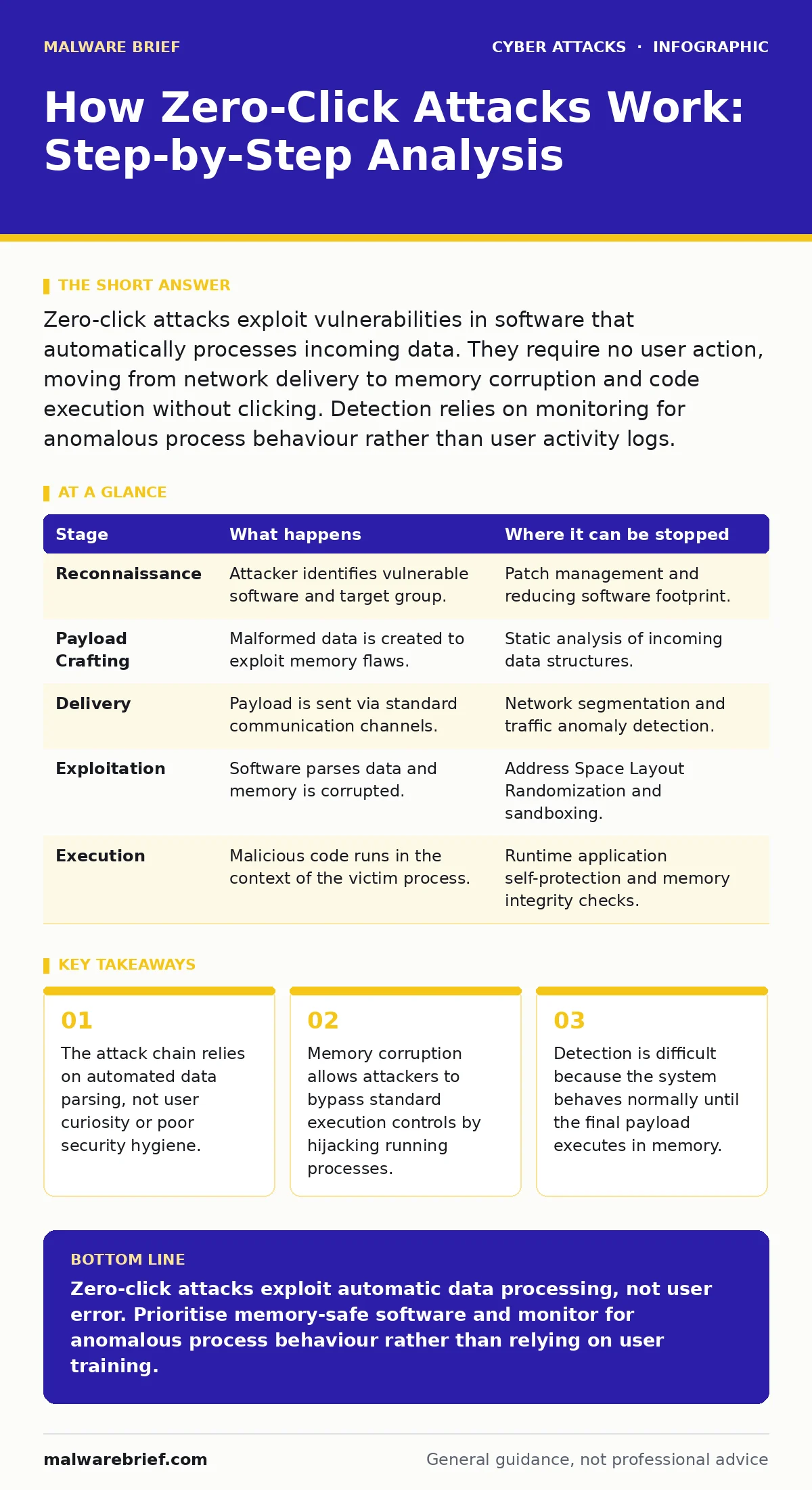
Zero-click attacks exploit vulnerabilities in software that automatically processes incoming data. They require no user action, moving from network delivery to memory corruption and code execution without clicking. Detection relies on monitoring for anomalous process behaviour rather than user activity logs.
The Illusion of Passive Security
Traditional security advice focuses on user behaviour. You are told to avoid clicking suspicious links or opening unexpected attachments. This approach fails against zero-click attacks because it assumes the user must perform an action to introduce risk. In reality, the software itself performs the action. When your device receives data, it must inspect that data to determine if it is useful. This inspection is the attack surface.
The attacker does not need you to click anything. They only need your device to receive the data. This shifts the responsibility entirely to the integrity of the software stack. If the code that parses images, video, or text contains a flaw, that flaw is the door. The user remains passive throughout. This makes detection harder because there is no login attempt, no password guess, and no suspicious download to flag.
Stage 1: Reconnaissance and Target Selection
The attacker begins by identifying a target that uses vulnerable software. They look for applications that process complex data formats automatically. Messaging apps, email clients, and operating system components are common targets because they run continuously and handle diverse inputs. The attacker does not need to know your specific identity at this stage. They need to know what software you are likely running.
This phase relies on the ubiquity of certain platforms. If a vulnerability exists in a widely used messaging protocol, the potential victim pool is large. The attacker may use open-source intelligence to confirm which versions are prevalent in a specific sector or region. They are looking for a gap between the software version installed on target devices and the patched version released by the vendor.
Stage 2: Crafting the Malformed Payload
Once a vulnerability is identified, the attacker creates a malformed file. This file looks like a legitimate image, video, or document but contains hidden instructions. These instructions are designed to trigger the specific flaw found during reconnaissance. The payload is not a simple script. It is a carefully structured sequence of bytes that exploits how the software allocates memory.
The complexity lies in making the payload stable. The file must be parsed correctly enough to trigger the bug, but corrupted enough to cause a crash or hijack. This often involves bypassing basic input validation. The attacker tests this payload repeatedly in isolated environments to ensure it works across different hardware and software configurations. A slight change in memory layout can cause the exploit to fail.
| Stage | What happens | Where it can be stopped |
|---|---|---|
| Reconnaissance | Attacker identifies vulnerable software and target group. | Patch management and reducing software footprint. |
| Payload Crafting | Malformed data is created to exploit memory flaws. | Static analysis of incoming data structures. |
| Delivery | Payload is sent via standard communication channels. | Network segmentation and traffic anomaly detection. |
| Exploitation | Software parses data and memory is corrupted. | Address Space Layout Randomization and sandboxing. |
| Execution | Malicious code runs in the context of the victim process. | Runtime application self-protection and memory integrity checks. |
Stage 3: Delivery via Trusted Channels
The attacker sends the payload using a method that ensures automatic receipt. This is often a direct message in a popular chat application or an email that is automatically previewed. The channel is trusted, so the recipient’s device accepts the data without warning. The attacker may use a compromised account to send the message, increasing the likelihood that the recipient’s device will process it immediately.
This stage exploits the convenience of modern communication. Features like instant preview or automatic image download are designed to improve user experience. They remove friction but also remove the step where a user might choose not to open a file. The data enters the system through a legitimate port and protocol. It looks like normal traffic to firewalls and intrusion detection systems that rely on signature matching.
Stage 4: Exploitation and Memory Corruption
When the software receives the payload, it begins to parse it. The parsing logic encounters the malformed data and behaves unexpectedly. This often leads to a buffer overflow, where data is written beyond the allocated memory space. The attacker uses this overflow to overwrite critical memory structures. These structures control how the program executes code.
The goal is to redirect the flow of execution. Instead of following the intended logic, the program jumps to the attacker’s code. This is done by overwriting return addresses or function pointers. The difficulty for the attacker is that modern operating systems use protections like Address Space Layout Randomization. This randomizes where memory is located, making it harder to predict where to place the malicious code. The attacker must include code to bypass these protections within the payload.
See also: MFA Fatigue Attack Response: Stop, Contain and Recover · Incident Response Plans: Real Benefits and Hidden Costs
Stage 5: Execution and Persistence
Once the execution flow is hijacked, the malicious code runs. It operates with the same privileges as the application that was exploited. If the app has high privileges, the attacker gains significant control. The code may decrypt the payload further if it was encrypted to avoid detection. It then establishes a connection back to the attacker’s server.
To maintain access, the attacker installs a persistent mechanism. This could be a small service that runs in the background or a modification to system files. The objective is to survive reboots and updates. The attacker may also use techniques to hide their presence, such as injecting code into legitimate system processes. This makes the malicious activity blend in with normal system operations.
Interrupting the Chain
Interrupting a zero-click attack requires looking beyond user behaviour. You must monitor for anomalies in process behaviour. Look for applications attempting to execute code from memory regions that should only contain data. This is a sign of code injection. Implement strict memory safety standards in your software development lifecycle. Use languages that prevent buffer overflows by default.
Network monitoring can also help. Look for unexpected outbound connections from applications that do not normally communicate with external servers. If a calculator app tries to connect to a remote server, that is anomalous. Combine this with endpoint detection and response tools that can analyse memory dumps. These tools can identify the presence of shellcode, even if the file on disk is clean.
The Hidden Cost of Convenience
The trade-off in zero-click vulnerabilities is the balance between automation and security. Features that automate data processing increase usability but expand the attack surface. Every automatic download, every instant preview, and every background sync is a potential entry point. Reducing these features may improve security but degrades the user experience.
Organisations must accept that some risk remains even with perfect user behaviour. The focus must shift to strengthening the software itself. This includes rigorous code auditing, fuzzing, and rapid patching. It also means accepting that detection is often retrospective. You may only know an attack occurred after the attacker has already established persistence. This requires strong incident response plans to contain the damage.
Key takeaways
- The attack chain relies on automated data parsing, not user curiosity or poor security hygiene.
- Memory corruption allows attackers to bypass standard execution controls by hijacking running processes.
- Detection is difficult because the system behaves normally until the final payload executes in memory.
Zero-click attacks exploit automatic data processing, not user error. Prioritise memory-safe software and monitor for anomalous process behaviour rather than relying on user training.
Frequently asked questions
Can antivirus software stop a zero-click attack?
Traditional signature-based antivirus often fails because the malicious code exists only in memory, not on disk. Behaviour-based detection is more effective but may still miss novel techniques.
Is encryption enough to prevent zero-click attacks?
Encryption protects data in transit and at rest, but it does not protect the software that decrypts and processes that data. The vulnerability lies in the processing logic, not the storage.
How do I know if my device has been compromised?
Look for unusual battery drain, unexpected data usage, or applications behaving erratically. However, sophisticated attacks may leave no visible signs, requiring professional forensic analysis.
Are zero-click attacks limited to mobile devices?
No, they can target any device that processes external data automatically. Desktop operating systems, IoT devices, and server applications are all potential targets if they contain parsing vulnerabilities.
How this guide was produced: written by the Malware Brief editorial team with AI assistance, checked against the public references listed below, and reviewed when the facts change. See our editorial policy or report an error.