Cloud Audit Logs: 7 Common Mistakes That Blind Your Security Team
Most cloud audit logs fail not because data is missing, but because noise drowns out the signal, rendering detection impossible without strict filtering.
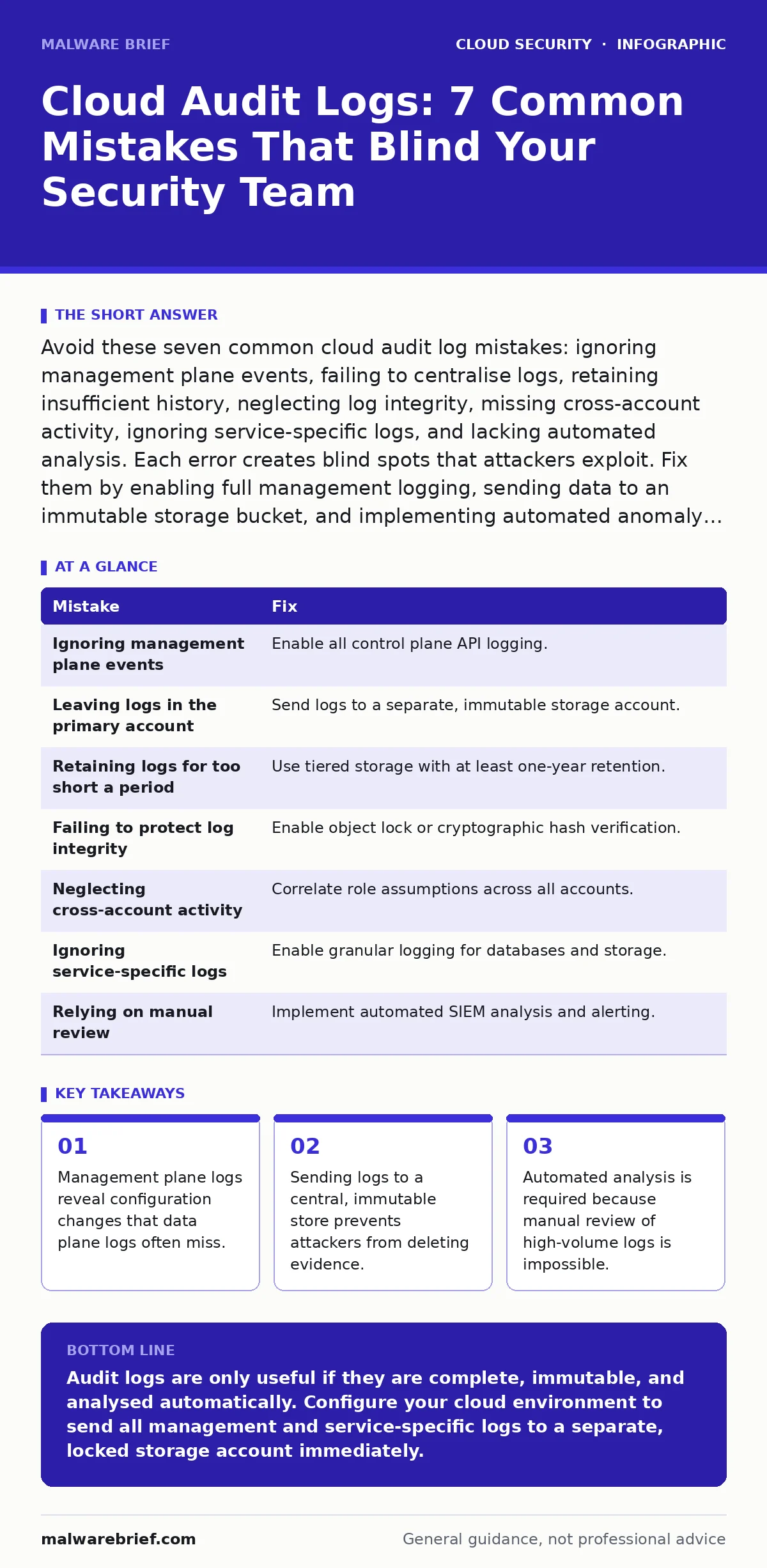
Avoid these seven common cloud audit log mistakes: ignoring management plane events, failing to centralise logs, retaining insufficient history, neglecting log integrity, missing cross-account activity, ignoring service-specific logs, and lacking automated analysis. Each error creates blind spots that attackers exploit. Fix them by enabling full management logging, sending data to an immutable storage bucket, and implementing automated anomaly detection.
Cloud environments generate vast amounts of telemetry. Most organisations focus on network traffic or application performance, leaving audit logs as an afterthought. This is a critical error. Audit logs record who did what, when, and where. They are the primary source of truth for forensic investigations. However, collecting data is not the same as securing it. Many teams enable logging but configure it poorly, creating false confidence. The following sections detail specific configuration errors and how to correct them.
Mistake 1: Ignoring Management Plane Events
Many teams enable logging for data access but disable logging for control plane actions. The control plane handles API calls that create, modify, or delete resources. The data plane handles the actual movement of files or packets. If you only log data transfers, you miss the attacker who changed a security group rule to allow inbound traffic. This is a common oversight because control plane events appear less frequent.
Why it hurts: Attackers rarely brute-force data from day one. They first modify permissions, disable logging, or create backdoor accounts. These are control plane actions. Without these logs, you have no record of how the attacker established persistence. You only see the aftermath of data theft, not the preparation. This gap makes root cause analysis nearly impossible.
The fix: Enable all management plane events in your cloud provider settings. Ensure that administrative API calls are captured regardless of success or failure. This aligns with the principles of identity as the new perimeter, where every action is tied to a specific identity. You must record the source IP, the user identity, and the exact API method called. Do not filter these events by severity initially, as low-severity changes can be precursors to major incidents.
Mistake 2: Leaving Logs in the Primary Cloud Account
A frequent error is storing audit logs in the same cloud account where the applications run. This seems convenient for cost and access reasons. It is fundamentally flawed. If an attacker gains root access to your primary account, they can delete the logs. They can also disable the logging service itself. You lose the ability to prove what happened. This violates the basic principle of separation of duties.
Why it hurts: Evidence integrity is compromised when the attacker controls the storage medium. Deleting logs is a standard technique to cover tracks. If the logs are stored in the compromised environment, the attacker can erase history in seconds. You are left with no forensic trail. This renders any subsequent investigation speculative and weakens legal or compliance standing.
The fix: Configure log delivery to a separate, dedicated logging account or project. Use a read-only role for the primary account to send logs to this secondary location. This ensures that even if the primary account is fully compromised, the logs remain safe. This approach is a core component of cloud landing zones, which establish secure baselines for new environments. The secondary account should have strict access controls, limiting who can view or modify the stored data.
Mistake 3: Retaining Logs for Too Short a Period
Organisations often set log retention periods to thirty or ninety days to save on storage costs. This assumes that attacks are detected and investigated within that window. In reality, many breaches remain undetected for months. Advanced adversaries move slowly and quietly. They wait for maintenance windows or holiday periods to exfiltrate data. Short retention periods delete the evidence before you even realise a breach occurred.
Why it hurts: You cannot investigate an incident if the data no longer exists. Regulatory requirements often mandate longer retention, but even outside legal bounds, operational needs dictate keeping data longer. If an anomaly is spotted in month six, but logs were deleted in month three, you are blind. You cannot correlate current activity with past configuration changes. This gap allows attackers to operate with impunity across extended timelines.
The fix: Implement tiered storage strategies. Keep recent logs in high-performance storage for immediate analysis. Move older logs to cold, archival storage which is cheaper but slower to access. Set retention policies to at least one year, or indefinitely for critical systems. This balances cost with forensic capability. Refer to cloud data exfiltration guides for techniques attackers use to slow down their theft, which directly impacts how long you must retain data.
Mistake 4: Failing to Protect Log Integrity
Storing logs is not enough if they can be altered. Some teams store logs in standard object storage buckets without enabling immutable locks. An attacker with write access can modify log entries to hide their actions. They might change timestamps or remove specific API calls. This makes the logs unreliable for any serious investigation. Trusting mutable logs is trusting the attacker to tell you what they did.
Why it hurts: Tampered logs provide false negatives. You might review a log file and see only legitimate activity, assuming the system is clean. In reality, the attacker has removed the malicious entries. This undermines the entire security posture. Compliance audits require proof that logs were not altered. If you cannot prove integrity, you fail audits and lose regulatory compliance.
The fix: Enable object lock or immutable storage features on your log buckets. This prevents any user, including administrators, from modifying or deleting logs for a set period. This aligns with cloud compliance requirements for data integrity. Additionally, compute cryptographic hashes of log files and store those hashes in a separate system. Any change to the log file will break the hash chain, alerting you to tampering.
Mistake 5: Neglecting Cross-Account Activity
Modern cloud environments use multiple accounts for isolation. One account for development, another for production, and a third for logging. Attackers often pivot between these accounts. If you only log activity within a single account, you miss the lateral movement. The attacker might use a low-privilege identity in the dev account to assume a role in the prod account. The dev account logs show a harmless role assumption. The prod account logs show a new user starting work. The connection is invisible if you do not correlate them.
Why it hurts: Lateral movement is the primary method for attackers to reach valuable assets. Missing cross-account activity hides the attack path. You cannot see how the attacker moved from an untrusted environment to a trusted one. This breaks your visibility into the full attack chain. You respond to the symptom in the prod account but fail to patch the entry point in the dev account.
The fix: Enable cross-account logging and ensure all role assumptions are captured. Send these logs to the central logging account mentioned earlier. Use correlation IDs to link actions across different accounts. This provides a holistic view of user activity. It is a key aspect of the shared responsibility model, where you must manage security across all boundaries you define.
See also: Cloud API Insecurity Myths: What You Get Wrong About Interface Risks · Cloud Landing Zones: Benefits, Limits and When to Deploy
Mistake 6: Ignoring Service-Specific Logs
Cloud providers offer generic audit logs, but many services have specific logs. Database query logs, load balancer access logs, and container orchestration events are often separate. Teams often enable only the main service audit logs. This misses granular details. A database audit log might show a specific SELECT query that exfiltrated sensitive data. The generic cloud log only shows that the database was accessed. You miss the scope of the breach.
Why it hurts: Generic logs lack context. They tell you that an API was called, but not what data was touched. This makes it hard to assess the impact of an incident. Did the attacker read one row or the entire table? Without service-specific logs, you must assume the worst-case scenario. This leads to overly broad incident responses and unnecessary downtime.
The fix: Enable detailed logging for all critical services. This includes databases, storage buckets, and compute instances. Route these specific logs to your central analysis platform. Do not rely on the cloud provider's default aggregation. You must explicitly enable and configure these additional data streams. This depth is necessary for effective policy as code implementations, which require granular data to enforce rules.
Mistake 7: Relying on Manual Review
The volume of cloud logs is too high for human review. Teams often export logs to a spreadsheet and filter by keyword. This is unsustainable. You will miss anomalies that do not fit your predefined filters. Attackers blend their activity with normal traffic. They make small, incremental changes that look benign individually. Manual review cannot detect these patterns. You are looking for needles in a haystack without a magnet.
Why it hurts: Alert fatigue sets in quickly. If you receive thousands of alerts, you stop reading them. Critical signals are buried in noise. Manual review is reactive. You only look at logs after an incident is suspected. By then, the attacker may have escalated privileges. You cannot proactively detect threats that do not trigger obvious alerts.
The fix: Implement automated log analysis using security information and event management (SIEM) tools. Create rules that detect anomalies in user behaviour, such as logins from new locations or unusual API call volumes. This reduces the noise and highlights genuine threats. Automation allows you to scale your detection capabilities without increasing headcount.
| Mistake | Fix |
|---|---|
| Ignoring management plane events | Enable all control plane API logging. |
| Leaving logs in the primary account | Send logs to a separate, immutable storage account. |
| Retaining logs for too short a period | Use tiered storage with at least one-year retention. |
| Failing to protect log integrity | Enable object lock or cryptographic hash verification. |
| Neglecting cross-account activity | Correlate role assumptions across all accounts. |
| Ignoring service-specific logs | Enable granular logging for databases and storage. |
| Relying on manual review | Implement automated SIEM analysis and alerting. |
Key takeaways
- Management plane logs reveal configuration changes that data plane logs often miss.
- Sending logs to a central, immutable store prevents attackers from deleting evidence.
- Automated analysis is required because manual review of high-volume logs is impossible.
Audit logs are only useful if they are complete, immutable, and analysed automatically. Configure your cloud environment to send all management and service-specific logs to a separate, locked storage account immediately.
Frequently asked questions
How long should I keep my cloud audit logs?
Keep them for at least one year to satisfy most forensic and compliance needs. Use cold storage for older logs to manage costs effectively.
What is the difference between data plane and management plane logs?
Management plane logs record configuration changes and API calls. Data plane logs record actual data access and movement. Both are necessary for full visibility.
Can I use third-party tools for log analysis?
Yes, most SIEM tools support cloud log ingestion. Ensure the tool can handle the volume and supports the specific log formats of your cloud provider.
How do I prevent log tampering?
Use immutable storage features like object lock. Additionally, compute and store cryptographic hashes of log files in a separate system to detect alterations.
How this guide was produced: written by the Malware Brief editorial team with AI assistance, checked against the public references listed below, and reviewed when the facts change. See our editorial policy or report an error.