Difference Between Keyloggers and Spyware in Cyber Security
Keyloggers record input events at the operating system level, whereas spyware is a broad category that includes keystroke loggers alongside data exfiltration tools.

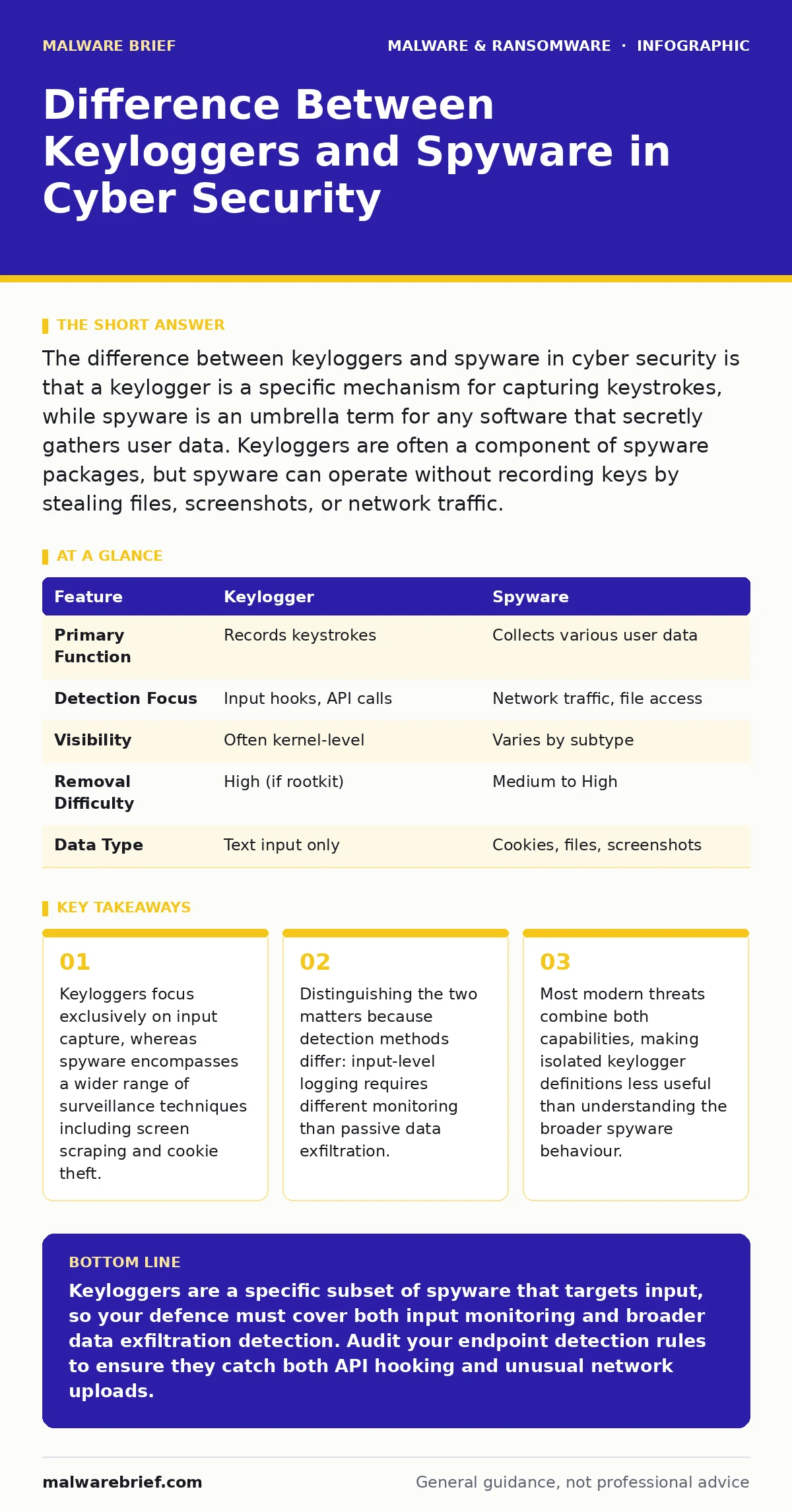
The difference between keyloggers and spyware in cyber security is that a keylogger is a specific mechanism for capturing keystrokes, while spyware is an umbrella term for any software that secretly gathers user data. Keyloggers are often a component of spyware packages, but spyware can operate without recording keys by stealing files, screenshots, or network traffic.
What is the difference between keyloggers and spyware in cyber security?
The difference between keyloggers and spyware in cyber security lies in scope versus mechanism. A keylogger is a specific technical method that intercepts keystroke events before they reach the application. Spyware is a functional classification for any software that collects user information without consent. This means every keylogger is technically spyware, but not every piece of spyware is a keylogger.
Spyware might steal saved passwords from a browser database without ever recording a single key press. Keyloggers are defined by their interaction with the input subsystem. Spyware is defined by its intent to exfiltrate data. Understanding this distinction helps you choose the right detection strategy. You cannot stop all spyware by only monitoring keyboard inputs. You must also monitor network traffic and file access patterns to catch the broader class of threats.
How do keyloggers actually capture data?
Keyloggers capture data by hooking into the operating system’s input processing pipeline. There are 2 main types: hardware and software. Hardware keyloggers are physical devices inserted between the keyboard and the computer. They store data on an internal chip. Software keyloggers run in the background. They use API hooking to intercept calls made by applications when a key is pressed.
Some advanced variants use kernel-level drivers to read input directly from memory. This makes them invisible to standard user-mode security tools. The keylogger does not care what you type. It records every event, including passwords, messages and search queries. It sends this log to an attacker’s server or stores it locally. The mechanism is simple but highly effective against human error.
Does spyware always include keystroke logging?
Spyware does not always include keystroke logging. Spyware is a broad category that includes many types of data theft. Some spyware focuses on stealing cookies to hijack sessions. Others take screenshots at regular intervals. Some record audio from the microphone. A banking trojan might only activate when a financial website is open. It may read the password from the browser’s memory rather than logging keys.
This approach avoids the overhead of constant logging. It also reduces the chance of detection by input monitoring tools. If you only look for keylogging signatures, you will miss these other threats. Spyware adapts to the value of the data it targets. Low-value targets might only get adware, which is also a form of spyware. High-value targets get full surveillance suites.
Why is the distinction important for defence?
The distinction is important for defence because it dictates your monitoring strategy. If you assume all threats are keyloggers, you will ignore network-based exfiltration. If you assume all threats are generic spyware, you might miss subtle input-level attacks. You need layered defences. Endpoint detection and response (EDR) solutions monitor process behaviour. They look for unusual API calls that keyloggers make.
They also look for network connections that spyware uses to send data. Relying on a single method leaves gaps. For example, a hardware keylogger bypasses all software monitoring. You must physically inspect devices. Software keyloggers require behavioural analysis. Static signature scanning often fails against custom-built spyware. You need to understand the specific technique to block it effectively.
Where do keyloggers hide in the system?
Keyloggers hide in memory and system processes to avoid detection. They often inject code into legitimate processes like the browser or the shell. This technique is called process injection. It makes the malicious code look like part of a trusted application. Some keyloggers use rootkit techniques to hide their files and registry entries. They modify system calls to prevent security tools from seeing them.
On mobile devices, they may pose as accessibility services. This grants them permission to read screen content and input. They do not always install a new file. They might modify an existing driver. This makes removal difficult. You need to check for unsigned drivers and unusual memory allocations. Standard antivirus tools often miss these stealthy techniques.
| Feature | Keylogger | Spyware |
|---|---|---|
| Primary Function | Records keystrokes | Collects various user data |
| Detection Focus | Input hooks, API calls | Network traffic, file access |
| Visibility | Often kernel-level | Varies by subtype |
| Removal Difficulty | High (if rootkit) | Medium to High |
| Data Type | Text input only | Cookies, files, screenshots |
See also: Endpoint Detection and Response vs Antivirus: Core Differences · Ransomware Incident Response: Steps to Contain and Recover
Can you detect keyloggers with standard tools?
You can detect keyloggers with standard tools, but not always. Traditional antivirus relies on known signatures. New or custom keyloggers will not match these signatures. You need behavioural analysis. Look for processes that hook into keyboard drivers. Check for applications that run at startup with obscure names. Monitor network traffic for large uploads of text data. This often indicates a log file being sent out.
Endpoint detection and response (EDR) platforms are better at this than basic antivirus. They monitor system calls in real time. They can alert you when a process tries to read input from another application. However, sophisticated keyloggers use obfuscation. They change their code structure to look random. This defeats simple heuristic scanning. You need deep inspection capabilities.
What are the limitations of keylogger-focused defence?
Keylogger-focused defence has significant limitations. It ignores threats that do not involve typing. If an attacker steals your saved passwords from the browser, a keylogger detector will not help. If they take screenshots, input monitoring is irrelevant. You must broaden your view. Use sandboxing to run suspicious files in an isolated environment. This prevents them from affecting your main system. Check for unusual network connections.
Spyware often communicates with command and control servers. These connections can be blocked by firewall rules. Also, consider USB device control. Hardware keyloggers are a physical threat. No software can detect a device plugged into your port. You must have physical security policies. Limit access to your workstation. Lock your computer when you step away. This prevents someone from plugging in a hardware logger.
How do you respond to a suspected infection?
Responding to a suspected infection requires immediate isolation. Disconnect the device from the network. This stops the exfiltration of data. Do not shut it down immediately. Some keyloggers store data in memory. Shutting down might destroy evidence needed for analysis. Take a memory dump if possible. Then, run a full system scan. Use a trusted rescue disk to boot the system. This ensures the malware is not running during the scan.
If you suspect hardware keyloggers, inspect the physical connections. Remove any unknown devices. Change all passwords from a clean device. Assume all credentials are compromised. This includes email, banking and work accounts. Enable multi-factor authentication where possible. This adds a layer of security that stolen passwords alone cannot bypass. Review logs for the time of infection. Identify what data was exposed.
What is the role of user behaviour in prevention?
User behaviour plays a major role in prevention. Many keyloggers are delivered via trojanized software. Users download what they think is a legitimate game or tool. It contains hidden malicious code. Verify the source of every download. Check digital signatures if available. Be wary of cracked software. It is a common vector for spyware. Keep your operating system updated. Patches fix vulnerabilities that keyloggers exploit to gain high privileges.
Use application whitelisting. This allows only approved software to run. It blocks unknown keyloggers from executing. Be cautious with USB drives. Scan them before opening files. Avoid plugging in unknown devices. Train users to recognize suspicious prompts. Do not grant accessibility permissions to unknown apps. This is a common tactic for mobile spyware. Vigilance reduces the attack surface significantly.
Key takeaways
- Keyloggers focus exclusively on input capture, whereas spyware encompasses a wider range of surveillance techniques including screen scraping and cookie theft.
- Distinguishing the two matters because detection methods differ: input-level logging requires different monitoring than passive data exfiltration.
- Most modern threats combine both capabilities, making isolated keylogger definitions less useful than understanding the broader spyware behaviour.
Keyloggers are a specific subset of spyware that targets input, so your defence must cover both input monitoring and broader data exfiltration detection. Audit your endpoint detection rules to ensure they catch both API hooking and unusual network uploads.
Frequently asked questions
Can a keylogger steal my password if I use a password manager?
Yes, if the keylogger captures the single master password you type. However, it cannot steal the individual passwords stored in the manager unless it also has access to the database file or uses screen scraping.
Is spyware the same as a virus?
No, a virus replicates itself to spread, while spyware focuses on data collection. Spyware often arrives via trojanized software, which disguises itself as legitimate programs to bypass user caution.
How do I remove malware from an Android phone?
Boot into safe mode to disable third-party apps. Identify and uninstall suspicious applications. Run a scan with a reputable security tool. Reset the device to factory settings if the infection persists.
Can ransomware include keylogging capabilities?
Some ransomware variants include spyware modules to steal data before encryption. This allows attackers to threaten public release of stolen information, adding leverage to their extortion demands during ransomware incident response.
How this guide was produced: written by the Malware Brief editorial team with AI assistance, checked against the public references listed below, and reviewed when the facts change. See our editorial policy or report an error.