Ransomware Incident Response: Steps to Contain and Recover
Ransomware incident response prioritises isolating the network over decryption, as paying never guarantees file recovery and often funds further attacks.

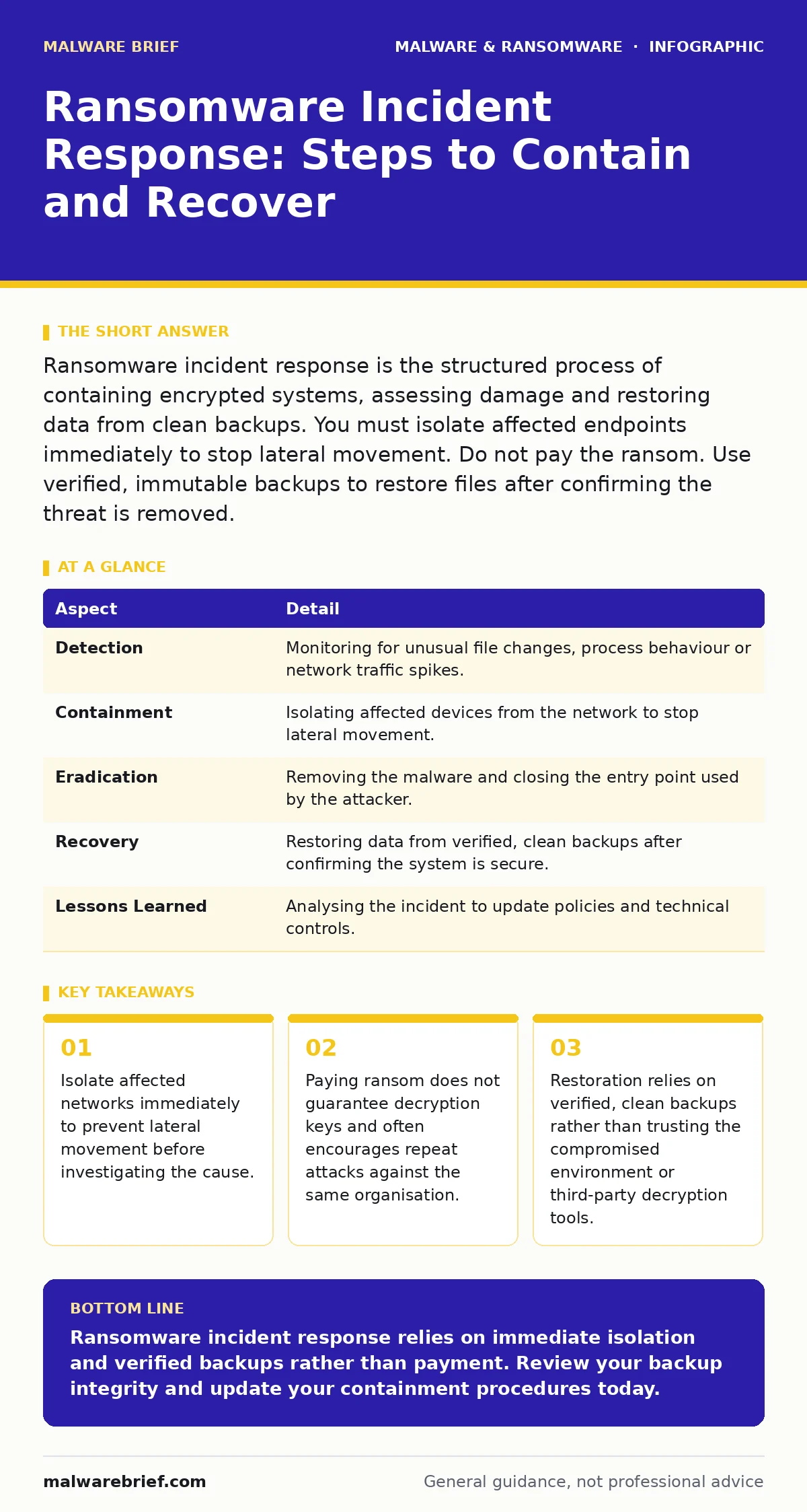
Ransomware incident response is the structured process of containing encrypted systems, assessing damage and restoring data from clean backups. You must isolate affected endpoints immediately to stop lateral movement. Do not pay the ransom. Use verified, immutable backups to restore files after confirming the threat is removed.
How ransomware works and who it affects
Ransomware is malicious software that encrypts files on a system, rendering them inaccessible until a ransom is paid. The attacker typically gains initial access through phishing, unpatched vulnerabilities or compromised credentials. Once inside, the malware searches for sensitive data, encrypts it using strong cryptographic algorithms and demands payment, usually in cryptocurrency, for the decryption key.
This threat affects any organisation with digital assets. Small businesses are frequent targets because they often lack sophisticated security controls. Large enterprises face more complex attacks that may involve data theft alongside encryption, increasing the pressure to pay. Individuals are also at risk, particularly when they open malicious attachments or visit compromised websites. The common factor is connectivity and valuable data, not size or industry.
Imagine a small design firm where an employee clicks a link in a seemingly innocuous email. Within minutes, project files on the local server become unreadable. A text file appears on every desktop demanding payment. Without a response plan, staff panic, attempt to restart machines and inadvertently spread the malware to connected devices.
Ransomware incident response overview
Ransomware incident response is the coordinated effort to identify, contain, eradicate and recover from an encryption attack. The primary goal is to limit damage and restore operations without paying the attacker. This process requires pre-defined procedures, trained personnel and reliable backups. Ad-hoc reactions often worsen the situation by allowing the malware to spread or destroying forensic evidence needed for future prevention.
A structured approach ensures that critical systems are restored in the correct order. It also helps maintain legal and regulatory compliance. Documentation of every step aids in post-incident analysis and improves future resilience. The following table outlines the core aspects of an effective response strategy.
| Aspect | Detail |
|---|---|
| Detection | Monitoring for unusual file changes, process behaviour or network traffic spikes. |
| Containment | Isolating affected devices from the network to stop lateral movement. |
| Eradication | Removing the malware and closing the entry point used by the attacker. |
| Recovery | Restoring data from verified, clean backups after confirming the system is secure. |
| Lessons Learned | Analysing the incident to update policies and technical controls. |
Initial detection and isolation steps
The first minutes of an attack determine the scale of the damage. Detection often relies on automated tools like endpoint detection and response (EDR) systems that alert on suspicious activity. Manual detection may occur when users notice files with changed extensions or ransom notes. Immediate action is required. Do not attempt to decrypt files or restart machines before isolating them.
Isolation involves disconnecting affected devices from the network. Unplug Ethernet cables or disable Wi-Fi. For cloud environments, revoke access tokens and isolate virtual machines. This prevents the ransomware from spreading to other systems via shared drives or network protocols. Document the time of detection and the initial symptoms. This information helps in forensic analysis later.
Do not delete the ransom note or the malware itself at this stage. These files contain evidence useful for identifying the variant and understanding the attack vector. Preserve memory dumps if possible, as some ransomware components reside only in RAM. Coordinate with your security team to identify other potentially affected systems based on the initial infection vector.
Assessing the scope and impact
Once containment is achieved, assess the full scope of the breach. Determine which systems are encrypted, which data is affected and whether the attacker exfiltrated data before encryption. This phase requires careful analysis without re-connecting isolated systems to the main network. Use forensic tools to map the lateral movement of the malware.
Identify critical business functions that are impacted. Prioritise recovery efforts based on operational necessity. For example, customer-facing systems may need faster restoration than internal archival databases. Check if credentials were compromised. If so, reset passwords for all affected accounts and revoke active sessions. This prevents the attacker from using stolen credentials to regain access during recovery.
Evaluate whether backup systems are intact. Attackers often target backups to ensure compliance with ransom demands. Verify that backup integrity checks pass and that the backups were created before the initial infection. If backups are compromised, you may need to rebuild systems from scratch and restore data from secondary, offline copies.
What people usually get wrong
Many organisations make critical errors during the initial response. The most common mistake is paying the ransom quickly to restore operations. This approach rarely works. There is no guarantee the attacker will provide working decryption keys. Often, the attacker demands additional payments or simply disappears. Paying also marks the organisation as a willing payer, attracting future attacks.
Another error is attempting to restore systems before fully eradicating the malware. If the entry point remains open, the ransomware will reinfect the restored systems. This leads to a cycle of infection and recovery that drains resources. Thorough eradication includes patching vulnerabilities, removing rogue accounts and updating security configurations.
A third mistake is ignoring the possibility of data exfiltration. Modern ransomware gangs often steal data before encrypting it. They threaten to publish the stolen data if the ransom is not paid. Even if you restore files from backups, the stolen data remains a liability. Assess the sensitivity of the data and prepare for potential public exposure. This may involve legal notification and communication planning.
See also: Responding to Bulletproof Hosting: Recovery and Containment Steps · Scheduled Task Abuse Response: Containment and Recovery Steps
Eradication and recovery procedures
Eradication involves removing all traces of the ransomware. This includes deleting malicious files, removing persistence mechanisms and closing the initial access vector. For example, if the attack started via a phishing email, block the sender and update email filters. If it exploited a software vulnerability, apply the relevant patch. Scan all systems, including those not directly affected, for signs of compromise.
Recovery follows eradication. Restore data from verified, immutable backups. Immutable backups cannot be altered or deleted by unauthorised users, providing a reliable recovery point. Test the restored data in a sandboxing environment before deploying it to production. This ensures no malware remnants survived the restoration process.
Rebuild systems that cannot be fully cleaned. Operating systems and applications may have hidden compromises that are difficult to detect. Rebuilding from known-good images is safer than attempting to sanitise an infected system. Update all software and firmware during the rebuild process to close known vulnerabilities.
Post-incident review and prevention
After restoring operations, conduct a thorough post-incident review. Analyse what worked and what failed in the response. Update incident response plans based on these findings. Improve technical controls to prevent similar attacks. This may include implementing stricter USB device control policies or enhancing email security.
Training is a key component of prevention. Staff should recognise phishing attempts and report suspicious activity. Regular simulations help keep response procedures fresh and effective. Review access controls and ensure the principle of least privilege is applied. This limits the damage an attacker can do if credentials are compromised.
Consider business continuity planning to ensure critical functions can continue during an outage. This includes manual workarounds and communication protocols. Regularly test these plans to ensure they are effective. Documentation should be kept up to date and accessible to all relevant personnel.
Key takeaways
- Isolate affected networks immediately to prevent lateral movement before investigating the cause.
- Paying ransom does not guarantee decryption keys and often encourages repeat attacks against the same organisation.
- Restoration relies on verified, clean backups rather than trusting the compromised environment or third-party decryption tools.
Ransomware incident response relies on immediate isolation and verified backups rather than payment. Review your backup integrity and update your containment procedures today.
Frequently asked questions
Should I pay the ransom to get my files back?
No. Paying does not guarantee decryption, funds criminal activity and may lead to further attacks. Restore from backups instead.
How long does ransomware incident response take?
Response times vary based on scope and preparation. Containment takes minutes, while full recovery may take days or weeks depending on data volume and backup availability.
Can endpoint detection and response (EDR) stop ransomware?
EDR can detect and block many ransomware strains, but it is not foolproof. It reduces risk by identifying suspicious behaviour early, allowing for faster containment.
What if my backups are also encrypted?
If backups are encrypted, you must rely on offline or immutable copies. If none exist, you may need to rebuild systems and recover data from alternative sources, which can be time-consuming.
How this guide was produced: written by the Malware Brief editorial team with AI assistance, checked against the public references listed below, and reviewed when the facts change. See our editorial policy or report an error.