Formjacking Mechanics: How Data Theft Bypasses Browser Security
Formjacking succeeds by injecting malicious scripts that intercept keystrokes before the browser encrypts them, rendering standard HTTPS protection insufficient for the input phase.
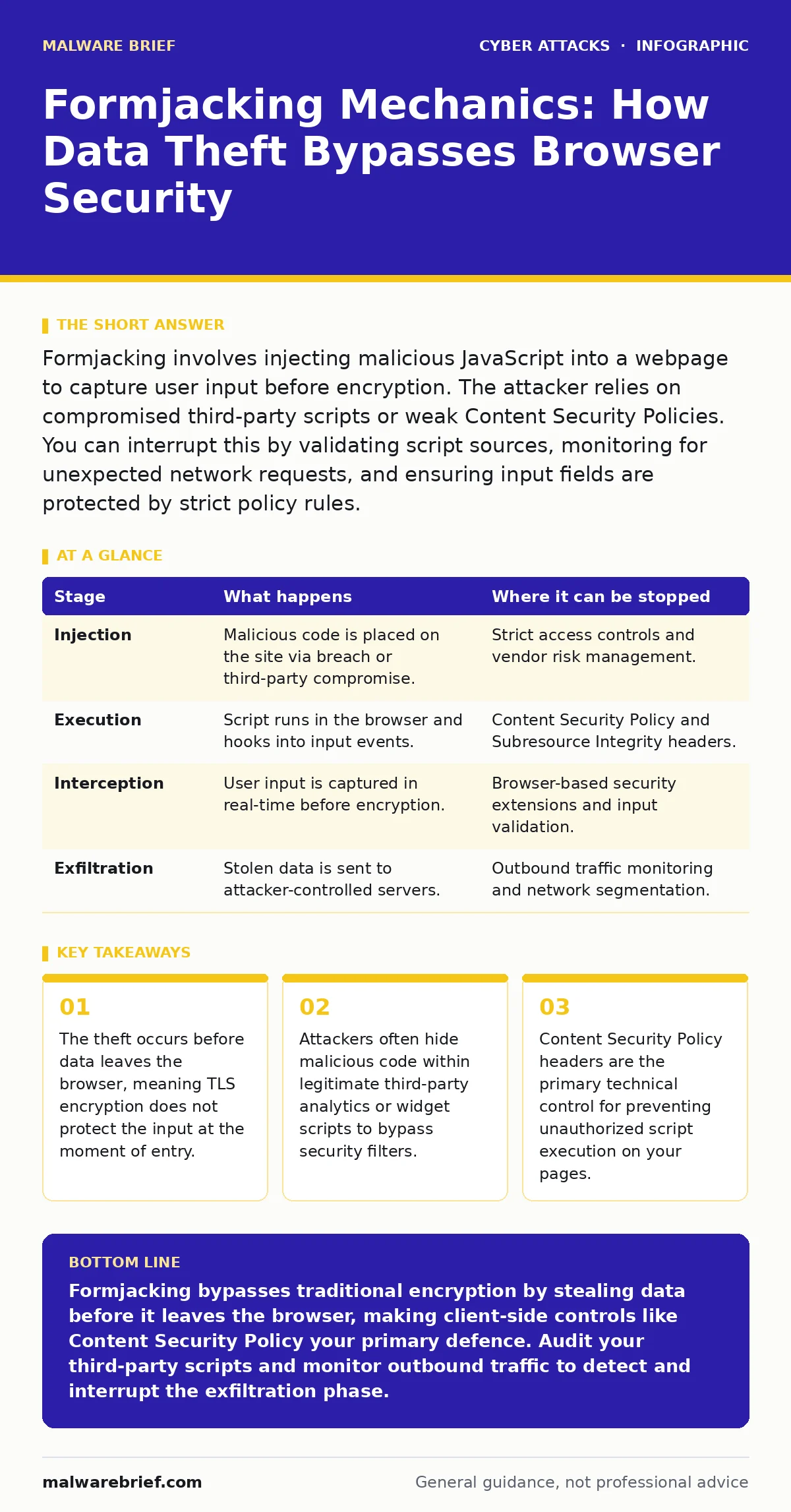
Formjacking involves injecting malicious JavaScript into a webpage to capture user input before encryption. The attacker relies on compromised third-party scripts or weak Content Security Policies. You can interrupt this by validating script sources, monitoring for unexpected network requests, and ensuring input fields are protected by strict policy rules.
The Injection Vector
Formjacking is a specific type of cyber attack where malicious code is inserted into a legitimate website’s forms. The goal is to capture sensitive data, such as payment details or login credentials, as the user types them. This differs from traditional interception because the data is stolen before it is encrypted by the browser.
The attacker does not need to hack your server directly. Instead, they exploit the trust you place in external resources. Modern websites rely on dozens of third-party scripts for analytics, chat widgets, or advertising. If any of these providers are compromised, or if an attacker gains write access to your content management system, they can inject their own JavaScript.
This injected script sits silently within the page code. It waits for the user to interact with input fields. When the user types, the script captures the characters in real time. It then sends this raw data to a remote server controlled by the attacker. The user sees no difference in the page’s appearance or behaviour.
The success of this attack relies on the principle of least surprise. Users expect the website to be safe because it uses HTTPS. They do not expect that the safety net has a hole at the very point of entry. The browser encrypts the data after the script has already copied it. This timing difference is the core vulnerability.
### Stage 1: Compromise or Insertion
The first stage requires the attacker to place their code onto the victim’s domain. This can happen through a direct breach of the website’s hosting environment. If the attacker obtains administrative credentials, they can edit the HTML or JavaScript files directly. This is a straightforward method but requires significant initial effort.
A more common method involves supply chain compromise. You may use a popular plugin or service to handle forms. If that service is breached, the malicious code is delivered to all customers who use it. You did nothing wrong, yet your site is now compromised. This highlights the hidden cost of convenience. Every third-party script increases your attack surface.
Imagine you install a new analytics tool. You add a single line of code to your header. That line connects to a remote server. If that server is later compromised, the attacker can push malicious updates to every site that loads that script. You have effectively handed over control of your page’s security to an external vendor.
This stage can be interrupted by strict access controls. Limit who can edit code repositories. Use multi-factor authentication for administrative accounts. Regularly audit which third-party scripts are loaded on your pages. Remove any that are no longer necessary. This reduces the number of potential entry points for the attacker.
### Stage 2: Execution and Interception
Once the malicious script is on the page, it waits for execution. The browser loads the JavaScript engine and runs the code. The attacker’s script hooks into the Document Object Model events. These are the signals the browser sends when a user interacts with elements, such as clicking a button or typing in a field.
The script specifically targets input fields for credit card numbers, expiry dates, and security codes. It listens for the input or keydown events. Every time a key is pressed, the event is triggered. The malicious code captures the value of the field. It does not need to steal the entire form submission. It only needs the specific sensitive fields.
This interception happens in the client’s memory. The data is never sent to your server in its raw form. The browser proceeds with its normal operation. It takes the captured data and encrypts it using TLS. The encrypted packet is sent to your server. Your server receives valid, encrypted data. It processes the transaction. The user is notified of success.
The attacker, however, already has the data. Their script sends the raw, unencrypted values to their own server. This transmission often happens over a separate connection. It may look like a request to an analytics provider or a font library. Without careful monitoring, this network traffic blends in with normal background requests.
### Stage 3: Exfiltration and Concealment
The final stage involves sending the stolen data to the attacker. The malicious script formats the captured inputs into a payload. It then uses an HTTP request to send this payload to a remote endpoint. This endpoint is often a domain registered recently or one that mimics a legitimate service.
To avoid detection, the attacker may use slow exfiltration. They might wait until the form is submitted before sending the data. This aligns the malicious traffic with the legitimate traffic burst. Alternatively, they may send data in small chunks over a long period. This avoids triggering rate-limiting alerts or bandwidth spikes.
The attacker also ensures the script is resilient. If the user refreshes the page, the script may reload. If the script fails to send the data immediately, it may queue it and retry later. This persistence ensures that even if the user’s connection is unstable, the data eventually reaches the attacker. The goal is to maximise the yield from each compromised session.
This stage can be interrupted by monitoring outbound traffic. Look for requests to unknown domains. Check for requests that contain sensitive data patterns, such as sequences of digits matching credit card formats. Implementing strict Content Security Policy headers can also block the script from making these external requests.
Technical Controls and Detection
Detecting formjacking requires looking beyond standard web application firewalls. These tools often focus on incoming requests to the server. They may not inspect the JavaScript running in the user’s browser. You need controls that monitor the behaviour of the page itself.
Content Security Policy is the primary defence. This HTTP header allows you to specify which domains are allowed to execute scripts. By listing only trusted sources, you prevent the browser from running malicious code injected by attackers. If an attacker tries to load a script from an unknown domain, the browser will block it. This stops the injection at the execution stage.
Another control is Subresource Integrity. This mechanism allows you to specify a cryptographic hash for each external script. The browser calculates the hash of the downloaded script and compares it to your specified value. If they do not match, the script is not executed. This prevents an attacker from modifying a third-party script after you have approved it.
Monitoring is also critical. Use tools that can simulate user interactions. These tools can detect if data is being sent to unexpected destinations. Look for anomalies in network traffic. Sudden increases in requests to unknown IPs may indicate exfiltration. Regular code reviews can also identify suspicious logic in your JavaScript files.
| Stage | What happens | Where it can be stopped |
|---|---|---|
| Injection | Malicious code is placed on the site via breach or third-party compromise. | Strict access controls and vendor risk management. |
| Execution | Script runs in the browser and hooks into input events. | Content Security Policy and Subresource Integrity headers. |
| Interception | User input is captured in real-time before encryption. | Browser-based security extensions and input validation. |
| Exfiltration | Stolen data is sent to attacker-controlled servers. | Outbound traffic monitoring and network segmentation. |
See also: Web Shell Removal: Containment, Eradication and Recovery · SIM Swapping Explained: How Attackers Steal Your Identity
The Human and Process Factor
Technical controls are necessary but not sufficient. Formjacking often succeeds because of gaps in process. Teams may approve third-party scripts without understanding the risks. They may assume that because a service is popular, it is secure. This assumption is dangerous.
Security culture plays a role in preventing these oversights. Developers and product owners need to understand the implications of adding external code. They should question why a script is needed. They should verify the security practices of the provider. This scrutiny adds time to development but reduces long-term risk.
Incident response plans must account for client-side attacks. Traditional plans focus on server breaches. They may not include procedures for detecting malicious JavaScript. When a formjacking incident is identified, the response must include removing the malicious script and notifying affected users. This requires coordination between development, security, and legal teams.
Imagine a scenario where a developer notices unusual network traffic. They investigate and find a script sending data to an unknown domain. They remove the script. However, they do not check if the same script exists on other pages. The attack continues. A thorough investigation requires scanning the entire codebase for similar patterns.
Mitigation Strategies
To mitigate formjacking, you must adopt a defence-in-depth approach. Start by minimising the number of third-party scripts. Each script is a potential vector. Only include scripts that are essential for functionality. Remove any that are unused or unnecessary.
Implement strict Content Security Policy headers. Define allowlists for script sources. Use nonces or hashes for inline scripts. This prevents the browser from executing any code that is not explicitly authorised. Test your policies thoroughly to ensure they do not break legitimate functionality.
Monitor your web applications for anomalies. Use behavioural analytics to detect unusual patterns. Look for requests that do not match normal user behaviour. Set up alerts for requests to new or suspicious domains. Regularly review your server logs and network traffic for signs of compromise.
Finally, educate your team. Ensure that developers and security staff understand the mechanics of formjacking. They should be able to identify suspicious code and respond to incidents effectively. Regular training and awareness campaigns can help maintain a high level of vigilance.
Key takeaways
- The theft occurs before data leaves the browser, meaning TLS encryption does not protect the input at the moment of entry.
- Attackers often hide malicious code within legitimate third-party analytics or widget scripts to bypass security filters.
- Content Security Policy headers are the primary technical control for preventing unauthorized script execution on your pages.
Formjacking bypasses traditional encryption by stealing data before it leaves the browser, making client-side controls like Content Security Policy your primary defence. Audit your third-party scripts and monitor outbound traffic to detect and interrupt the exfiltration phase.
Frequently asked questions
Does using HTTPS prevent formjacking?
No, HTTPS encrypts data after it has been captured by the malicious script. The theft occurs in the browser before encryption begins, so the attacker receives the raw data regardless of the connection security.
How do I know if my site is infected with formjacking code?
Monitor for unexpected network requests to unknown domains. Look for JavaScript files that have been modified recently or that contain obfuscated code. Regular code audits and behavioural monitoring can help identify these anomalies.
Can a Web Application Firewall stop formjacking?
Standard WAFs focus on server-side attacks and may not detect malicious JavaScript running in the browser. You need additional controls like Content Security Policy and Subresource Integrity to prevent the execution of unauthorised scripts.
What is the difference between formjacking and phishing?
Phishing tricks users into entering data on a fake site. Formjacking injects malicious code into a legitimate site, stealing data as users interact with the real forms. The user trusts the site in both cases, but the mechanism of theft differs.
How this guide was produced: written by the Malware Brief editorial team with AI assistance, checked against the public references listed below, and reviewed when the facts change. See our editorial policy or report an error.