Web Shell Removal: Containment, Eradication and Recovery
Deleting a web shell file often fails because the attacker has already modified the application code to recreate the backdoor automatically.

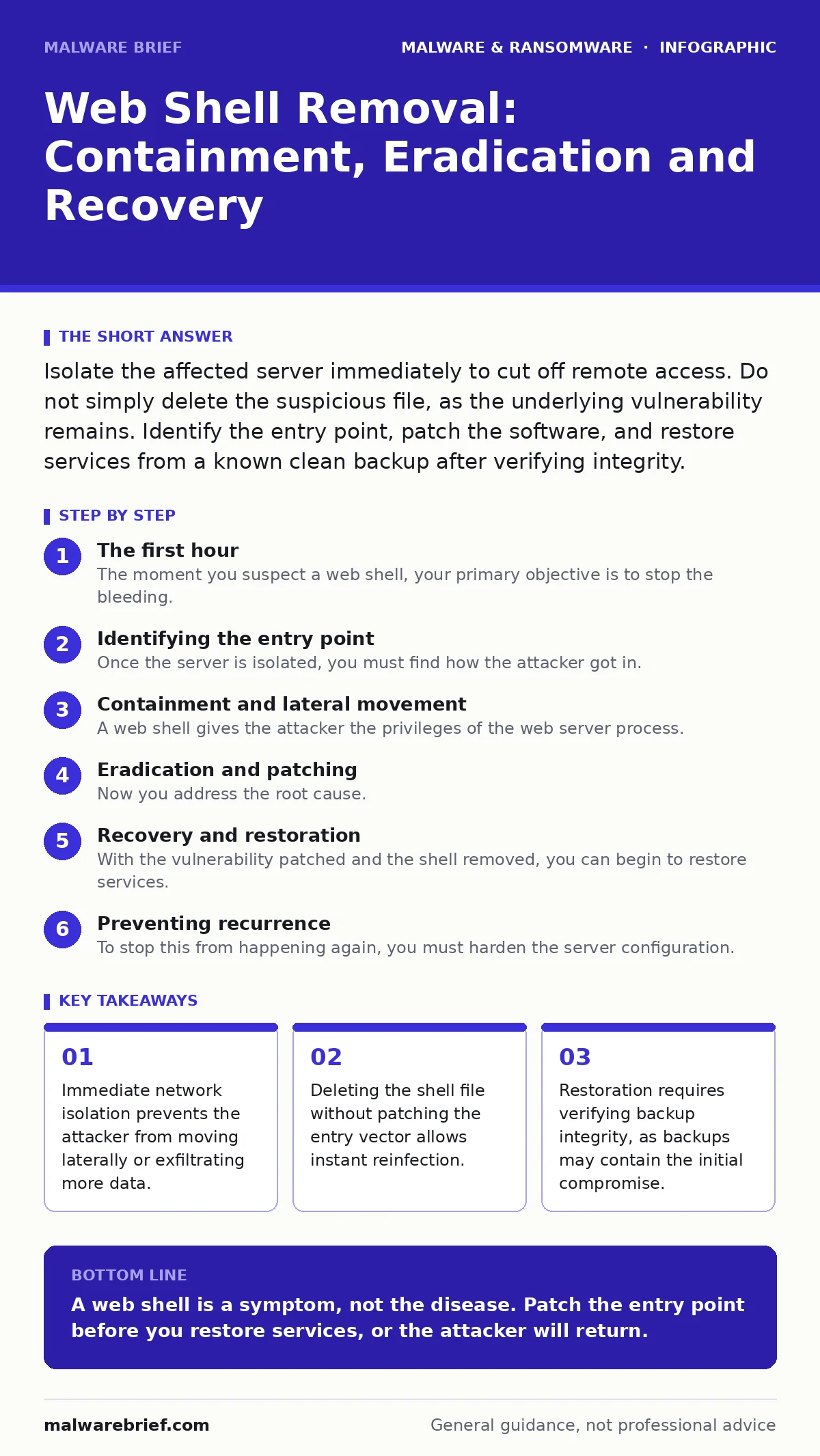
Isolate the affected server immediately to cut off remote access. Do not simply delete the suspicious file, as the underlying vulnerability remains. Identify the entry point, patch the software, and restore services from a known clean backup after verifying integrity.
The first hour
The moment you suspect a web shell, your primary objective is to stop the bleeding. A web shell is a script uploaded to a web server that allows an attacker to execute commands as the web service user. It is rarely an isolated file; it is a symptom of a deeper breach. Your first action must be to sever the connection between the server and the internet. This does not mean shutting down the machine, which can destroy volatile memory evidence. It means blocking inbound and outbound traffic at the network perimeter or firewall level.
- Block all inbound HTTP and HTTPS traffic to the affected host.
- Block all outbound traffic from the host to prevent data exfiltration.
- Document the exact time of detection and any observed symptoms.
- Take a forensic snapshot or memory dump if resources allow.
- Disable the specific web application or site, not just the file.
Imagine a scenario where you delete the shell but leave the vulnerable plugin active. Within minutes, automated scanners find the same weakness and drop a new shell. You have wasted time and exposed your data further. The goal of this hour is containment, not resolution.
Identifying the entry point
Once the server is isolated, you must find how the attacker got in. Web shells usually arrive through file upload vulnerabilities, insecure deserialization, or supply chain compromises. You need to look at web server access logs and application logs. Look for unusual POST requests to scripts that should not accept input. Check for files with unexpected permissions or recent modification times that do not match deployment schedules.
You must also review the source code of your application. Attackers often inject code directly into legitimate files to maintain persistence. This is harder to detect than a standalone file. Look for encoded strings or functions that decode and execute remote code. This requires a careful review of files modified around the time of the initial compromise.
Containment and lateral movement
A web shell gives the attacker the privileges of the web server process. If that process runs as root or administrator, the attacker owns the entire machine. You must assume they have moved to other systems. Check for new user accounts, scheduled tasks, or cron jobs that were not created by your team. Review outbound connections to see if the server was used to attack internal network segments.
If the web server shares resources with other applications, isolate those as well. Do not trust internal networks to be safe. The attacker may have used the web shell to pivot to a database server or a file share. You need to map the scope of the breach before you can begin recovery. This step often reveals that the problem is larger than a single file.
Eradication and patching
Now you address the root cause. Simply removing the shell is insufficient. You must patch the vulnerability that allowed the upload. This might mean updating a content management system, fixing a misconfigured file upload filter, or applying a security patch to a library. If you cannot patch the vulnerability immediately, you must remove the functionality that exposed it.
You must also remove any persistence mechanisms the attacker installed. This includes modified system files, new user accounts, and scheduled tasks. Clear any caches that might hold references to the malicious code. Verify that the application code is clean by comparing it against a known good version from your version control system.
Recovery and restoration
With the vulnerability patched and the shell removed, you can begin to restore services. Do not restore from a backup taken after the compromise began. Backups can contain the initial infection. Restore from a backup known to be clean, taken before the earliest sign of intrusion. Before bringing the server back online, verify that the restored files are identical to the original source code.
Re-enable network access gradually. Start by allowing traffic only from your internal network for testing. Monitor logs closely for any signs of renewed activity. If you see unusual requests, shut it down again. This cautious approach ensures you do not invite the attacker back into a freshly cleaned system.
See also: Scheduled Task Abuse Response: Containment and Recovery Steps · Incident Response Plans: Real Benefits and Hidden Costs
Preventing recurrence
To stop this from happening again, you must harden the server configuration. Restrict file upload directories to deny execution of scripts. Ensure that the web server process runs with the minimum necessary privileges. Regularly update all software components, including third-party plugins and libraries.
Implement strict input validation on all user-supplied data. This prevents many of the vulnerabilities that lead to web shell uploads. Consider using a web application firewall to filter malicious traffic. These measures add layers of defence that make it harder for an attacker to establish a foothold.
Coordination and reporting
You must inform the right people. Notify your security team, system administrators, and legal counsel if personal data may have been compromised. Depending on your jurisdiction, you may have legal obligations to report the breach to authorities or affected users. Document every step you took during the response. This record is vital for post-incident analysis and for meeting regulatory requirements.
If you use third-party services or hosting providers, inform them as well. They may be able to provide additional logs or assistance with containment. Transparency helps coordinate a faster and more effective response.
See also: sandboxing for isolating untrusted code execution.
See also: computer worms for understanding automated lateral movement.
See also: Mac malware for insights into privilege escalation on Unix-like systems.
Key takeaways
- Immediate network isolation prevents the attacker from moving laterally or exfiltrating more data.
- Deleting the shell file without patching the entry vector allows instant reinfection.
- Restoration requires verifying backup integrity, as backups may contain the initial compromise.
A web shell is a symptom, not the disease. Patch the entry point before you restore services, or the attacker will return.
Frequently asked questions
How do I know if my backup is clean?
Compare the backup against a known good source code version. Check file hashes and modification dates for anomalies. If the backup was taken after the initial compromise, assume it is infected.
Can I just change my passwords?
No. Changing passwords does not remove the backdoor or patch the vulnerability. The attacker still has access via the web shell script. You must remove the script and fix the code.
Should I disconnect the server from the network?
Yes, but do not power it off if possible. Isolating it via firewall rules preserves volatile memory evidence. Powering off may destroy logs or decryption keys in memory.
Do web shells only affect web servers?
They affect any server running a web-facing application. If an attacker can upload and execute code via HTTP, they can install a shell. This includes API servers and admin panels.
How this guide was produced: written by the Malware Brief editorial team with AI assistance, checked against the public references listed below, and reviewed when the facts change. See our editorial policy or report an error.