Implement Callback Verification: A Step-by-Step Guide
Callback verification stops account takeover by forcing attackers to interact with a live human, bypassing the silent theft of one-time codes.

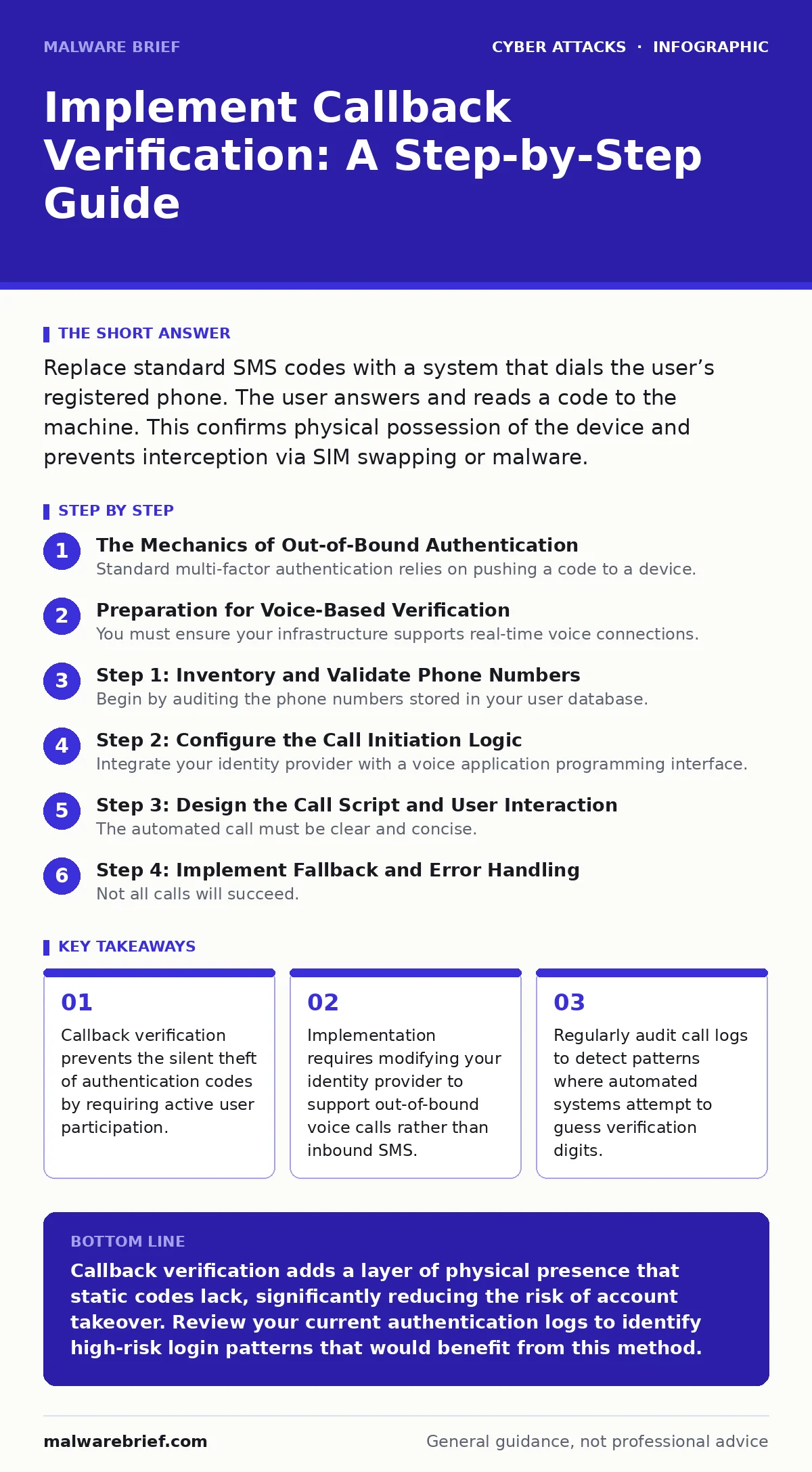
Replace standard SMS codes with a system that dials the user’s registered phone. The user answers and reads a code to the machine. This confirms physical possession of the device and prevents interception via SIM swapping or malware.
The Mechanics of Out-of-Bound Authentication
Standard multi-factor authentication relies on pushing a code to a device. This method assumes the device is secure and the user is present. It fails when an attacker intercepts the message or clones the SIM card. Callback verification inverts this flow. Instead of sending data to the user, the system requests data from the user. The server initiates a voice call to the number on file. The user answers and speaks a code or presses specific digits. This mechanism confirms that the person holding the phone is actively participating in the session. It adds a layer of physical verification that static codes cannot provide.
Preparation for Voice-Based Verification
You must ensure your infrastructure supports real-time voice connections. Standard SMS gateways are insufficient for this task. You need a provider that can initiate outbound calls and record audio or detect DTMF tones. DTMF tones are the beeps you hear when pressing keys on a phone keypad. Your identity management system must be able to trigger these calls immediately upon login attempt. You also need to define the user experience clearly. Users must know they will receive a call, not a text. Ambiguity leads to missed calls and support tickets. Update your help documentation to explain the new process before deployment.
Step 1: Inventory and Validate Phone Numbers
Begin by auditing the phone numbers stored in your user database. Many entries are outdated, incorrect, or formatted inconsistently. Incorrect numbers lead to failed verification and user frustration. Clean the data by asking users to confirm their contact details during their next login. Do not force this update immediately, as it may lock out users with invalid records. Instead, flag accounts with suspicious formats for manual review. Ensure you have a secondary contact method, such as an email address, to reach users if the call fails. This fallback is necessary for account recovery.
Step 2: Configure the Call Initiation Logic
Integrate your identity provider with a voice application programming interface. This API allows your system to place calls programmatically. Configure the system to trigger a call when a high-risk login is detected. High-risk events include logins from new devices or unusual geographic locations. The system should not call for every login, as this causes fatigue. Define clear rules for when the callback is mandatory. For example, require it only when passwordless authentication is used or when MFA fatigue attacks are suspected. This targeted approach balances security with user convenience.
Step 3: Design the Call Script and User Interaction
The automated call must be clear and concise. Long scripts increase the chance of user error or hanging up. The system should state the organisation name and the purpose of the call. Then, it should ask the user to read back a short numeric code. Alternatively, it can ask the user to press a specific sequence of keys. Voice recognition is less reliable than DTMF detection, so key presses are preferred. Ensure the call handles interruptions gracefully. If the user hangs up, the system should allow a retry after a short delay. Do not lock the account immediately after one failed call.
See also: Cloud API Insecurity Myths: What You Get Wrong About Interface Risks · Cloud Compliance Checklist: Verify Controls That Actually Work
Step 4: Implement Fallback and Error Handling
Not all calls will succeed. Networks fail, and users may not answer. You must define a limit for call attempts. Three attempts is a reasonable maximum before locking the session. Provide a clear error message in the user interface. The message should explain why the call failed and what the user should do next. Offer a secondary verification method for edge cases, but keep it secure. Avoid falling back to SMS if the risk is SIM swapping. Instead, offer an authenticator app code or a hardware token. This maintains security integrity while allowing legitimate access.
Step 5: Monitor and Analyze Call Patterns
After deployment, monitor the success and failure rates of callbacks. Look for anomalies in the data. A sudden spike in failed calls from a specific region may indicate a coordinated attack. Track the time between the login attempt and the call answer. Delays can signal automation tools. Analyse the DTMF inputs for patterns. Automated bots may guess digits randomly, leading to a uniform distribution of wrong answers. Human errors tend to cluster around similar digits. This distinction helps you tune your detection algorithms. Regular review ensures the system remains effective against evolving threats.
Verification Checklist and Maintenance
Use this checklist to ensure your implementation is secure and functional.
- Phone numbers in the database are validated and formatted correctly.
- The voice API integration handles timeouts and network errors gracefully.
- Users are notified before the call is placed to prevent confusion.
- The call script is short, clear, and uses DTMF detection for accuracy.
- Fallback methods are secure and do not reintroduce SMS vulnerabilities.
- Logs capture call initiation, answer time, and verification result.
- Monitoring alerts trigger on unusual failure rates or geographic anomalies.
Upkeep and Long-Term Strategy
Callback verification is not a one-time fix. It requires ongoing maintenance. Review your call logs quarterly to identify trends. Update your risk rules as new attack vectors emerge. For instance, if zero-click exploits become more common, you may need to adjust when callbacks are triggered. Educate your users on the new process. Security culture depends on understanding. Users who know why they are receiving a call are less likely to report it as spam. Regular testing ensures the system works as expected. Simulate attacks to verify that the callbacks are triggered correctly. This proactive approach keeps your authentication robust against future threats.
Key takeaways
- Callback verification prevents the silent theft of authentication codes by requiring active user participation.
- Implementation requires modifying your identity provider to support out-of-bound voice calls rather than inbound SMS.
- Regularly audit call logs to detect patterns where automated systems attempt to guess verification digits.
Callback verification adds a layer of physical presence that static codes lack, significantly reducing the risk of account takeover. Review your current authentication logs to identify high-risk login patterns that would benefit from this method.
Frequently asked questions
Does callback verification work with landlines?
Yes, it works with any number that can receive a voice call. However, landlines are shared devices, which reduces the security benefit. Prefer mobile numbers for individual accountability.
What if the user is in a noisy environment?
DTMF key presses are more reliable than voice recognition in noisy settings. Ensure your system prioritises key presses for verification. Provide clear instructions to the user.
How does this compare to authenticator apps?
Authenticator apps are more convenient and do not require network connectivity. Callback verification is superior for detecting SIM swapping and physical device theft. Use both for layered security.
Can attackers spoof the callback call?
Call spoofing is possible but difficult to scale. The security relies on the user verifying the code, not the caller ID. Ensure your system validates the response against the session token.
How this guide was produced: written by the Malware Brief editorial team with AI assistance, checked against the public references listed below, and reviewed when the facts change. See our editorial policy or report an error.