Detecting Credential Dumping: Signals, Logs and Blind Spots
Credential dumping often leaves no malware trace, relying instead on legitimate system calls that blend into normal administrative activity.

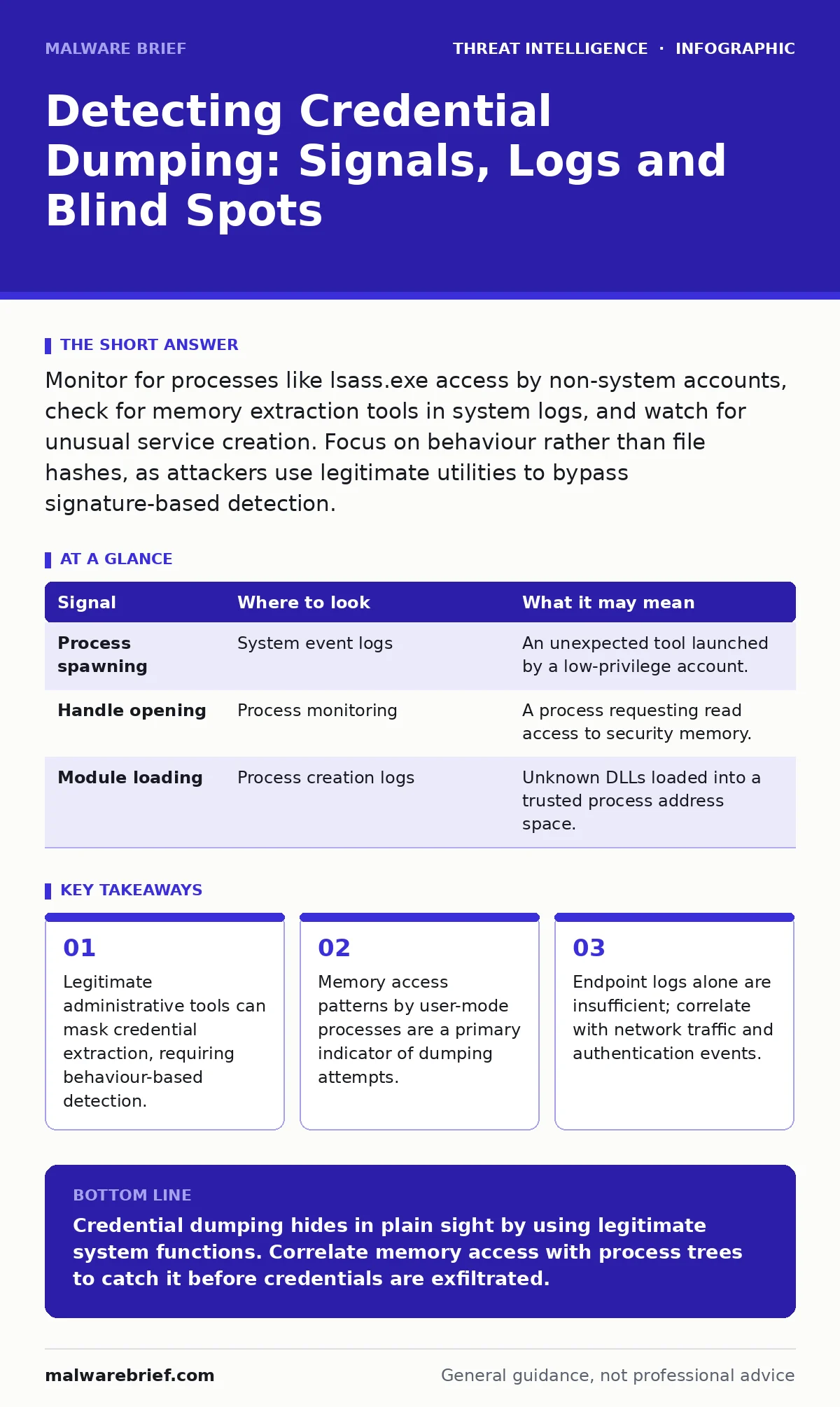
Monitor for processes like lsass.exe access by non-system accounts, check for memory extraction tools in system logs, and watch for unusual service creation. Focus on behaviour rather than file hashes, as attackers use legitimate utilities to bypass signature-based detection.
The Mechanics of Extraction
Credential dumping targets the operating system’s memory rather than stored files. Modern systems keep passwords and tokens in volatile memory to allow seamless authentication. When an attacker gains local execution, they read this memory to harvest credentials. This bypasses encryption at rest, as the data is decrypted for use. The goal is often to move laterally or escalate privileges. Understanding this mechanism changes how you look for evidence. You are not searching for a stolen file. You are looking for a process reading memory it should not touch. This distinction drives the detection strategy.
Process-Level Indicators
The first sign of dumping is usually a strange process tree. Attackers use tools that read the memory of the Local Security Authority Subsystem Service. This service handles security policies and authentication. Legitimate software rarely needs to read its memory directly. If a user-mode process opens a handle to this service with read permissions, flag it. This action is the precursor to extraction. The process name may be legitimate, such as a debugger or a backup utility. Context determines the risk. A scheduled backup job reading memory is normal. A PowerShell script doing so at 3 a.m. is not.
| Signal | Where to look | What it may mean |
|---|---|---|
| Process spawning | System event logs | An unexpected tool launched by a low-privilege account. |
| Handle opening | Process monitoring | A process requesting read access to security memory. |
| Module loading | Process creation logs | Unknown DLLs loaded into a trusted process address space. |
Memory Access Patterns
Beyond process creation, the specific memory operations reveal intent. Dumping tools copy large blocks of memory from one process to another. This creates a distinct pattern of virtual memory operations. You can detect this by monitoring for high-frequency read operations on specific process IDs. The attacker needs to copy the entire memory space to find the credentials. This is resource-intensive and noisy if monitored correctly. Standard operating system processes do not typically dump their peers’ memory. This behaviour is rare outside of debugging or forensic analysis. Flag any process that reads another process’s memory without a clear administrative reason.
Log Gaps and Silos
Many organisations miss dumping because they lack unified logging. Endpoint logs show the process creation. Network logs show no connection. Authentication logs show no login. The attack happens locally and silently. Without correlating these data sources, the event looks like noise. You must combine process telemetry with file system changes. Attackers often write the dumped data to a temporary file. This file creation is a secondary indicator. If you see a memory read followed by a write to a temp directory, investigate. The file may be encrypted or renamed. The sequence of events matters more than the individual actions.
Common Blind Spots
One major blind spot is the use of legitimate credentials. If an attacker uses a stolen token, they do not need to dump credentials again. They impersonate the user directly. This leaves no dumping signatures at all. Another gap is cloud environments. Traditional memory dumping tools do not work on virtualised cloud instances in the same way. Attackers shift to API abuse or token theft. Your detection rules for on-premises servers may not apply here. Additionally, some operating systems protect memory regions. Attackers may use driver exploitation to bypass these protections. This requires kernel-level access, which is harder to achieve but harder to detect.
See also: How to Implement Red Teaming: A Practical Step-by-Step Framework · Hacktivism Explained: Motives, Methods and Technical Realities
Correlation with Related Tactics
Credential dumping rarely happens in isolation. It is often followed by lateral movement or remote access. You should correlate dumping alerts with other activities. For instance, if dumping occurs, check for subsequent remote desktop abuse attempts. The attacker likely wants to use the stolen credentials to log in elsewhere. This connection strengthens the alert. Similarly, look for scheduled task abuse. Attackers may create a task to run the dumping tool at a specific time. This helps them persist or delay detection. Reviewing these related tactics provides context. It turns a single alert into a narrative.
Tools and Configuration
Detection requires specific configuration of your monitoring stack. Endpoint Detection and Response platforms must be set to record process command lines. They must also record parent process IDs. Without these details, you cannot reconstruct the attack chain. Sysmon is a common tool for this on Windows systems. It logs process creation, network connections, and file changes. Configure it to log handle operations. This captures the memory access events. On Linux, auditd can monitor similar activities. It tracks system calls and file access. The configuration must be precise. Too much noise drowns out the signal. Too little misses the attack. Balance is key.
Key takeaways
- Legitimate administrative tools can mask credential extraction, requiring behaviour-based detection.
- Memory access patterns by user-mode processes are a primary indicator of dumping attempts.
- Endpoint logs alone are insufficient; correlate with network traffic and authentication events.
Credential dumping hides in plain sight by using legitimate system functions. Correlate memory access with process trees to catch it before credentials are exfiltrated.
Frequently asked questions
Can anti-virus detect credential dumping?
Traditional anti-virus relies on signatures and often misses custom tools. Behaviour-based detection is more effective for this threat.
How do I distinguish debugging from dumping?
Check the user context. Developers debugging code run as themselves. Dumping often occurs under service accounts or with elevated privileges unexpectedly.
Does multi-factor authentication stop credential dumping?
No. It stops the use of stolen passwords. If the attacker steals a token, MFA may not help. Token theft is a separate risk.
Should I block all memory access tools?
Blocking all tools will break legitimate administration. Instead, restrict their use to specific admin accounts and log all usage.
How this guide was produced: written by the Malware Brief editorial team with AI assistance, checked against the public references listed below, and reviewed when the facts change. See our editorial policy or report an error.