How to Implement Red Teaming: A Practical Step-by-Step Framework
Effective red teaming requires simulating adversary tactics to validate detection gaps, rather than simply testing for known vulnerabilities in isolation.

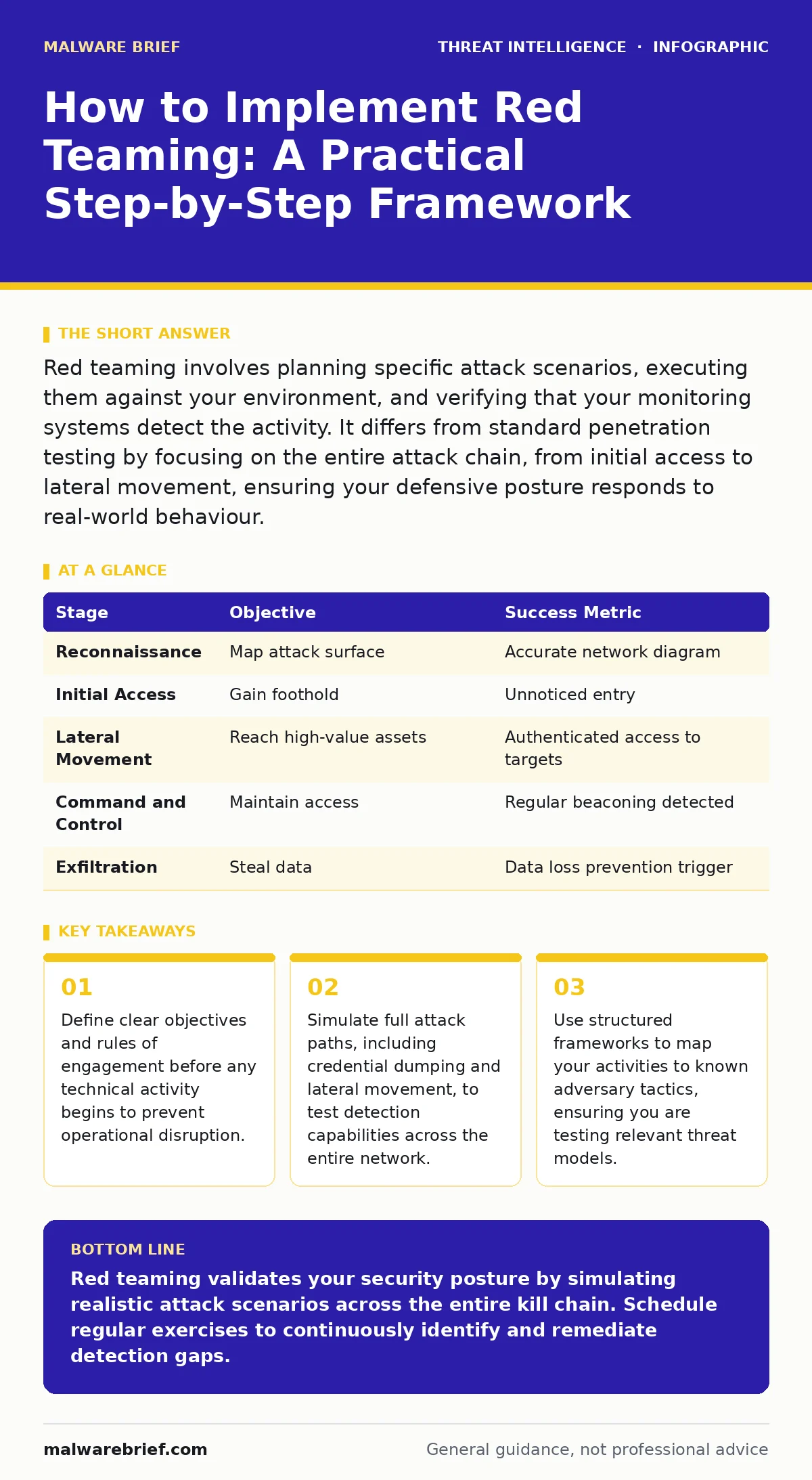
Red teaming involves planning specific attack scenarios, executing them against your environment, and verifying that your monitoring systems detect the activity. It differs from standard penetration testing by focusing on the entire attack chain, from initial access to lateral movement, ensuring your defensive posture responds to real-world behaviour.
Defining the Scope and Objectives
Before configuring any tools, you must establish the boundaries of the engagement. Red teaming is not a penetration test; it aims to evaluate the organisation’s overall security posture, including detection, response, and recovery capabilities. You need to agree on which systems are in scope and which are strictly off-limits. This prevents accidental disruption of critical production services.
You must also define the threat model. Are you simulating a sophisticated state-sponsored actor or a financially motivated group? This decision dictates the techniques you will employ. A threat actor focused on data exfiltration will behave differently than one seeking ransomware deployment. Selecting the right profile ensures your tests are relevant to the actual risks your organisation faces.
Step 1: Environment Reconnaissance
Begin by mapping the external and internal attack surface. This is not about finding open ports; it is about understanding the logic of your network. Identify entry points such as public-facing applications, email gateways, and remote access endpoints. You are looking for the weakest links that an adversary would exploit to gain an initial foothold.
Document the network topology and trust relationships between systems. Understanding how different segments communicate helps you plan lateral movement paths. If a web server can directly query a database server, that is a potential pivot point. This phase is passive and should not generate any traffic that triggers alerts.
To verify this step worked, compare your internal network diagrams with the data you collected. If you discover undocumented services or unexpected trust relationships, update your documentation immediately. These discrepancies are often the first place an attacker will look.
Step 2: Initial Access Simulation
Select a method for initial access that aligns with your defined threat model. Phishing simulations are common, but they require careful handling to avoid causing alarm among staff. Alternatively, you might exploit a misconfigured public service or abuse a legitimate authentication mechanism. The goal is to gain a low-privileged foothold without being detected.
Once inside, you must establish persistence. This ensures you can maintain access even if the initial entry point is closed. Techniques might involve creating scheduled tasks or modifying registry keys. However, you must ensure these actions are reversible and do not compromise system stability.
Check your work by attempting to reconnect to the compromised host using the persistence mechanism you installed. If the connection fails, your initial access simulation was incomplete. You need to refine your technique before moving to lateral movement.
Step 3: Lateral Movement and Privilege Escalation
With a foothold established, you now move laterally through the network. The objective is to reach high-value assets, such as domain controllers or sensitive data repositories. You will likely need to escalate privileges to access these systems. This is where techniques like credential dumping become relevant.
Credential dumping involves extracting password hashes or credentials from memory or storage. You might then attempt pass-the-hash attacks to authenticate to other systems without knowing the plaintext password. This simulates how an adversary moves deeper into the network once they have compromised a single machine.
Another common technique is remote desktop abuse. If you can authenticate to a system, you may attempt to establish a remote desktop session. This allows you to interact with the system as if you were physically present, facilitating further data collection and movement.
To verify this step, attempt to access a high-value asset from your initial foothold. If you can authenticate and execute commands on the target system without triggering alerts, your lateral movement technique was successful. If your actions are blocked or detected, note the detection method for later analysis.
Step 4: Command and Control Simulation
Once you have access to high-value assets, you need to maintain communication with your external infrastructure. This is known as command and control. You must simulate how an adversary would send instructions to the compromised host and receive data back.
A common technique is beaconing, where the compromised system sends regular, small packets of data to a server controlled by the adversary. This helps maintain the connection and exfiltrate small amounts of data. Your defensive systems should detect this regular, unusual traffic pattern.
You might also use bulletproof hosting concepts by routing your command and control traffic through compromised servers or anonymising services. This makes it harder for defenders to trace the activity back to you. However, ensure your testing infrastructure is distinct from any real malicious infrastructure.
Verify this step by monitoring your command and control server for incoming traffic. If you see regular beaconing from your compromised hosts, your simulation is working. If the traffic is blocked or flagged immediately, your defensive systems are detecting the pattern.
See also: Detect Remote Desktop Abuse: Logs, Signals and Hidden Blind Spots · Detecting Credential Dumping: Signals, Logs and Blind Spots
Step 5: Exfiltration and Impact Simulation
The final stage of the attack chain is data exfiltration. You must simulate the theft of sensitive data to test whether your data loss prevention systems are effective. This involves identifying sensitive files and copying them to an external location.
You might also simulate the impact of a ransomware attack by encrypting a small, non-critical file set. This tests your backup and recovery procedures. Ensure you have the authority to perform this action and that it will not disrupt any critical services.
To verify this step, attempt to exfiltrate a small amount of data. If your data loss prevention systems block the transfer or alert your security team, your defenses are working. If the data leaves the network undetected, you have identified a significant gap.
Checking Effectiveness and Upkeep
After completing the attack simulation, you must analyse the results. Review all logs and alerts generated during the exercise. Identify which stages of the attack were detected and which were not. This analysis is more valuable than the attack itself.
Create a report detailing your findings, including specific recommendations for improving detection and response. Share this report with the blue team, who are responsible for defense. Collaborate on developing new detection rules or improving existing ones.
Red teaming is not a one-time event. You must schedule regular exercises to test new systems, processes, and threats. As your environment changes, so too will the attack surface. Continuous testing ensures your defenses remain effective against evolving threats.
| Stage | Objective | Success Metric |
|---|---|---|
| Reconnaissance | Map attack surface | Accurate network diagram |
| Initial Access | Gain foothold | Unnoticed entry |
| Lateral Movement | Reach high-value assets | Authenticated access to targets |
| Command and Control | Maintain access | Regular beaconing detected |
| Exfiltration | Steal data | Data loss prevention trigger |
Key takeaways
- Define clear objectives and rules of engagement before any technical activity begins to prevent operational disruption.
- Simulate full attack paths, including credential dumping and lateral movement, to test detection capabilities across the entire network.
- Use structured frameworks to map your activities to known adversary tactics, ensuring you are testing relevant threat models.
Red teaming validates your security posture by simulating realistic attack scenarios across the entire kill chain. Schedule regular exercises to continuously identify and remediate detection gaps.
Frequently asked questions
How is red teaming different from penetration testing?
Penetration testing focuses on finding and exploiting specific vulnerabilities in a defined scope. Red teaming simulates an adversary’s full attack lifecycle to test the organisation’s overall detection and response capabilities.
How long does a typical red team exercise take?
The duration varies depending on the scope and complexity of the environment. Small engagements might take a few weeks, while large, organisation-wide exercises can span several months.
Can I use open-source tools for red teaming?
Yes, many open-source tools are available and effective for simulating attacks. However, you must ensure you understand how they work and that they are used within the agreed rules of engagement.
What should I do if the red team finds a critical vulnerability?
Immediately pause the exercise and coordinate with the blue team to remediate the issue. Document the finding and update your risk assessment. Do not continue testing until the critical issue is addressed.
How this guide was produced: written by the Malware Brief editorial team with AI assistance, checked against the public references listed below, and reviewed when the facts change. See our editorial policy or report an error.