Warning Signs of Business Logic Vulnerabilities in Web Apps
Functional flaws bypass technical controls because the application executes the attacker's intended action exactly as programmed by the developer.

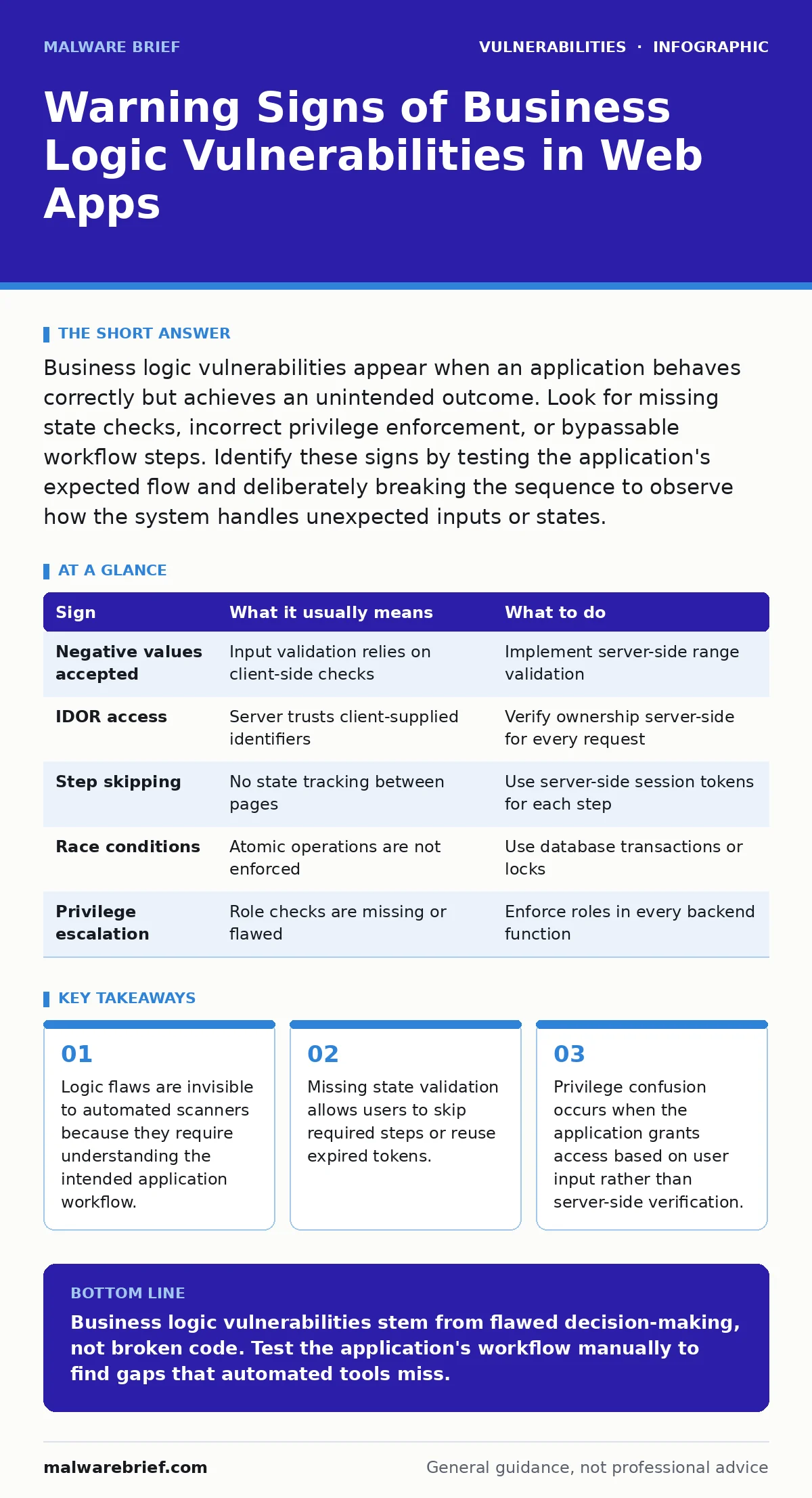
Business logic vulnerabilities appear when an application behaves correctly but achieves an unintended outcome. Look for missing state checks, incorrect privilege enforcement, or bypassable workflow steps. Identify these signs by testing the application's expected flow and deliberately breaking the sequence to observe how the system handles unexpected inputs or states.
The nature of functional flaws
Business logic vulnerabilities arise from a mismatch between the developer's intent and the application's actual behaviour. Unlike code injection or buffer overflows, these flaws do not exploit broken syntax or memory errors. They exploit the rules the application follows to process data. The application executes the attacker's actions exactly as written, but the outcome violates security expectations. You cannot patch these with a software update alone. You must rewrite the application's decision-making process.
Obvious signs of logic failure
Some logic flaws present clear symptoms during routine usage. These are the signs people notice first. The application allows actions that should be blocked. A user can purchase an item with a negative price. A user can access another user's account by changing a number in the URL. These failures indicate that the application trusts user input without verification. The server accepts the input as truth. It does not cross-reference the input with its own internal state.
Subtle indicators of design errors
Signs that are easy to miss often involve timing or sequence. The application processes requests in an order that creates a race condition. Two users might modify the same resource simultaneously, and the server only checks the state once. The second request succeeds even though the first should have locked the resource. Another subtle sign is the lack of state progression. The application does not track whether a user has completed a necessary step, such as confirming an email address. It allows the user to proceed to the next stage without this confirmation.
Common patterns in workflow bypass
Attackers look for ways to skip mandatory steps. Imagine a payment system that requires three steps: select item, enter card details, and confirm payment. If the application does not enforce this sequence, a user might send the confirmation request directly. The server processes the payment without verifying that the card details were entered. This is a state management failure. The application assumes the previous steps occurred because it did not track the session state correctly. This pattern appears frequently in multi-step forms and wizard interfaces.
Table: Identifying and responding to signs
| Sign | What it usually means | What to do |
|---|---|---|
| Negative values accepted | Input validation relies on client-side checks | Implement server-side range validation |
| IDOR access | Server trusts client-supplied identifiers | Verify ownership server-side for every request |
| Step skipping | No state tracking between pages | Use server-side session tokens for each step |
| Race conditions | Atomic operations are not enforced | Use database transactions or locks |
| Privilege escalation | Role checks are missing or flawed | Enforce roles in every backend function |
See also: Firmware Update Management for Small Businesses: Practical Security Steps · Reading Security Advisories: How to Priorise Patching and Risk
Hidden costs of logic errors
Logic flaws often remain undetected for long periods. They do not trigger standard intrusion detection systems. The traffic looks normal. The application responds with successful status codes. This makes them dangerous. They allow attackers to extract data or perform actions without leaving a forensic trail of failed attempts. The hidden cost is the erosion of trust. Users assume the application enforces its own rules. When those rules fail, the breach is often perceived as negligence rather than a technical failure. This impacts remediation efforts significantly.
Testing for functional integrity
You must test the application's workflow manually. Automated tools cannot understand context. They send random inputs and look for errors. They do not follow the business process. You need to map the expected flow first. Then, you test every deviation. Send requests out of order. Change values during the process. Repeat steps that should be single-use. This method reveals where the application lacks safeguards. It highlights gaps in the logic that technical controls miss.
Mitigation strategies for logic flaws
Fixing logic flaws requires a change in design. You cannot simply add a filter. You must restructure how the application handles state. Use server-side session management to track user progress. Enforce strict ownership checks for every data access request. Ensure that critical operations are atomic. This means the entire operation succeeds or fails together. Partial successes create inconsistent states. Review the application's requirements thoroughly. Ensure that every possible path is accounted for. This aligns with broader strategies found in guides on mitigations and workarounds.
Related technical considerations
Logic flaws often coexist with other vulnerabilities. A missing state check might allow a user to exploit hard-coded credentials if the application does not verify the session properly. Similarly, if the application runs in a container, a logic flaw might not lead to a container escape vulnerability, but it could expose sensitive data that helps an attacker plan a wider attack. Understanding how these issues interact is vital. It prevents fixing one problem while leaving another open. For instance, a PHP application vulnerabilities guide might discuss similar input handling issues. Logic flaws are distinct because they are about the 'why' not the 'how'.
Key takeaways
- Logic flaws are invisible to automated scanners because they require understanding the intended application workflow.
- Missing state validation allows users to skip required steps or reuse expired tokens.
- Privilege confusion occurs when the application grants access based on user input rather than server-side verification.
Business logic vulnerabilities stem from flawed decision-making, not broken code. Test the application's workflow manually to find gaps that automated tools miss.
Frequently asked questions
Can automated scanners detect business logic vulnerabilities?
No. Automated scanners check for known technical flaws like injection or cross-site scripting. They cannot understand the intended workflow or the business rules of the application. They treat all inputs as technical data, not as logical steps.
What is the difference between a logic flaw and a configuration error?
A configuration error is a mistake in settings, such as allowing debug mode in production. A logic flaw is a mistake in the application's code or design. The application works as programmed, but the program itself is insecure. Logic flaws require code changes to fix.
How do I verify if an IDOR is a logic vulnerability?
An Insecure Direct Object Reference (IDOR) is a logic vulnerability if the server fails to verify that the user owns the object they are requesting. If the server trusts the ID provided by the client without checking permissions, it is a logic flaw. Technical filters cannot fix this; the server must enforce ownership.
Are logic flaws common in mobile applications?
Yes. Mobile applications often rely on backend APIs. If the API has logic flaws, the mobile app inherits them. Attackers can intercept API calls and manipulate the logic directly. The mobile interface does not protect the logic. The security must be on the server side.
How this guide was produced: written by the Malware Brief editorial team with AI assistance, checked against the public references listed below, and reviewed when the facts change. See our editorial policy or report an error.