Warning signs of PHP application vulnerabilities you must spot
Silent failures in session handling and unexpected data types often reveal deeper structural flaws long before any error message appears on screen.

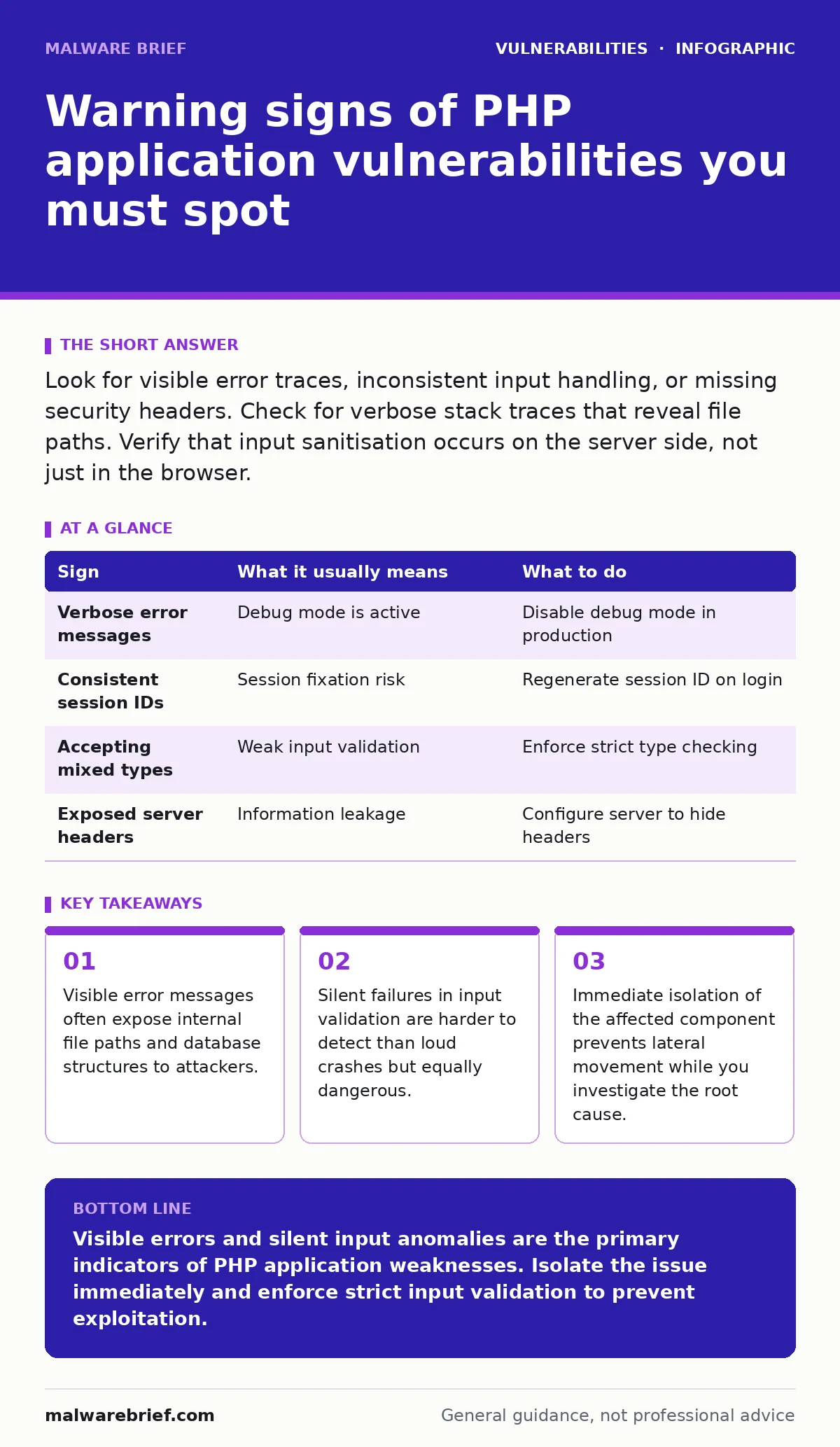
Look for visible error traces, inconsistent input handling, or missing security headers. Check for verbose stack traces that reveal file paths. Verify that input sanitisation occurs on the server side, not just in the browser.
Immediate visual indicators of exposure
Visible error messages are the most obvious sign of a misconfigured PHP application. When a script fails, it may dump the full stack trace to the browser. This output includes the absolute path to the source file, the database server name, and sometimes even the structure of the query that failed. Attackers use this information to map the application architecture. You should never see raw PHP errors in a production environment. The application configuration must suppress these details and log them internally instead.
Hidden configuration weaknesses
Many vulnerabilities stem from default settings that developers do not change. The register_globals directive, though removed in modern PHP versions, left a legacy of insecure coding patterns. Modern equivalents include loose handling of superglobal arrays like $_GET and $_POST. If an application relies on the presence of a variable without checking its type or origin, it creates an entry point. Another hidden risk is the allow_url_include setting. If enabled, the application can load code from remote URLs, turning a simple include statement into a remote code execution vector.
Input handling anomalies
Consistent input validation is difficult to maintain across large codebases. Look for endpoints that behave differently when given unexpected data types. For example, a field expecting a numeric ID might accept a string. If the application processes this string without casting it to an integer, it may bypass security filters. This is a common precursor to SQL injection or type juggling attacks. The application should reject any input that does not match the expected format strictly. Leniency in input parsing is a major red flag.
Session management irregularities
Session fixation and hijacking often go unnoticed until an account is compromised. Check if the session ID changes after a successful login. If the ID remains the same, an attacker who predicted or stole the pre-login ID can take over the session. Also, verify that session cookies are marked as HttpOnly and Secure. These flags prevent JavaScript access and ensure transmission only over encrypted connections. Without these flags, simple cross-site scripting can steal session tokens.
Data leakage through headers
HTTP headers reveal more about the server than most people realise. The Server header often exposes the exact PHP version and web server software. Attackers use this to find known exploits for that specific version. The X-Powered-By header is another common leak. These headers do not affect functionality, so developers often ignore them. Removing or obfuscating these headers reduces the information available to an attacker during reconnaissance.
See also: Input Validation vs Sanitisation: Difference and How to Apply Both · Warning Signs of Business Logic Vulnerabilities in Web Apps
Response to detected signs
When you identify a potential vulnerability, do not attempt to fix it immediately in production. First, isolate the affected component if possible. Disable the specific feature or endpoint to prevent further exploitation. Then, review the code responsible for the behaviour. Check for missing validation, improper error handling, or insecure configurations. Document the finding and the steps taken. This creates a record for future audits and helps identify similar issues elsewhere in the codebase.
| Sign | What it usually means | What to do |
|---|---|---|
| Verbose error messages | Debug mode is active | Disable debug mode in production |
| Consistent session IDs | Session fixation risk | Regenerate session ID on login |
| Accepting mixed types | Weak input validation | Enforce strict type checking |
| Exposed server headers | Information leakage | Configure server to hide headers |
Silent failures and edge cases
Some vulnerabilities do not produce errors at all. They succeed silently. For instance, a file upload function might accept a PHP file disguised as an image. If the server executes this file, the application is compromised. There may be no error message, no crash, and no obvious change in behaviour. This is why you must monitor server logs and file integrity, not just application output. Regular audits of uploaded directories are necessary to catch these silent intrusions.
Integrating with broader security practices
PHP application vulnerabilities often intersect with other security domains. For instance, a poorly configured PHP app might expose hard-coded credentials in its source code if version control is mismanaged. Similarly, business logic vulnerabilities in PHP applications can allow users to bypass payment steps or access restricted data.
Understanding software composition analysis helps identify outdated PHP libraries that contain known flaws. While vulnerabilities in VPN gateways and application delivery controllers are network-level issues, they can amplify the impact of a compromised PHP application by providing direct access to the server.
Long-term maintenance strategies
Fixing one vulnerability is not enough. You must adopt a process that prevents recurrence. Implement continuous integration checks that run security scans on every code commit. Train developers to recognise insecure patterns, such as using eval() or trusting user input. Regularly update your PHP version and dependencies. Older versions receive fewer security patches. Finally, conduct periodic penetration tests to simulate real attacks. This reveals gaps that automated tools might miss.
Key takeaways
- Visible error messages often expose internal file paths and database structures to attackers.
- Silent failures in input validation are harder to detect than loud crashes but equally dangerous.
- Immediate isolation of the affected component prevents lateral movement while you investigate the root cause.
Visible errors and silent input anomalies are the primary indicators of PHP application weaknesses. Isolate the issue immediately and enforce strict input validation to prevent exploitation.
Frequently asked questions
How do I know if my PHP version is vulnerable?
Check the official release notes for your PHP version. Look for security advisories that mention critical fixes. Upgrade to the latest stable version if possible.
Can I fix a vulnerability without restarting the server?
Some configuration changes apply immediately. Code fixes require reloading the PHP interpreter or restarting the web server to take effect.
What is the difference between sanitisation and validation?
Validation checks if input meets expected criteria. Sanitisation cleans input to remove harmful characters. You should do both, in that order.
Do firewalls protect against PHP application vulnerabilities?
Firewalls block network traffic. They cannot fix insecure code. You must secure the application logic itself to prevent exploitation.
How this guide was produced: written by the Malware Brief editorial team with AI assistance, checked against the public references listed below, and reviewed when the facts change. See our editorial policy or report an error.