Mitigations and Workarounds: Security Controls Without Patches
Temporary security controls often introduce hidden complexity and maintenance costs that persist long after the original vulnerability is resolved.
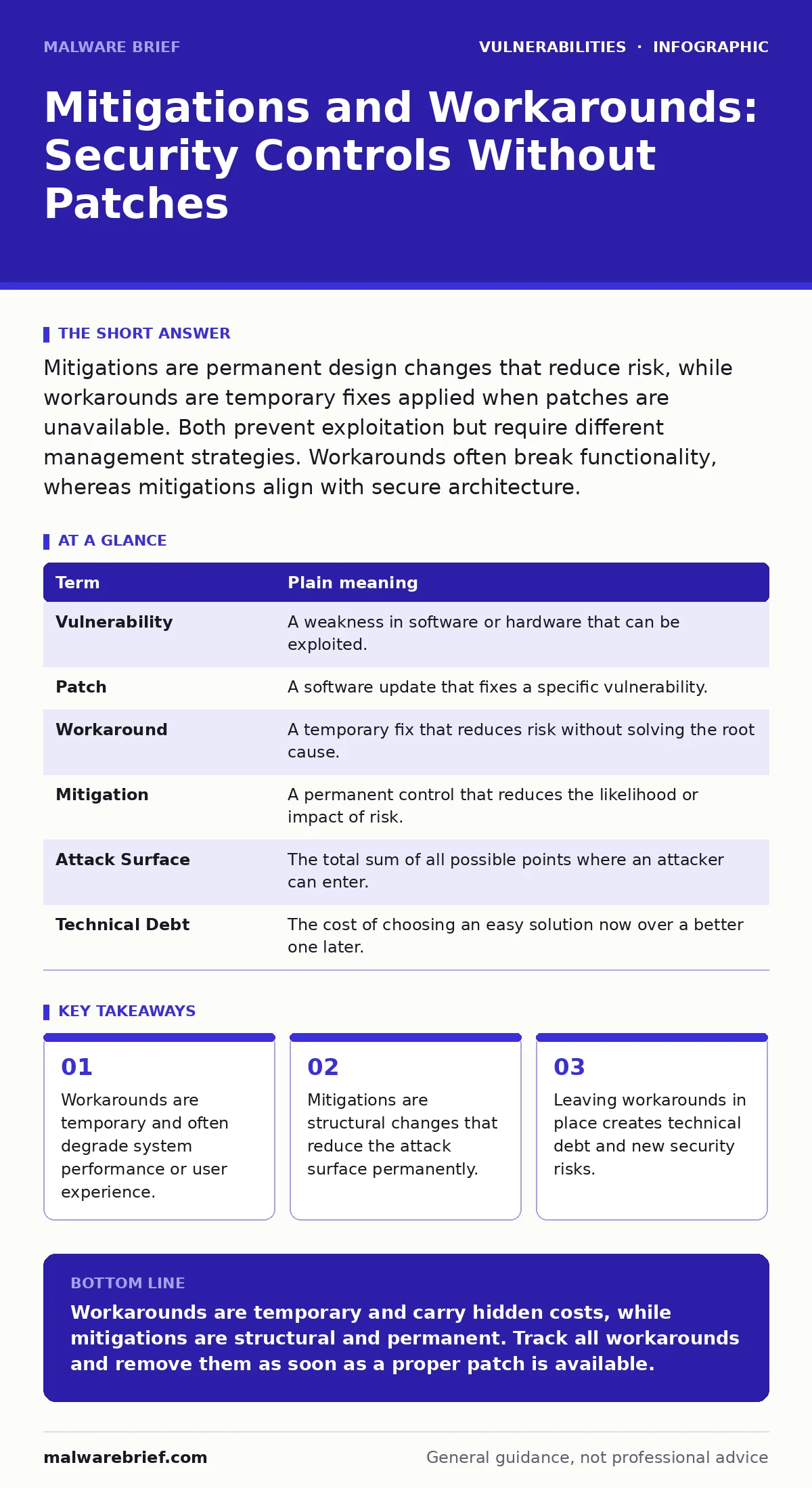
Mitigations are permanent design changes that reduce risk, while workarounds are temporary fixes applied when patches are unavailable. Both prevent exploitation but require different management strategies. Workarounds often break functionality, whereas mitigations align with secure architecture.
The Leaky Bucket Analogy
Imagine you have a bucket with a hole in the bottom. The hole is the vulnerability. The ideal solution is to seal the hole completely. This is a patch. However, sealing the hole requires specific materials or time that you do not currently have. Instead, you place a plug in the hole. This plug is a workaround. It stops the water from leaking out right now, but it is not the intended design of the bucket. If you leave the plug in forever, you must remember to check it regularly. If the plug fails, the water leaks again. A mitigation, by contrast, is redesigning the bucket so it has no bottom holes at all, or moving the water to a sealed tank. The tank is safer by design, not by temporary intervention.
Defining the Controls
A workaround is a temporary measure that bypasses or reduces the impact of a vulnerability without fixing the root cause. It is often applied when a vendor has not yet released a fix. Workarounds are usually quick to implement but fragile. They may stop working if the underlying system changes. A mitigation is a permanent control that reduces risk. It might involve changing how the system operates or adding layers of defence. Mitigations are part of the long-term security strategy. They do not rely on the absence of a bug but on the presence of a control.
| Term | Plain meaning |
|---|---|
| Vulnerability | A weakness in software or hardware that can be exploited. |
| Patch | A software update that fixes a specific vulnerability. |
| Workaround | A temporary fix that reduces risk without solving the root cause. |
| Mitigation | A permanent control that reduces the likelihood or impact of risk. |
| Attack Surface | The total sum of all possible points where an attacker can enter. |
| Technical Debt | The cost of choosing an easy solution now over a better one later. |
The Hidden Cost of Workarounds
Workarounds often introduce new problems. Imagine disabling a feature that uses the vulnerable code. This stops the exploit, but it also stops the legitimate users who need that feature. You have traded one problem for another. This is a common point of confusion. Teams often apply a workaround and forget about it. Months later, they wonder why the system is slow or broken. The workaround is still active. It consumes resources and confuses auditors. This relates to patch testing, where you verify that a fix does not break the system. Workarounds rarely undergo this level of scrutiny.
When Mitigations Fail by Design
Mitigations are not always perfect. Adding a firewall rule to block traffic is a mitigation. It assumes you know what traffic is malicious. If an attacker uses a new method, the rule may fail. This is why defence in depth is necessary. You need multiple layers. A single mitigation is rarely enough. Consider secure code review. If the code is reviewed properly, the vulnerability may never exist. This is the best mitigation. It prevents the hole in the bucket from being drilled in the first place. However, code review is expensive and time-consuming. Many teams rely on workarounds because they are faster.
The Confusion Between Fixes and Controls
People often use "fix" and "mitigation" interchangeably. They are not the same. A fix removes the vulnerability. A mitigation reduces the risk. You can have a vulnerability and still have low risk if the mitigation is strong. For example, if a server is vulnerable but isolated from the internet, the risk is low. The isolation is the mitigation. The vulnerability still exists. If you later connect the server to the internet, the mitigation disappears. The risk returns. This is why patch management is critical. You cannot rely on isolation forever. Systems change. Networks evolve. The workaround must be tracked.
See also: Backported Security Fixes: How They Work and Why They Matter · How to Prevent Hard-Coded Credentials in Source Code
Managing Temporary Fixes
Workarounds must be tracked. Treat them as temporary items on a checklist. Assign an owner. Set a review date. When a patch becomes available, test it. If it works, remove the workaround. This is similar to dependency updates, where you replace old libraries with new ones. If you keep the old library, you keep the risk. You also keep the workaround. This creates clutter. It makes the system harder to understand. Future engineers will not know why the workaround is there. They may remove it, thinking it is unnecessary. This can re-open the vulnerability.
- Identify the workaround.
- Document the risk it reduces.
- Schedule a review date.
- Test the permanent patch.
- Remove the workaround.
Integrating With Security Processes
Workarounds and mitigations must fit into your broader security process. They are not standalone actions. They connect to software composition analysis, which identifies vulnerable components. If you find a vulnerability in a component, you apply a mitigation. If no patch exists, you apply a workaround. Both actions must be recorded. This creates a history. It shows how you handled risk over time. It also helps with compliance. Auditors want to see that you have a plan for vulnerabilities. They do not expect zero vulnerabilities. They expect a process for managing them.
The Role of Backports
Sometimes vendors release backported security fixes. These are patches for older versions of software. They allow you to fix the vulnerability without upgrading the entire system. This is a better solution than a workaround. It fixes the root cause. It does not break other features. However, backports are not always available. If they are not, you must use a workaround or mitigation. The choice depends on your risk appetite. If the risk is high, you may need to isolate the system. This is a mitigation. It buys you time. It does not solve the problem permanently.
Key takeaways
- Workarounds are temporary and often degrade system performance or user experience.
- Mitigations are structural changes that reduce the attack surface permanently.
- Leaving workarounds in place creates technical debt and new security risks.
Workarounds are temporary and carry hidden costs, while mitigations are structural and permanent. Track all workarounds and remove them as soon as a proper patch is available.
Frequently asked questions
What is the difference between a patch and a mitigation?
A patch fixes the code error directly, while a mitigation adds a control to reduce the risk of exploitation without changing the underlying code.
Can a workaround become a permanent solution?
No, workarounds are inherently temporary. Keeping them long-term creates technical debt and increases the risk of new vulnerabilities emerging.
How do I know if a mitigation is effective?
Test the mitigation in a controlled environment. Verify that it blocks the specific exploit path without breaking legitimate functionality.
Are workarounds safer than doing nothing?
Yes, workarounds reduce immediate risk. However, they must be managed carefully to avoid introducing new security gaps or performance issues.
How this guide was produced: written by the Malware Brief editorial team with AI assistance, checked against the public references listed below, and reviewed when the facts change. See our editorial policy or report an error.