Patch Management: Eight Questions Answered for Stability
Delaying updates to avoid downtime often increases risk, because unpatched systems accumulate multiple vulnerabilities that compound over time.

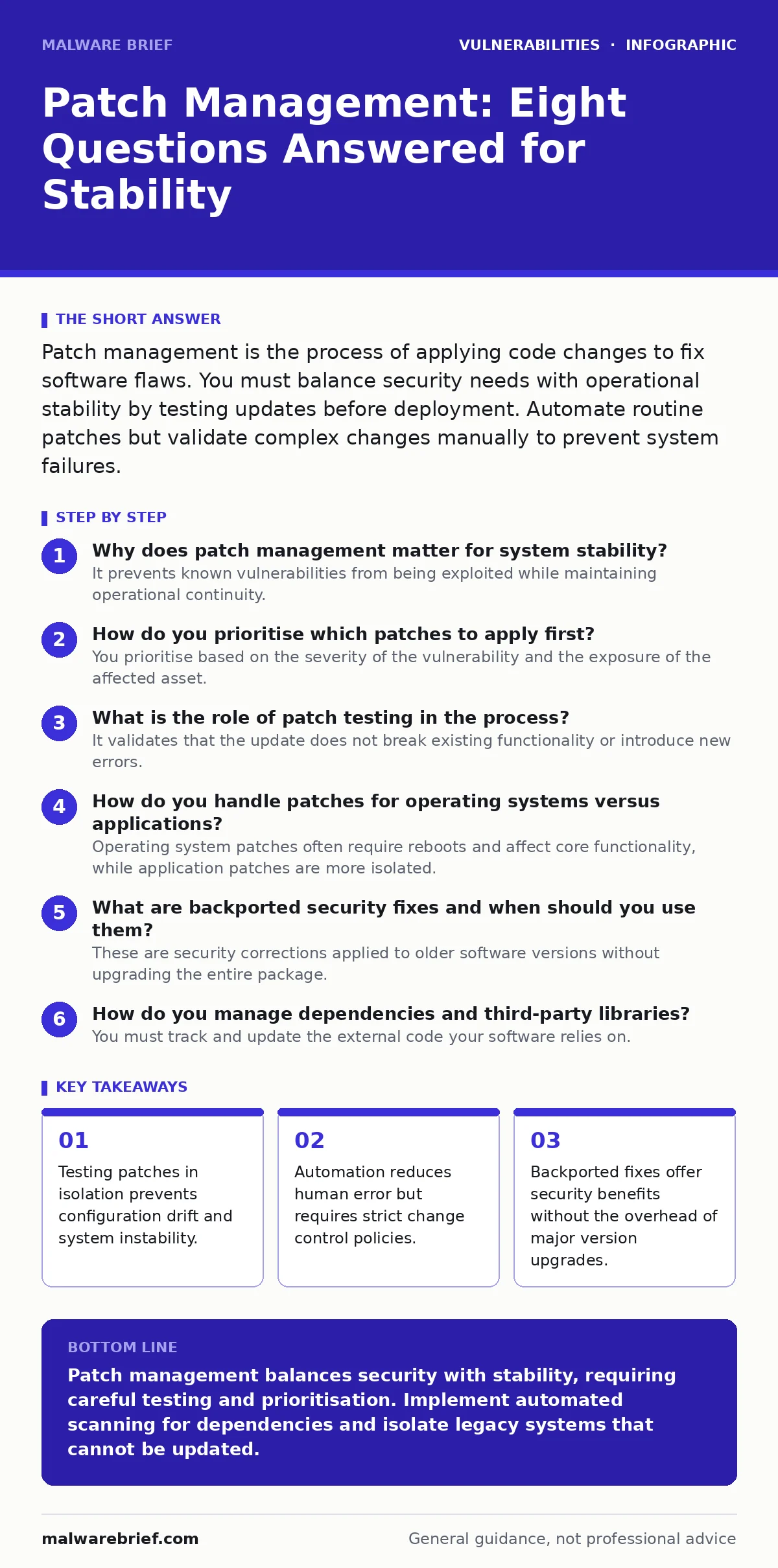
Patch management is the process of applying code changes to fix software flaws. You must balance security needs with operational stability by testing updates before deployment. Automate routine patches but validate complex changes manually to prevent system failures.
Why does patch management matter for system stability?
It prevents known vulnerabilities from being exploited while maintaining operational continuity. Software contains defects that attackers can use to gain unauthorised access or disrupt services. Applying patches closes these gaps before they are widely abused. Without a structured process, systems become unpredictable and harder to secure.
How do you prioritise which patches to apply first?
You prioritise based on the severity of the vulnerability and the exposure of the affected asset. Not all patches carry equal risk. A flaw in a public-facing web server requires immediate attention, while an obscure issue in an internal, air-gapped database can wait. Assess the exploitability and the potential impact on your business logic.
What is the role of patch testing in the process?
It validates that the update does not break existing functionality or introduce new errors. Applying a patch directly to production is risky because software interactions are complex. Testing in a mirror environment reveals compatibility issues before they affect users. This step is critical for maintaining trust in your infrastructure. See our guide on patch testing for detailed methodologies.
How do you handle patches for operating systems versus applications?
Operating system patches often require reboots and affect core functionality, while application patches are more isolated. OS updates change the foundation your software runs on, increasing the chance of dependency conflicts. Application updates are usually less disruptive but may require service restarts. You must schedule downtime carefully for OS patches to minimise user impact.
What are backported security fixes and when should you use them?
These are security corrections applied to older software versions without upgrading the entire package. Maintainers extract the specific code changes needed to fix a vulnerability and apply them to legacy releases. This allows you to remain on a stable, supported version while closing security gaps. It reduces the testing burden associated with major version upgrades. Read more about this in our section on backported security fixes.
See also: How to Prevent Hard-Coded Credentials in Source Code · How XML External Entity Attacks Work and Where They Fail
How do you manage dependencies and third-party libraries?
You must track and update the external code your software relies on. Modern applications use dozens of libraries, each with its own vulnerability history. A flaw in a minor library can compromise your entire application. Automated tools can scan your project for known issues in these dependencies. Refer to our guide on dependency updates for strategies to keep libraries current.
What is the difference between a patch and a mitigation?
A patch fixes the underlying code defect, while a mitigation reduces the risk without changing the code. Mitigations include firewall rules, access controls, or configuration changes that block the attack path. They are temporary measures used when a patch is unavailable or cannot be deployed immediately. Mitigations do not remove the vulnerability but make it harder to exploit. See mitigations and workarounds for techniques to reduce exposure.
How do you ensure patches do not introduce new vulnerabilities?
You review the changes and test for unintended side effects. Patching can accidentally open new attack surfaces or break security controls. Code reviews and regression testing help identify these issues. You must verify that the fix does not compromise other security mechanisms. For deeper insight, consult our guide on secure code review to understand how to validate code changes.
| Patch Type | Scope | Risk Level | Downtime Required |
|---|---|---|---|
| Critical Security | High | High | Often Yes |
| Feature Update | Medium | Low | Variable |
| Bug Fix | Low | Low | Rarely |
| Backport | High | Medium | Rarely |
How do you handle software that no longer receives updates?
You isolate the system or replace it with a supported alternative. End-of-life software contains unpatched vulnerabilities that attackers will eventually exploit. If replacement is not possible, restrict network access and monitor for suspicious activity. Consider using virtual patching at the network level to block known exploit patterns.
What is the impact of hard-coded credentials on patching?
They remain vulnerable even after patches are applied if the credentials are not rotated. Patches fix code flaws but do not change stored passwords or keys. If attackers find hard-coded credentials, they can bypass authentication regardless of other security measures. You must audit code for embedded secrets during the patching process. See our guide on hard-coded credentials for remediation steps.
How do you verify that patches have been applied correctly?
You use configuration management tools to audit system states. Manual verification is error-prone and does not scale. Automated tools compare the current system state against the desired baseline. This ensures that patches are installed and active across all endpoints. It also helps identify systems that failed to update due to errors.
What is the role of software composition analysis in patching?
It identifies open-source components and their known vulnerabilities within your software. Many applications are built using third-party code that may contain flaws. SCA tools scan your dependencies and report on their security status. This allows you to patch or replace vulnerable components before they are exploited. Refer to software composition analysis for implementation details.
How do you handle XML external entity attacks during patching?
You update parsers and libraries to disable external entity processing. XXE attacks exploit vulnerabilities in XML parsers to read local files or perform server-side request forgery. Patches for these issues often involve changing how the parser handles external references. Ensure your software uses modern, secure parsing libraries. See our guide on XML external entity (XXE) attacks for prevention strategies.
Key takeaways
- Testing patches in isolation prevents configuration drift and system instability.
- Automation reduces human error but requires strict change control policies.
- Backported fixes offer security benefits without the overhead of major version upgrades.
Patch management balances security with stability, requiring careful testing and prioritisation. Implement automated scanning for dependencies and isolate legacy systems that cannot be updated.
Frequently asked questions
Can I skip patching if my system is offline?
No, offline systems can still be compromised via removable media or insider threats. Isolate them strictly and monitor for any connection attempts.
How often should I review my patch policy?
Review it quarterly or whenever major software changes occur. Regular reviews ensure the policy adapts to new threats and operational needs.
Do I need to patch mobile devices differently?
Yes, mobile devices often have different update mechanisms and user behaviours. Enforce enterprise management tools to ensure compliance.
What if a patch breaks a critical application?
Roll back the patch immediately to restore functionality. Investigate the issue in a test environment before re-applying the fix.
How this guide was produced: written by the Malware Brief editorial team with AI assistance, checked against the public references listed below, and reviewed when the facts change. See our editorial policy or report an error.