Detect End-of-Life Software: Signals, Tools and Blind Spots
End-of-life software leaves distinct forensic traces in dependency chains and version mismatches, often hiding in plain sight within legacy infrastructure.

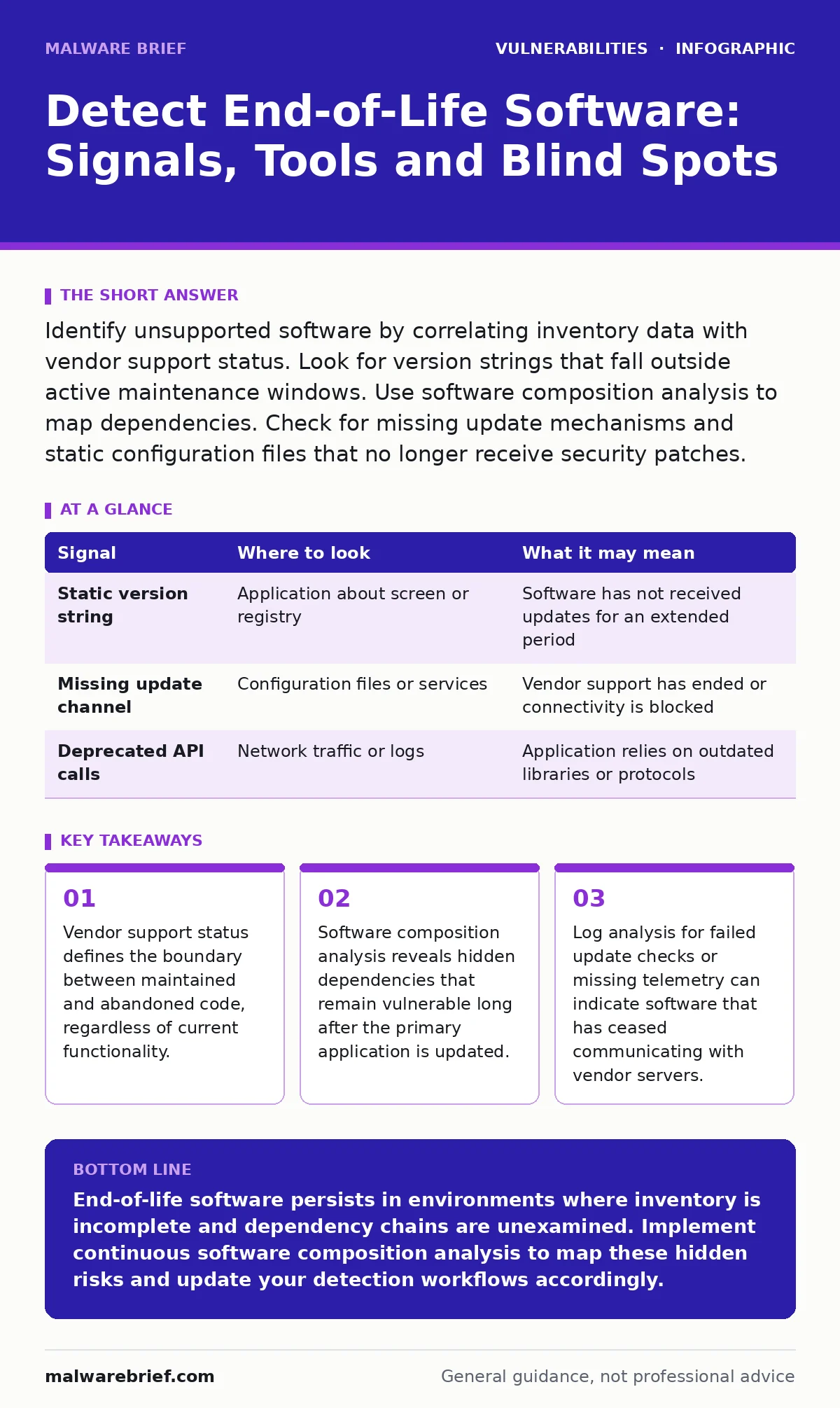
Identify unsupported software by correlating inventory data with vendor support status. Look for version strings that fall outside active maintenance windows. Use software composition analysis to map dependencies. Check for missing update mechanisms and static configuration files that no longer receive security patches.
Inventory Discrepancies and Version Strings
The first line of defence is accurate inventory. You must know what is running before you can determine what is unsupported. Many systems report a major version number that appears current, while the minor or patch level is outdated. This discrepancy is common in environments where automatic updates are disabled for stability.
Check the reported version against the vendor’s public support lifecycle. If the version is no longer receiving updates, it is end-of-life. This status applies even if the software functions correctly. Functionality does not equal security. An application may work perfectly while containing known, unpatched vulnerabilities.
| Signal | Where to look | What it may mean |
|---|---|---|
| Static version string | Application about screen or registry | Software has not received updates for an extended period |
| Missing update channel | Configuration files or services | Vendor support has ended or connectivity is blocked |
| Deprecated API calls | Network traffic or logs | Application relies on outdated libraries or protocols |
Dependency Chain Analysis
Modern applications rarely run in isolation. They rely on libraries, frameworks and runtime environments. When the primary application is updated, these dependencies may remain unchanged. This creates a hidden risk surface. A current application can be compromised through an outdated library it imports.
Software composition analysis tools help map these relationships. They identify every component within an application and its support status. Without this visibility, you may believe a system is secure because the main binary is recent. In reality, a supporting library may be years out of date and unsupported.
Review the dependencies of your most critical systems. Look for components that are no longer maintained by their original authors. Abandoned dependencies are a common vector for exploitation. They do not receive security fixes, leaving known vulnerabilities open to attack.
Log Patterns and Telemetry Gaps
Logs provide evidence of software behaviour over time. Unsupported software often exhibits distinct patterns. For example, an application that no longer receives updates may stop sending telemetry to vendor servers. This silence can be a signal that the software is no longer supported or has been disconnected.
Look for repeated failures in update checks. If a system attempts to contact a vendor server and fails consistently, it may indicate that the update channel is closed. This is common with end-of-life products where the vendor has shut down the distribution infrastructure.
Examine logs for errors related to deprecated features. As operating systems evolve, they remove support for older protocols. Software that relies on these protocols will generate errors. These errors indicate that the software is incompatible with the current environment and likely unsupported.
Configuration File Stagnation
Configuration files often reveal the age of a software deployment. If a configuration file has not changed in years, the software it controls is likely stagnant. This is particularly true for server applications and network devices.
Check the modification dates of key configuration files. Compare these dates with the release dates of security patches. If the configuration has not changed since before a major security update, the software may not be receiving those updates.
Static configurations are also common in embedded systems. These systems often run software that is no longer supported. The hardware may be replaced, but the firmware remains unchanged. This creates a persistent risk that is difficult to detect without active monitoring.
Network Behaviour and Protocol Usage
End-of-life software often uses outdated network protocols. These protocols may be less secure or more verbose than modern alternatives. Monitoring network traffic can reveal the use of these legacy protocols.
Look for connections using unencrypted channels or weak encryption standards. While not definitive proof of end-of-life status, this behaviour is common in older software. Modern applications typically support stronger encryption by default.
Inspect the ports and services exposed by the software. Unsupported software may expose unnecessary services. These services increase the attack surface. Disabling unused services is a standard mitigation strategy, but it requires knowing which services are present.
See also: Mitigations and Workarounds: Security Controls Without Patches · Backported Security Fixes: How They Work and Why They Matter
Common Blind Spots in Detection
Several factors can obscure the presence of end-of-life software. One major blind spot is shadow IT. Departments may install software without central oversight. This software is not in the main inventory and is therefore not monitored for support status.
Another blind spot is virtualised environments. Virtual machines may be cloned from older templates. These clones retain the software versions of the original template. If the template is outdated, all clones are outdated. This can lead to widespread deployment of unsupported software without detection.
Finally, containerised applications can hide dependencies. Containers bundle the application and its libraries. If the base image is outdated, the container runs unsupported software. This is difficult to detect if you only scan the container runtime and not the image layers.
Integrating Detection into Workflow
Detection of end-of-life software must be continuous. A one-time scan is insufficient. Software changes, dependencies update and support cycles end. You need a process that regularly reassesses the support status of all components.
Integrate software composition analysis into your development pipeline. This ensures that new dependencies are checked before deployment. It also helps maintain a current view of the dependency landscape.
Combine this with regular patch management reviews. Ensure that patch testing procedures account for end-of-life components. If a component is unsupported, standard patching is not an option. You must consider mitigations and workarounds or replacement.
Review your incident response plans. Ensure they account for systems running unsupported software. These systems require different handling. They may not be able to receive standard fixes, requiring isolation or compensating controls.
Key takeaways
- Vendor support status defines the boundary between maintained and abandoned code, regardless of current functionality.
- Software composition analysis reveals hidden dependencies that remain vulnerable long after the primary application is updated.
- Log analysis for failed update checks or missing telemetry can indicate software that has ceased communicating with vendor servers.
End-of-life software persists in environments where inventory is incomplete and dependency chains are unexamined. Implement continuous software composition analysis to map these hidden risks and update your detection workflows accordingly.
Frequently asked questions
How do I distinguish between unsupported software and software with a broken update mechanism?
Check the vendor’s official support lifecycle. If the version is listed as end-of-life, the software is unsupported regardless of update status. If the version is still supported but updates fail, the mechanism is broken.
Can containerised applications be considered end-of-life?
Yes, if the base image or bundled libraries are no longer maintained. The application code may be new, but the underlying components may be vulnerable and unsupported.
What is the role of backported security fixes in end-of-life software?
Backported fixes apply patches to older versions without upgrading. However, vendors rarely provide backports for end-of-life software. Once support ends, no further fixes, including backports, are issued.
How often should I scan for end-of-life dependencies?
Continuously, if possible. Integrate scanning into your deployment pipeline. For existing infrastructure, run weekly or monthly scans to catch new vulnerabilities and support changes.
How this guide was produced: written by the Malware Brief editorial team with AI assistance, checked against the public references listed below, and reviewed when the facts change. See our editorial policy or report an error.