Detecting Backup Data Exposure: Signals, Tools and Blind Spots
Backup systems often lack the strict access controls of production environments, making them a silent vector for data exfiltration that standard monitoring frequently misses.

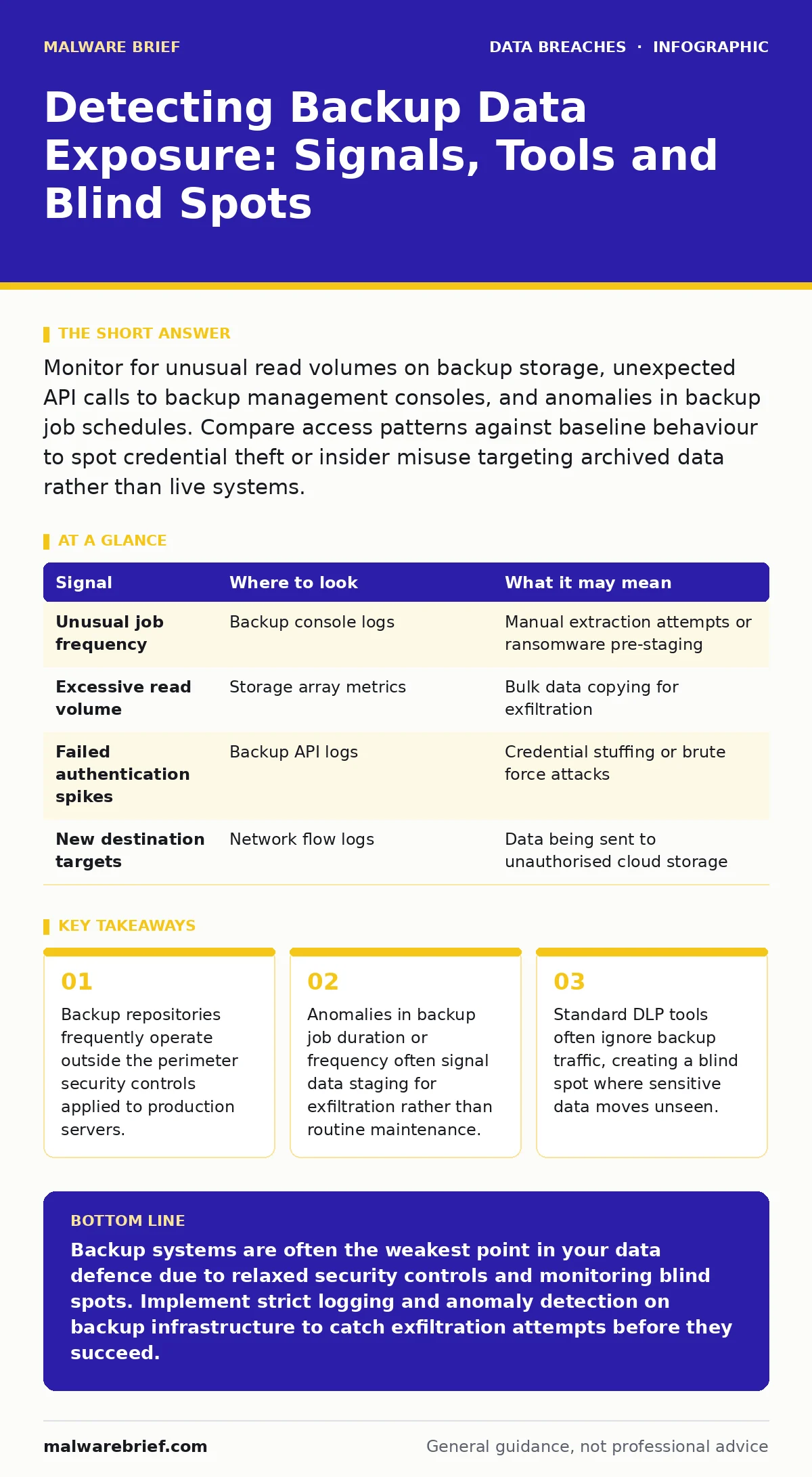
Monitor for unusual read volumes on backup storage, unexpected API calls to backup management consoles, and anomalies in backup job schedules. Compare access patterns against baseline behaviour to spot credential theft or insider misuse targeting archived data rather than live systems.
The Architecture of Neglect
Backup systems are designed for durability, not security. They store historical copies of data, often in a format that is easier to process than live database records. This architectural choice creates a specific vulnerability. Attackers know that once they compromise a backup, they possess a static snapshot of the organisation’s most sensitive information. They do not need to maintain persistent access to live systems. The backup becomes a self-contained vault of valuable data.
You must treat backup infrastructure as a distinct attack surface. It often resides in a separate network segment, managed by different teams, and governed by looser policies. This separation is necessary for recovery purposes but dangerous for containment. If your primary defence relies on monitoring active user sessions, you are blind to attacks that target the cold storage layer. The data is still there, but the context of its access has changed entirely.
Log Anomalies in Backup Operations
The first place to look is the backup management software logs. These logs record who initiated a job, what data was selected, and when the operation completed. Normal behaviour follows a predictable rhythm. Jobs run at scheduled times, process expected data sets, and complete within a known timeframe. Deviations from this pattern are your primary signal.
Look for manual initiation of backup jobs outside of maintenance windows. An attacker who has compromised an administrative account may trigger a full backup of a specific database to consolidate stolen data. This creates a spike in resource usage. You will see high CPU and disk I/O on the backup server at unusual hours. The log entry will show a user account, perhaps a service account, executing a command that differs from the automated schedule.
| Signal | Where to look | What it may mean |
|---|---|---|
| Unusual job frequency | Backup console logs | Manual extraction attempts or ransomware pre-staging |
| Excessive read volume | Storage array metrics | Bulk data copying for exfiltration |
| Failed authentication spikes | Backup API logs | Credential stuffing or brute force attacks |
| New destination targets | Network flow logs | Data being sent to unauthorised cloud storage |
Network Traffic Irregularities
Backup traffic is heavy and consistent. It moves large blocks of data from production servers to storage arrays or cloud buckets. This traffic usually occurs during off-peak hours. You can establish a baseline for what normal backup traffic looks like in terms of volume, direction, and timing. Any deviation from this baseline warrants investigation.
Pay attention to the destination of the data. Backup software often allows replication to secondary sites or cloud providers. An attacker may alter the replication target to send a copy of the backup to an external server they control. This is difficult to detect if you only monitor inbound traffic. You must inspect outbound connections from the backup infrastructure. Look for new DNS queries or connections to unknown IP addresses originating from backup servers.
Behavioural Indicators in Storage Systems
The storage layer holds the actual data blocks. Modern storage arrays provide metrics on read and write operations. Backup jobs are primarily write operations during the initial capture, but they are read operations during restoration or replication. A sudden increase in read activity on archived data is a red flag.
Consider the concept of data staging. Attackers rarely exfiltrate terabytes of data in a single burst. They stage it. They copy data from the primary backup to a local cache or a secondary volume before sending it out. This reduces the risk of detection by spreading the traffic over time. You can detect this by monitoring for new files or volumes being created on the backup server itself. These temporary files often disappear after the exfiltration is complete, leaving only the log entry as evidence.
Tooling for Detection and Analysis
Standard endpoint detection and response tools are often ineffective here. Backup servers are typically headless systems with minimal software installed. They do not run the same agents as user workstations. You need tools that can monitor infrastructure logs and network flows. Security information and event management platforms can aggregate logs from backup consoles, storage arrays, and firewalls.
Configure your SIEM to correlate events. A login to the backup console followed by a manual job initiation, followed by a spike in outbound network traffic, is a strong indicator of compromise. Machine learning models can help establish the baseline for normal backup behaviour. These models can flag anomalies that rule-based systems might miss. However, you must tune these models carefully to avoid false positives from legitimate maintenance activities.
See also: How to Prevent Data Extortion: Prioritised Defence Measures · Data Breach Costs: The Hidden Mechanics of Financial Impact
Common Blind Spots in Monitoring
The most significant blind spot is the assumption that backup traffic is safe. Many organisations whitelist backup traffic to avoid performance issues. This whitelist often covers all traffic from backup servers to any destination. An attacker can exploit this by adding a new destination to the whitelist or by using an existing whitelist to send data to an external server.
Another blind spot is the use of service accounts. Backup jobs often run under privileged service accounts that have broad access to data. If an attacker compromises one of these accounts, they can impersonate the backup process. The logs will show legitimate user activity, making it difficult to distinguish between a scheduled job and a malicious extraction. You must enforce the principle of least privilege on backup service accounts.
Cross-Referencing with Related Risks
Understanding backup exposure requires looking at the broader context of data protection. The value of the data in the backup is directly related to how well you have classified it. If you have not implemented strict data classification, you cannot prioritise which backups to monitor most closely. Sensitive data, such as protected health information, requires higher assurance controls than public marketing materials.
Furthermore, the risk of data extortion increases when attackers know they can access backups. Ransomware groups often target backups to prevent recovery and force a payment. If your backup monitoring is weak, you are vulnerable to this double extortion tactic. The attacker steals the data and then encrypts the live systems, knowing you cannot restore from a clean backup.
Finally, consider the role of encryption key management. If your backups are encrypted, the security of the data depends on the security of the keys. If an attacker can access the encryption keys, they can decrypt the backup data regardless of how secure the storage is. You must ensure that encryption keys are stored separately from the backup data and that access to those keys is strictly controlled.
Implementing Continuous Verification
Detection is only half the battle. You must verify that your detection mechanisms are working. Conduct regular tests to simulate backup exfiltration. Create a test backup job that sends data to an internal, monitored destination. Verify that your SIEM alerts on this activity. Adjust your rules until you achieve a balance between detection and noise.
This process is not a one-time task. As your infrastructure changes, so will the baseline for normal behaviour. You must update your monitoring rules accordingly. Regularly review access logs for backup systems. Remove unused accounts and rotate credentials. Ensure that the team responsible for backups is trained to recognise signs of compromise. The security of your backups is only as strong as the weakest link in your monitoring chain.
Key takeaways
- Backup repositories frequently operate outside the perimeter security controls applied to production servers.
- Anomalies in backup job duration or frequency often signal data staging for exfiltration rather than routine maintenance.
- Standard DLP tools often ignore backup traffic, creating a blind spot where sensitive data moves unseen.
Backup systems are often the weakest point in your data defence due to relaxed security controls and monitoring blind spots. Implement strict logging and anomaly detection on backup infrastructure to catch exfiltration attempts before they succeed.
Frequently asked questions
How do I distinguish between a legitimate backup job and a malicious one?
Compare the timing, initiator, and data volume against your established baseline. Legitimate jobs follow a schedule and use service accounts, while malicious ones may be manual, use compromised user accounts, or involve unusual data volumes.
Can I use standard antivirus tools to protect backup servers?
Standard antivirus tools are ineffective against logic-based attacks that
How this guide was produced: written by the Malware Brief editorial team with AI assistance, checked against the public references listed below, and reviewed when the facts change. See our editorial policy or report an error.