Patching vs Virtual Patching: How to Choose the Right Fix
Virtual patching buys time by blocking exploits at the network edge, but it never removes the underlying code flaw that attackers eventually bypass.

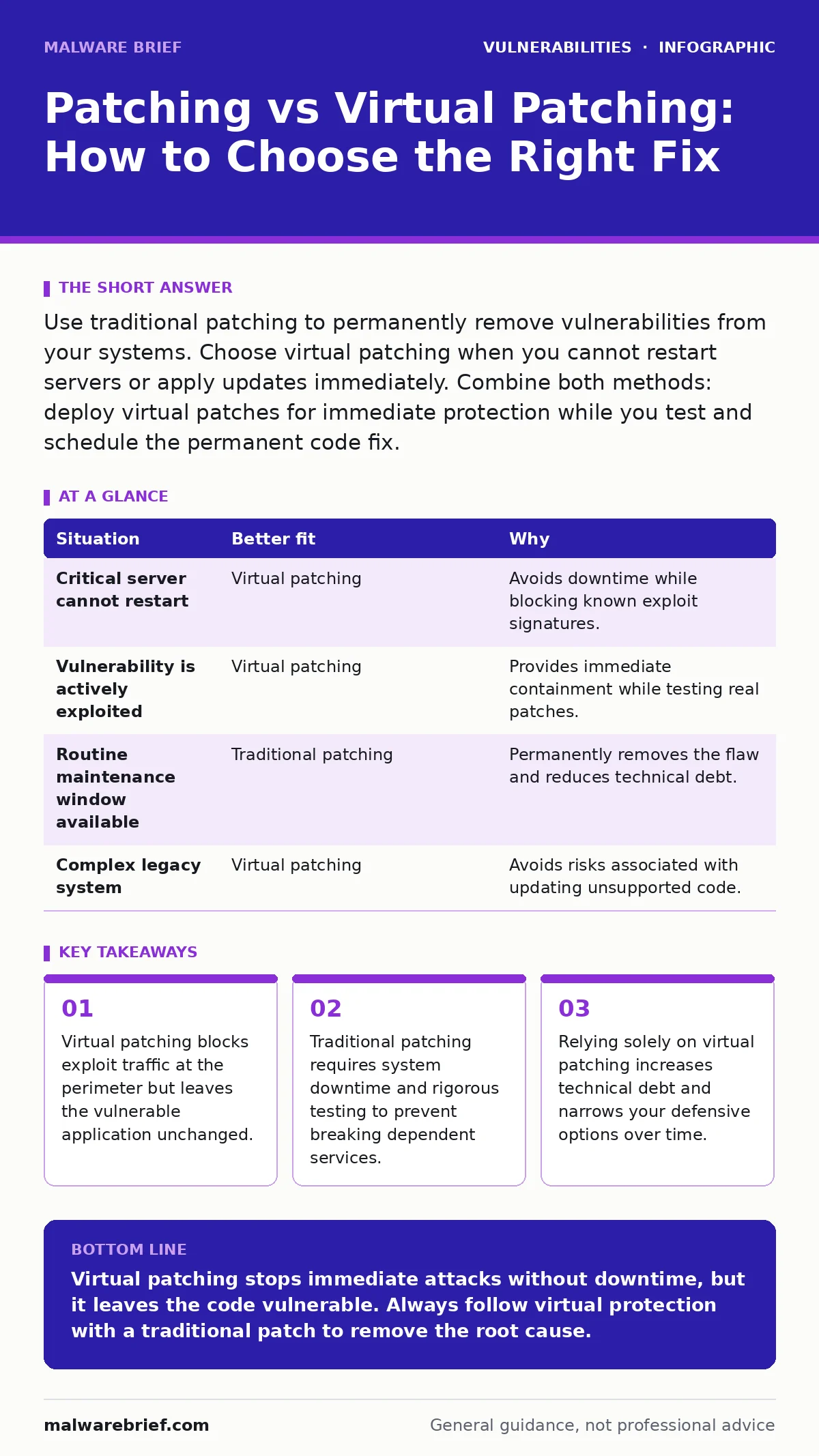
Use traditional patching to permanently remove vulnerabilities from your systems. Choose virtual patching when you cannot restart servers or apply updates immediately. Combine both methods: deploy virtual patches for immediate protection while you test and schedule the permanent code fix.
Does the system tolerate downtime?
Traditional patching modifies the actual software running on your servers. This process almost always requires a restart. If your application is critical and cannot stop for even a few minutes, you face a difficult choice. You can accept the risk of an unpatched system or disrupt your users.
Virtual patching avoids this interruption. It sits between the user and the server, inspecting incoming traffic. When it sees a pattern that matches a known exploit, it blocks the request before it reaches the application. The server itself remains unchanged. This allows you to maintain availability while mitigating the risk.
However, this protection is external. The vulnerability still exists in the code. If an attacker finds a way to bypass the virtual filter, the application remains fully exposed. You are trading immediate convenience for long-term exposure.
How fast must you contain the threat?
When a new vulnerability is disclosed, attackers begin scanning for affected systems within hours. You often cannot test and deploy a vendor patch in that timeframe. Virtual patching provides immediate containment. You can deploy rules on a web application firewall or an intrusion prevention system in minutes.
This speed is the primary advantage of virtual patching. It bridges the gap between disclosure and remediation. It stops the bleeding while you prepare a proper fix.
Traditional patching takes longer. You must download the update, verify its integrity, and test it in a non-production environment. This ensures the patch does not break existing functionality. This process can take days or weeks. During this window, virtual patching is your only line of defence.
Can you verify the fix without breaking production?
Applying a patch changes the behaviour of software. Sometimes, patches introduce new bugs or conflict with other applications. This is why patch testing is a mandatory step before deployment. You must confirm that the patched version works correctly under load.
Virtual patching does not require this level of testing. Since the application code does not change, there is no risk of breaking functionality. This makes it attractive for complex environments where testing is difficult.
But this ease hides a cost. You are deferring the necessary work. The more you rely on virtual rules, the more complex your security infrastructure becomes. These rules can become outdated or misconfigured. They add latency to every request. Over time, this technical debt makes your system harder to manage.
You should also consider software composition analysis to understand what third-party components are in your application. If a vulnerability lies deep in a library, a virtual patch might block the exploit, but the library remains a risk. A true fix might require dependency updates rather than a simple server patch.
Is the vulnerability actively being exploited?
Not all vulnerabilities are equal. Some are theoretical and rarely targeted. Others are used in widespread attacks. If a vulnerability is actively exploited, you need immediate protection. Virtual patching provides that speed.
If the vulnerability is low risk and not being exploited, you can follow your normal patch management schedule. There is no need to deploy complex virtual rules for issues that no one is trying to exploit.
Imagine a scenario where a vulnerability allows remote code execution but requires specific conditions to trigger. If those conditions are rare, the risk is lower. You might choose to wait for the next maintenance window. If the vulnerability is simple to exploit, you must act immediately. Virtual patching is the tool for urgent threats.
| Situation | Better fit | Why |
|---|---|---|
| Critical server cannot restart | Virtual patching | Avoids downtime while blocking known exploit signatures. |
| Vulnerability is actively exploited | Virtual patching | Provides immediate containment while testing real patches. |
| Routine maintenance window available | Traditional patching | Permanently removes the flaw and reduces technical debt. |
| Complex legacy system | Virtual patching | Avoids risks associated with updating unsupported code. |
Using both approaches together
The most effective strategy uses both methods. Deploy virtual patching immediately after a vulnerability is disclosed. This stops active attacks. Then, begin the process of testing and deploying the traditional patch.
Once the traditional patch is applied and verified, remove the virtual patch. This keeps your security infrastructure clean. It ensures you are not relying on outdated rules.
This combined approach balances speed and permanence. It protects you in the short term while solving the problem in the long term. Do not forget to remove the virtual rules. Leaving them active creates false confidence and hides the fact that the underlying system is still vulnerable to new variations of the attack.
Consider backported security fixes if your vendor provides them. These are patches that apply to older versions of software without requiring a full upgrade. They can simplify the traditional patching process.
See also: How to Prevent Hard-Coded Credentials in Source Code · How XML External Entity Attacks Work and Where They Fail
When virtual patching fails
Virtual patching relies on signatures or behavioural analysis. It looks for specific patterns in network traffic. If an attacker changes the pattern slightly, the virtual patch may fail. This is known as evasion.
Traditional patching fixes the code logic. It does not rely on detecting external patterns. It is more resilient to evasion techniques.
Also, virtual patching only protects against external attacks. If an attacker is already inside your network, they can bypass the perimeter controls. Traditional patching protects against internal threats as well.
Managing end-of-life software
If you are running end-of-life software, you may not receive traditional patches. In this case, virtual patching is your only option. However, this is a high-risk situation.
Without vendor support, new vulnerabilities will not be fixed. You must rely entirely on your ability to detect and block exploits. This is difficult to sustain.
The best long-term solution is to replace the software. Virtual patching can buy you time to migrate, but it is not a substitute for modernisation.
Key takeaways
- Virtual patching blocks exploit traffic at the perimeter but leaves the vulnerable application unchanged.
- Traditional patching requires system downtime and rigorous testing to prevent breaking dependent services.
- Relying solely on virtual patching increases technical debt and narrows your defensive options over time.
Virtual patching stops immediate attacks without downtime, but it leaves the code vulnerable. Always follow virtual protection with a traditional patch to remove the root cause.
Frequently asked questions
Can virtual patching replace traditional patching?
No. Virtual patching only blocks known exploit patterns at the network level. It does not fix the underlying code flaw, leaving the system vulnerable to new or modified attacks.
How long should I keep a virtual patch active?
Only until the traditional patch is tested and deployed. Keeping virtual rules active for too long creates technical
How this guide was produced: written by the Malware Brief editorial team with AI assistance, checked against the public references listed below, and reviewed when the facts change. See our editorial policy or report an error.