7 SaaS Data Exposure Mistakes That Leave Your Cloud Open
SaaS data exposure rarely stems from platform flaws; it usually arises from how organisations configure identity, sharing, and integration permissions within the service.
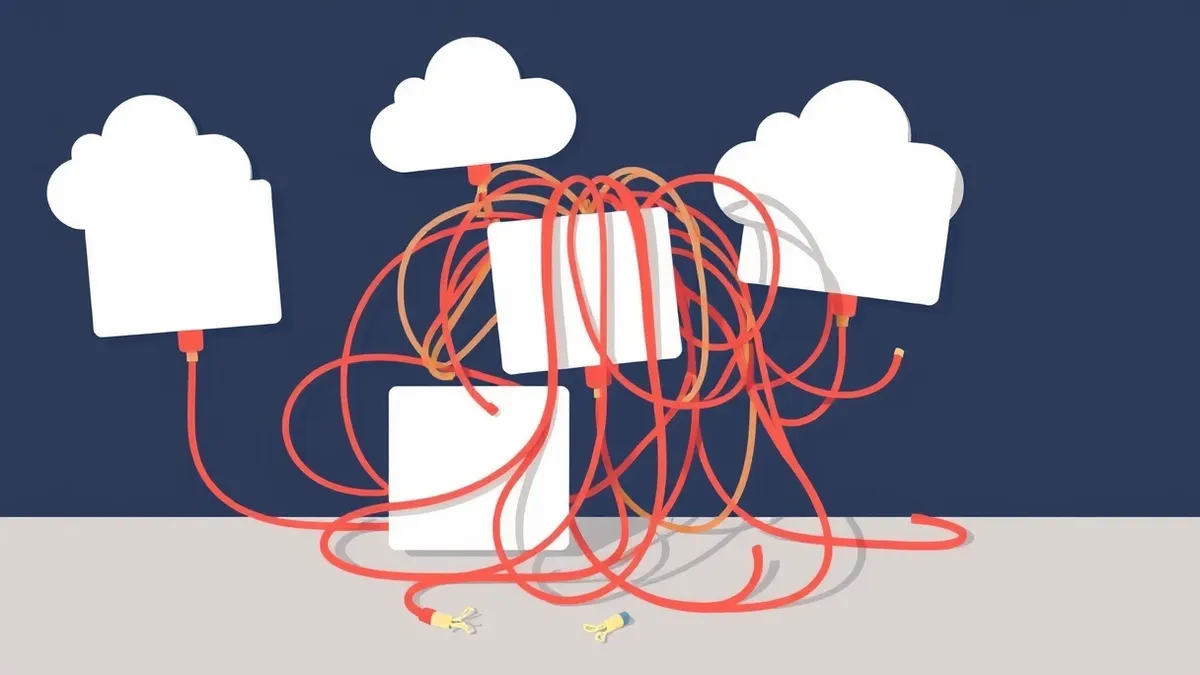
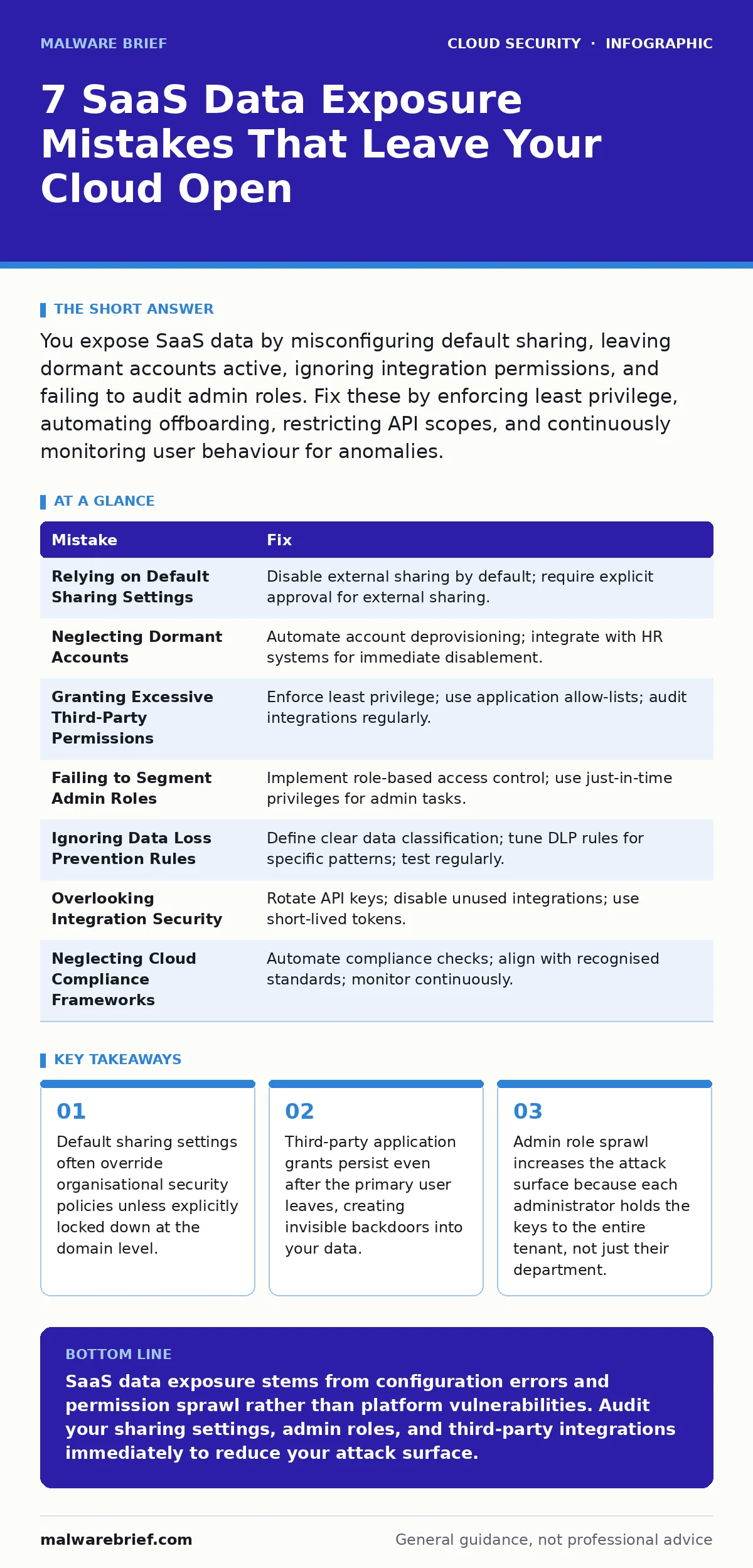
You expose SaaS data by misconfiguring default sharing, leaving dormant accounts active, ignoring integration permissions, and failing to audit admin roles. Fix these by enforcing least privilege, automating offboarding, restricting API scopes, and continuously monitoring user behaviour for anomalies.
Mistake 1: Relying on Default Sharing Settings
Cloud applications often ship with permissions that prioritise ease of use over security. Many tools allow any user to share content with external parties by default. This configuration assumes trust where none exists. Attackers exploit this by sending phishing emails that appear to come from trusted colleagues, tricking victims into accepting shared files that contain malware or credential harvesting forms. The platform validates the request because the setting allows it, not because the user is verified.
Why it hurts:
External attackers gain lateral movement through social engineering rather than technical exploitation. A single compromised account can distribute malicious content to hundreds of contacts. The data loss occurs before you realise the initial compromise. You lose visibility of who accessed what because the sharing event appears legitimate within the platform logs.
The fix:
Disable external sharing by default in the administration console. Require explicit approval for any content shared outside your domain. Use domain-level restrictions rather than user-level toggles to prevent accidental misconfiguration. Refer to guides on SaaS security posture management for automated ways to enforce these settings across multiple applications.
Mistake 2: Neglecting Dormant Accounts
Employees change roles or leave the organisation, but their access to cloud services often remains active. These dormant accounts become low-hanging fruit for attackers. They do not trigger alerts for new login locations because the account history is already established. Attackers use credential stuffing techniques against these inactive profiles, knowing that users will not notice unusual activity on accounts they no longer check.
Why it hurts:
You face silent data exfiltration. The attacker has valid credentials and a history of legitimate use. Security tools often ignore this traffic because it matches baseline behaviour. The damage accumulates over weeks or months before a human reviewer notices the anomaly. This delay allows the attacker to map your internal structure and plan further breaches.
The fix:
Implement automated account deprovisioning. Integrate your identity provider with human resources systems to disable access immediately when employment ends. Review access rights for internal transfers, removing permissions that no longer apply to the new role. Check the overprivileged cloud identities guide for methods to reduce standing privileges across your environment.
Mistake 3: Granting Excessive Third-Party Permissions
Users install third-party applications to improve productivity. These apps request broad access to your data, such as full read-write permissions to all documents. Users rarely review the scope of permissions before clicking accept. The application then gains access to sensitive data it does not need to function. If the third-party service is compromised, your data is exposed. You cannot revoke access effectively if you do not know which apps hold which permissions.
Why it hurts:
You create multiple attack vectors outside your direct control. A breach in a small vendor impacts your main data repository. Revoking access requires manual intervention for each user and each application. The complexity grows exponentially with the number of connected services. This sprawl makes it difficult to enforce consistent security standards.
The fix:
Enforce least privilege for all third-party integrations. Use application allow-lists to restrict which tools users can connect. Regularly audit active integrations and remove those that are unused. Restrict permissions to the minimum data set required for the app’s function. Review insecure cloud APIs for details on how improper API handling exacerbates these risks.
Mistake 4: Failing to Segment Admin Roles
Organisations often grant full administrative rights to too many users. This practice assumes that all admins will act responsibly. It ignores the risk of insider threats and compromised credentials. When an attacker gains access to a full admin account, they can disable security controls, create new admin accounts, and exfiltrate all tenant data. There is no containment strategy because the attacker has the highest level of access from the start.
Why it hurts:
The blast radius of a single compromised credential becomes your entire organisation. You lose the ability to investigate the breach because the attacker can delete logs or disable auditing tools. Recovery takes longer because you must trust no account within the tenant. The cost of remediation increases due to the scale of the exposure.
The fix:
Implement role-based access control with strict separation of duties. Use just-in-time privileges for administrative tasks, granting access only when needed and for a limited time. Ensure that no single user holds full administrative rights across all services. Refer to cloud landing zones for architectural patterns that enforce these boundaries.
Mistake 5: Ignoring Data Loss Prevention Rules
Many organisations deploy data loss prevention tools but fail to configure them correctly. Rules are often too broad, causing alert fatigue, or too narrow, missing sensitive patterns. Without precise tuning, the system generates noise that security teams ignore. Attackers exploit this by moving data in small batches or using obfuscation techniques that bypass basic keyword matching. The tool exists, but it provides false confidence.
Why it hurts:
You experience blind spots in your monitoring. Sensitive data leaves the environment unnoticed because it does not match rigid rules. The volume of false positives leads to alert fatigue, causing teams to miss genuine threats. You cannot prove compliance because you lack evidence of effective controls.
The fix:
Define clear data classification standards. Configure DLP rules to detect specific patterns such as credit card numbers or health data rather than generic keywords. Test rules regularly with simulated data leaks to ensure they trigger correctly. Use policy as code to manage DLP configurations consistently and version-control them.
See also: Fix Overprivileged Cloud Identities: 7 Mistakes and Remedies · What is a DevSecOps Engineer: The Role That Shifts Security Left
Mistake 6: Overlooking Integration Security
Applications integrate with each other to share data and functionality. These integrations use API keys or service accounts that often have persistent access. If an integration is no longer used, the credentials remain valid. Attackers discover these exposed keys in public code repositories or through reconnaissance. They use the keys to access data without needing user credentials. The access appears legitimate because it comes from a trusted service identity.
Why it hurts:
You face exposure through technical vulnerabilities rather than social engineering. The attacker bypasses multi-factor authentication because the service account does not require it. The breach is harder to detect because the traffic originates from a known IP range. You lack visibility into what the integration actually does with the data.
The fix:
Rotate API keys regularly and monitor their usage. Disable integrations that are no longer active. Use short-lived tokens instead of persistent keys where possible. Ensure that integrations run with the minimum necessary permissions. Check cloud logging gaps to ensure you capture all integration activity for audit purposes.
Mistake 7: Neglecting Cloud Compliance Frameworks
Organisations often treat compliance as a checkbox exercise rather than an ongoing process. They complete an initial assessment and file it away. Risks evolve as new services are adopted and configurations change. Without continuous monitoring, the environment drifts from the compliant state. Auditors may not find the issue, but attackers will. The lack of continuous verification leaves you vulnerable to emerging threats.
Why it hurts:
You face regulatory penalties and reputational damage. The breach occurs because controls were not maintained, not because they were absent. Recovery involves significant legal and operational costs. Customer trust erodes when they learn that security measures were superficial.
The fix:
Automate compliance checks using continuous monitoring tools. Align your configurations with recognised standards such as ISO 27001 or SOC 2. Review cloud compliance strategies for methods to maintain alignment without manual overhead. Treat compliance as a dynamic state that requires constant attention.
| Mistake | Fix |
|---|---|
| Relying on Default Sharing Settings | Disable external sharing by default; require explicit approval for external sharing. |
| Neglecting Dormant Accounts | Automate account deprovisioning; integrate with HR systems for immediate disablement. |
| Granting Excessive Third-Party Permissions | Enforce least privilege; use application allow-lists; audit integrations regularly. |
| Failing to Segment Admin Roles | Implement role-based access control; use just-in-time privileges for admin tasks. |
| Ignoring Data Loss Prevention Rules | Define clear data classification; tune DLP rules for specific patterns; test regularly. |
| Overlooking Integration Security | Rotate API keys; disable unused integrations; use short-lived tokens. |
| Neglecting Cloud Compliance Frameworks | Automate compliance checks; align with recognised standards; monitor continuously. |
Key takeaways
- Default sharing settings often override organisational security policies unless explicitly locked down at the domain level.
- Third-party application grants persist even after the primary user leaves, creating invisible backdoors into your data.
- Admin role sprawl increases the attack surface because each administrator holds the keys to the entire tenant, not just their department.
SaaS data exposure stems from configuration errors and permission sprawl rather than platform vulnerabilities. Audit your sharing settings, admin roles, and third-party integrations immediately to reduce your attack surface.
Frequently asked questions
How do I know if my SaaS apps are sharing data externally?
Check the administration console for sharing reports and audit logs. Look for files accessed by users outside your domain or shared via public links.
What is the difference between SaaS and IaaS security?
SaaS security focuses on data and identity within the application, while IaaS security involves infrastructure controls like firewalls and network segmentation.
Can multi-factor authentication stop SaaS data exposure?
MFA protects against credential theft but does not prevent data loss from misconfigured sharing settings or overly permissive third-party integrations.
How often should I review admin roles?
Review admin roles quarterly or whenever there is a change in personnel. Automated tools can help identify unused or excessive privileges in real time.
How this guide was produced: written by the Malware Brief editorial team with AI assistance, checked against the public references listed below, and reviewed when the facts change. See our editorial policy or report an error.