Social Engineering Prevention Checklist: Stop Manipulation Before Access
Human psychology is the primary attack surface, meaning technical controls alone cannot stop attackers who exploit trust, urgency and authority to bypass security protocols.

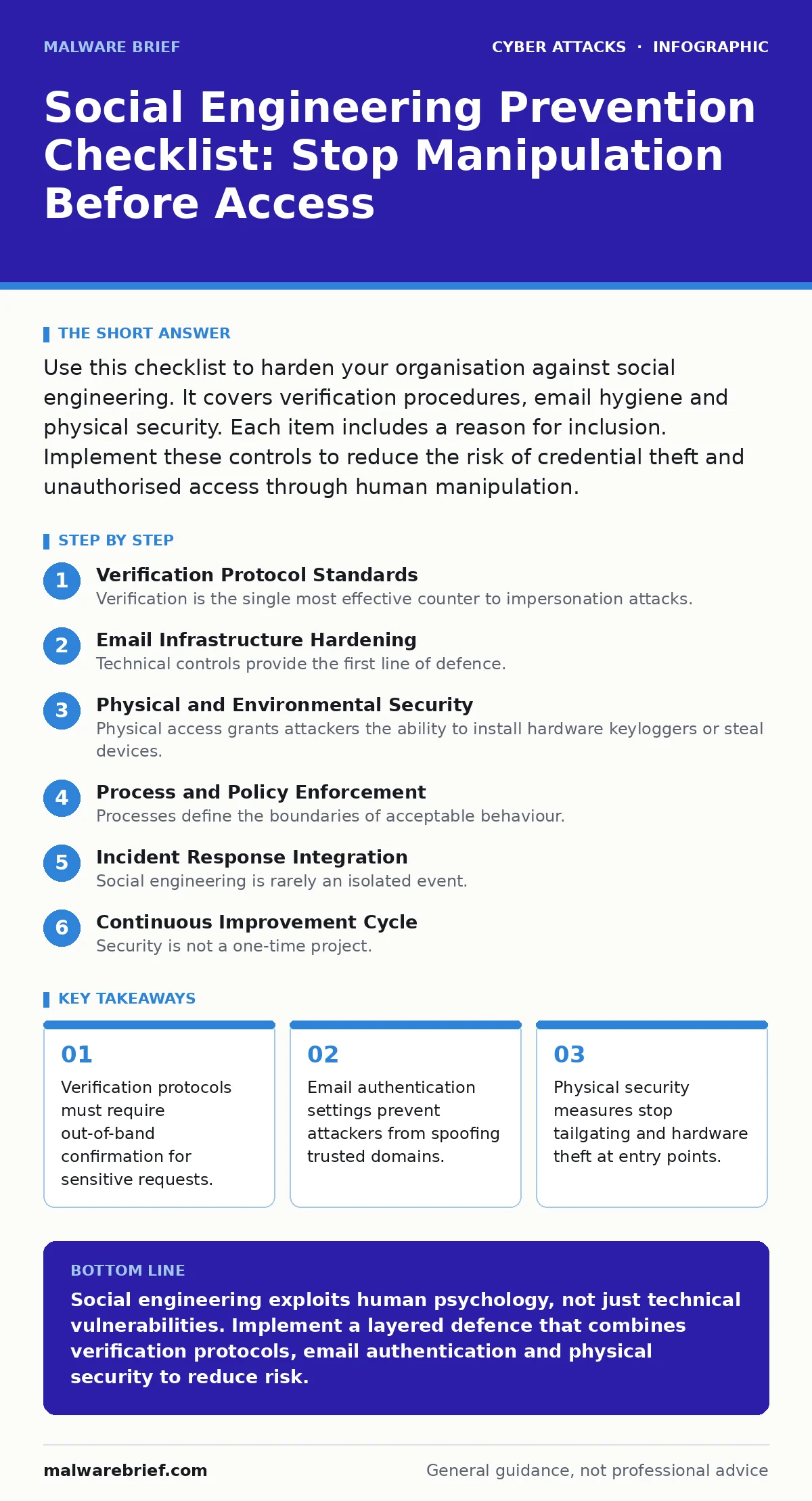
Use this checklist to harden your organisation against social engineering. It covers verification procedures, email hygiene and physical security. Each item includes a reason for inclusion. Implement these controls to reduce the risk of credential theft and unauthorised access through human manipulation.
Verification Protocol Standards
- Require callback verification: Call the sender on a known number to confirm urgent requests. Attackers rely on speed and panic to bypass normal thinking processes.
- Define high-risk transaction thresholds: Flag any request involving data export or fund transfer for manual review. Large deviations from routine behaviour are common indicators of compromise.
- Establish clear authority hierarchies: Document who can approve exceptions to security policy. Impersonation of senior staff is a frequent tactic used to override junior employee caution.
Verification is the single most effective counter to impersonation attacks. You cannot rely on email headers alone, as attackers can forge display names and addresses with ease. The callback method works because it forces the attacker to maintain two separate channels of deception simultaneously. This increases the cognitive load on the attacker and the likelihood of detection.
Suppose a user receives an email from "IT Support" demanding immediate password reset. The email looks perfect. The callback check reveals no such request exists in the ticketing system. The attack fails before any credentials are compromised. This simple step adds friction, which is the enemy of social engineering.
Email Infrastructure Hardening
- Implement DMARC records: Configure Domain-based Message Authentication, Reporting and Conformance to reject spoofed mail. This prevents attackers from sending mail that appears to originate from your domain.
- Disable external tagging: Mark all incoming email from outside the organisation with a distinct banner. Users become desensitised to internal-looking emails that are actually external threats.
- Review email filtering rules: Ensure your email filtering policies catch known phishing patterns. Default settings often allow sophisticated attacks to reach the inbox.
Technical controls provide the first line of defence. They reduce the volume of malicious content that reaches your users. However, no filter is perfect. Attackers constantly adapt their techniques to evade detection. You must combine technical measures with user awareness to achieve effective protection.
The interaction between email authentication and user behaviour is critical. When DMARC is enforced, attackers cannot easily spoof your domain. They must then rely on look-alike domains or typosquatting. This makes the attack more obvious to a trained eye. Your email filtering system should be tuned to highlight these subtle differences.
Physical and Environmental Security
- Enforce badge policies: Require visible identification for all staff and visitors in secure areas. Tailgating allows attackers to bypass perimeter controls without technical exploitation.
- Secure workstations: Lock screens when leaving desks and use privacy filters on monitors. Shoulder surfing reveals credentials and sensitive data to anyone standing nearby.
- Control document disposal: Shred sensitive papers before disposal. Dumpster diving provides attackers with information to craft highly targeted social engineering campaigns.
Physical access grants attackers the ability to install hardware keyloggers or steal devices. These tools bypass software security entirely. A stolen laptop can provide full access to corporate networks if encryption is not enabled. Physical security is often the weakest link in the chain.
Imagine an attacker dressed as a maintenance worker. They walk into the building, tailgating an employee through the door. Once inside, they scan for unlocked computers or leave listening devices. These actions are invisible to network monitoring tools. Physical presence bypasses digital defences. You must treat physical entry points with the same rigor as network gateways.
Process and Policy Enforcement
- Document exception procedures: Create clear steps for handling requests that bypass normal channels. Ambiguity allows attackers to exploit grey areas in policy.
- Train on pretexting scenarios: Simulate attacks where callers invent stories to gain information. Recognition of fabricated narratives improves resistance to verbal manipulation.
- Review third-party access: Verify the identity of external vendors before granting system access. Supply chain compromises often start with trusted partners being impersonated.
Processes define the boundaries of acceptable behaviour. When procedures are vague, employees make decisions based on intuition. Intuition is easily manipulated by social engineers. Clear, written procedures provide a reference point that reduces reliance on memory and judgment under pressure.
Pretexting involves creating a fabricated scenario to extract information. Attackers may pose as auditors, journalists or law enforcement. Training helps employees recognise the inconsistencies in these stories. You must teach staff to question the premise, not just the person asking.
Incident Response Integration
- Include social engineering in incident response plans: Define steps for reporting suspected manipulation attempts. Early reporting limits the damage of a successful attack.
- Monitor for account takeover signs: Watch for unusual login locations or times. Account takeover often follows a successful social engineering campaign.
- Analyse failed attempts: Review reports of blocked attacks to identify trends. Understanding attacker methods helps you adjust defences proactively.
Social engineering is rarely an isolated event. It is often the precursor to more serious intrusions. Treating it as a standalone issue misses the broader context. Integrating these events into your wider incident response framework ensures a coordinated reaction.
The connection to insider threats is significant. A successful social engineering attack can turn an employee into an unwitting insider threat. They may have shared credentials or installed malware without realising it. Your incident response plans must account for this possibility.
See also: Cloud Compliance Checklist: Verify Controls That Actually Work · Threat Actors Definition: Who They Are and How They Operate
Continuous Improvement Cycle
- Measure training effectiveness: Track click rates on simulated phishing emails. Quantitative data reveals which groups need additional support.
- Update threat models: Review new social engineering tactics regularly. Attackers evolve their methods, so your defences must adapt accordingly.
- Encourage reporting culture: Reward employees who report suspicious activity. Fear of punishment suppresses reporting and hides potential breaches.
Security is not a one-time project. It is a continuous cycle of assessment and improvement. Social engineering tactics change as defenders adapt. You must stay ahead of these changes by regularly reviewing your defences.
The goal is to create a culture where questioning authority is encouraged, not punished. When employees feel safe reporting mistakes, you gain visibility into potential threats. This transparency allows you to fix weaknesses before attackers exploit them.
Key takeaways
- Verification protocols must require out-of-band confirmation for sensitive requests.
- Email authentication settings prevent attackers from spoofing trusted domains.
- Physical security measures stop tailgating and hardware theft at entry points.
Social engineering exploits human psychology, not just technical vulnerabilities. Implement a layered defence that combines verification protocols, email authentication and physical security to reduce risk.
Frequently asked questions
How do I verify an urgent request from my boss?
Call the person on a known, trusted phone number. Do not use the contact details provided in the email or message, as these may be forged.
What is the difference between phishing and pretexting?
Phishing typically uses digital channels like email to steal data. Pretexting involves creating a fabricated scenario, often over the phone, to build trust and extract information.
Can technical controls stop all social engineering?
No. Technical controls reduce the volume of attacks but cannot prevent determined attackers from manipulating human behaviour. Human verification remains necessary.
How often should I update my social engineering training?
Update training regularly, at least quarterly. Attackers constantly develop new tactics, and employee awareness fades without reinforcement.
How this guide was produced: written by the Malware Brief editorial team with AI assistance, checked against the public references listed below, and reviewed when the facts change. See our editorial policy or report an error.