Who Is Responsible For Maintaining Good Cyber Hygiene
Responsibility for digital hygiene is distributed across users, administrators and vendors, creating a chain where a single weak link compromises the entire system.
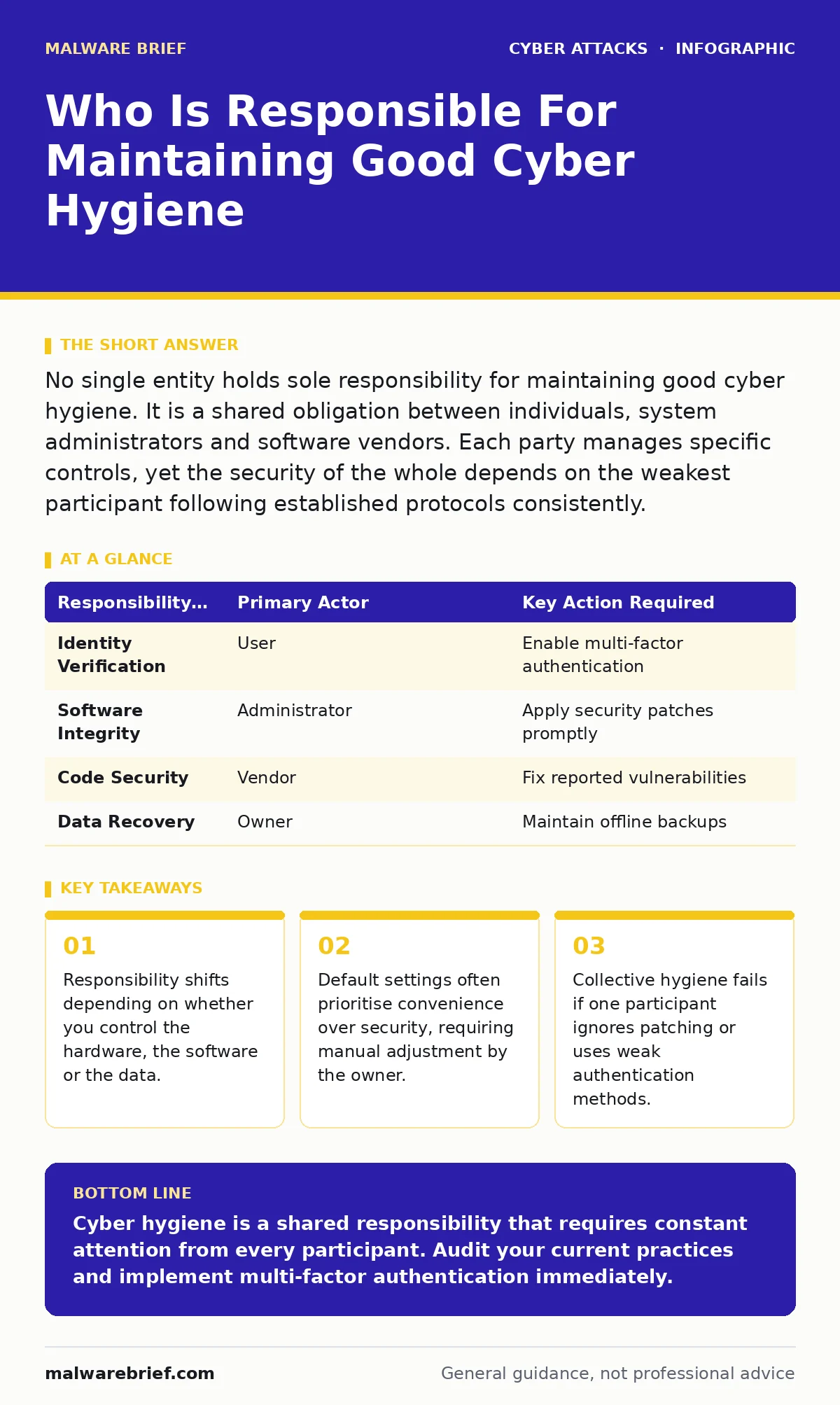
No single entity holds sole responsibility for maintaining good cyber hygiene. It is a shared obligation between individuals, system administrators and software vendors. Each party manages specific controls, yet the security of the whole depends on the weakest participant following established protocols consistently.
Who is responsible for maintaining good cyber hygiene
Responsibility for maintaining good cyber hygiene belongs to every person who interacts with the system. You cannot outsource this duty entirely to a security team or a software provider. The user manages credentials and local behaviour. The administrator manages network access and server configurations. The vendor manages the underlying code integrity. If any party neglects their specific duties, the entire chain becomes vulnerable to compromise.
What defines basic digital hygiene
Basic digital hygiene consists of routine maintenance tasks that reduce the attack surface. These tasks include updating software, managing permissions and verifying data backups. Imagine a house where the owner locks the door but leaves the window open. The lock provides no meaningful protection. Similarly, a strong password offers no defence if the operating system contains an unpatched vulnerability. Hygiene requires attention to both the perimeter and the interior.
How individual users protect their accounts
Individual users protect their accounts by enforcing strict identity management practices. You must enable multi-factor authentication on every service that supports it. This adds a second layer of verification beyond your password. You should also review active sessions regularly to detect unauthorised access. Password managers help generate unique credentials for each site, preventing credential stuffing attacks. Reusing passwords across platforms allows a breach on one site to compromise your entire digital identity.
| Responsibility Area | Primary Actor | Key Action Required |
|---|---|---|
| Identity Verification | User | Enable multi-factor authentication |
| Software Integrity | Administrator | Apply security patches promptly |
| Code Security | Vendor | Fix reported vulnerabilities |
| Data Recovery | Owner | Maintain offline backups |
Why administrators bear heavy operational duty
Administrators bear heavy operational duty because they control the environment in which software runs. They must enforce least privilege principles, ensuring users have only the access necessary for their tasks. This limits the damage caused by compromised accounts. Administrators also monitor logs for anomalous behaviour. They configure firewalls to block unsolicited inbound traffic. Neglecting these tasks exposes the network to lateral movement by attackers who have gained initial foothold.
When vendors share the security burden
Vendors share the security burden by providing secure defaults and timely patches. They must design systems that resist common attack vectors. This includes encrypting data at rest and in transit by default. Vendors also publish security advisories when flaws are discovered. If a vendor fails to patch a known vulnerability, the responsibility for mitigation shifts partially to the administrator. You must apply workarounds or isolate affected systems until a fix is available.
See also: Defense in Depth for Small Teams: A Practical Layered Security Approach · Social Engineering Prevention Checklist: Stop Manipulation Before Access
How collective behaviour impacts security
Collective behaviour impacts security through the principle of weakest link. A single user clicking a malicious link can bypass years of network hardening. This is why awareness training must be continuous and practical. You must understand the mechanics of social engineering to recognise manipulation attempts. Phishing kits often mimic legitimate services with high fidelity. Distrust unexpected requests for credentials or financial information, regardless of how authentic they appear.
What happens when hygiene practices fail
When hygiene practices fail, attackers exploit the resulting gaps to establish persistence. They may install cryptomining attacks on exposed servers to generate revenue. This consumes resources and degrades performance. Attackers also use compromised systems as staging grounds for further intrusion. Without incident response plans, organisations struggle to contain the damage. Rapid detection and isolation are critical to limiting the scope of the breach.
How to verify your hygiene effectiveness
You verify your hygiene effectiveness by conducting regular audits and penetration tests. These exercises simulate real-world attacks to identify weaknesses. You should review user permissions quarterly to remove access for departed staff. Test backup restoration procedures to ensure data can be recovered. Assuming backups work without testing them is a common and costly error.
Advanced considerations for shared environments
Advanced considerations for shared environments involve managing third-party risk. Suppliers and partners often have access to your systems. You must enforce strict contractual security requirements. These contracts should mandate regular audits and immediate notification of breaches. Zero-click attacks demonstrate that even careful users can be compromised without interaction. This shifts the focus to endpoint detection and response capabilities.
Key takeaways
- Responsibility shifts depending on whether you control the hardware, the software or the data.
- Default settings often prioritise convenience over security, requiring manual adjustment by the owner.
- Collective hygiene fails if one participant ignores patching or uses weak authentication methods.
Cyber hygiene is a shared responsibility that requires constant attention from every participant. Audit your current practices and implement multi-factor authentication immediately.
Frequently asked questions
Does using a firewall replace the need for user training?
No, a firewall blocks network traffic but cannot stop users from handing over credentials. Training addresses the human element that technical controls miss.
How often should I change my passwords?
Change passwords only when there is evidence of compromise or if the service requires it. Frequent forced changes often lead to weaker, predictable passwords.
Can automated backups prevent all data loss?
Automated backups prevent data loss from hardware failure or accidental deletion. They do not prevent data loss from deliberate destruction unless the backups are offline and immutable.
Who is liable if a vendor fails to patch a bug?
Liability depends on the service level agreement and applicable laws. Administrators must still apply mitigations to protect their systems until the vendor provides a fix.
How this guide was produced: written by the Malware Brief editorial team with AI assistance, checked against the public references listed below, and reviewed when the facts change. See our editorial policy or report an error.