IoT Device Vulnerabilities Explained for Beginners
Most smart devices use default settings that expose your home network to remote access, turning a simple thermostat into an open door for attackers.
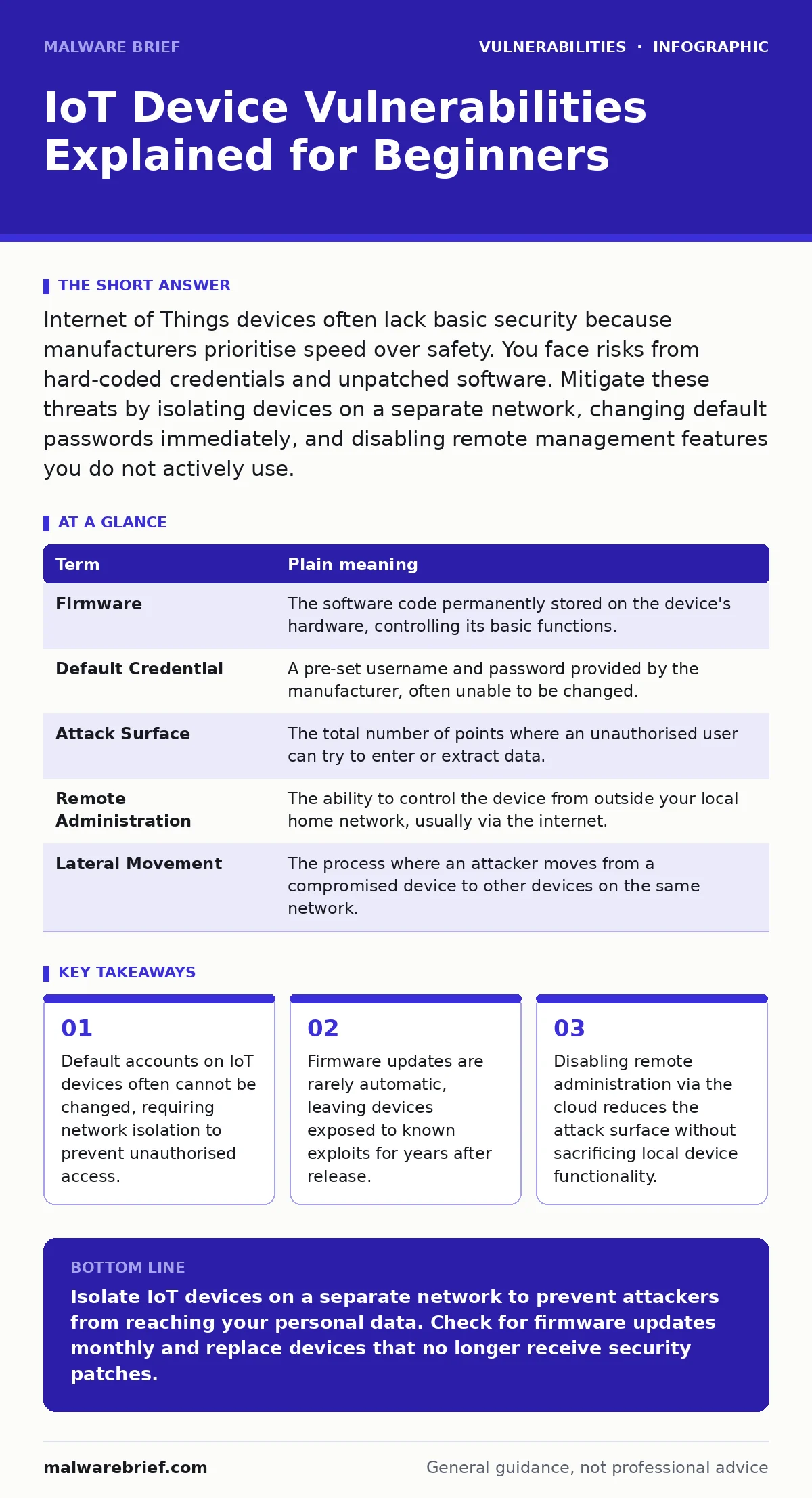
Internet of Things devices often lack basic security because manufacturers prioritise speed over safety. You face risks from hard-coded credentials and unpatched software. Mitigate these threats by isolating devices on a separate network, changing default passwords immediately, and disabling remote management features you do not actively use.
The Open Window Analogy
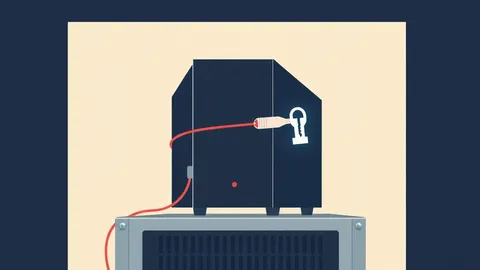
Imagine your home network is a house with a main gate. Your computer and phone are guests you invite inside, giving them keys and showing them around. An Internet of Things (IoT) device is like a small, unlocked shed in the garden. It has a thin door, no lock, and a window that stays open. If someone wants to enter your house, they do not bother with the main gate. They walk through the shed, then step into the house. This analogy explains why a simple smart bulb can compromise your entire digital life.
Why IoT Devices Are Insecure
Manufacturers of connected devices operate under tight hardware and budget constraints. They often cut security features to reduce power consumption or bill of materials costs. Many devices ship with default usernames and passwords that are printed on a sticker. These are examples of hard-coded credentials. Because the code is embedded in the hardware, you cannot change these passwords. If an attacker knows the model number, they know the password. This is not a user error. It is a design flaw that persists for the device's entire lifespan.
| Term | Plain meaning |
|---|---|
| Firmware | The software code permanently stored on the device's hardware, controlling its basic functions. |
| Default Credential | A pre-set username and password provided by the manufacturer, often unable to be changed. |
| Attack Surface | The total number of points where an unauthorised user can try to enter or extract data. |
| Remote Administration | The ability to control the device from outside your local home network, usually via the internet. |
| Lateral Movement | The process where an attacker moves from a compromised device to other devices on the same network. |
The Hidden Cost of Convenience
You expect your smart speaker to listen for commands, but it also constantly sends data to cloud servers. This requires open ports in your firewall. Every open port is a potential entry point. When a device connects to the internet, it exposes your local network to the world. If the device has a vulnerability, such as one found in vulnerabilities in VPN gateways and application delivery controllers, an attacker can use it as a bridge. They do not need to hack your computer directly. They simply walk through the shed.
What This Means for You
For an ordinary user, the risk is not just data theft. It is network compromise. An attacker can use your compromised camera to scan other devices on your Wi-Fi. They can look for sensitive files on your laptop or intercept traffic from your banking app. This is called lateral movement. The damage compounds because many IoT devices do not support dependency updates. They cannot pull new security libraries automatically. A bug discovered today may remain exploitable for years because the manufacturer has stopped supporting the device.
Simple Safety Habits
You do not need to be an engineer to reduce risk. Start by separating your IoT devices from your personal computers. Most routers allow you to create a guest network or an IoT VLAN. Place your smart lights, plugs, and cameras on this separate network. Your laptop and phone stay on the main network. If the shed is breached, the house remains secure. This isolation prevents lateral movement. It is the single most effective step you can take.
Try This Now
- Audit your router: Log into your router settings and look for a "Guest Network" or "IoT Network" option. Enable it and assign a strong, unique password.
- Change defaults: Check every device for a default password. If the manual says the password is "admin" or "1234", change it immediately. If you cannot change it, move the device to the isolated network.
- Disable remote access: Look for settings like "Remote Management" or "Cloud Access" in your device app. Turn off any feature that allows control from outside your home unless you specifically need it.
Understanding Patch Limitations
Unlike your phone, which updates automatically, most IoT devices require manual intervention. Manufacturers release patch management updates to fix bugs. However, many users never apply them. Some devices do not even notify you. You must check the manufacturer's website or app regularly. If a device has not received an update in over a year, consider it insecure. It may be time to replace it. This is similar to how backported security fixes work in enterprise systems, where critical patches are applied to older versions, but consumer devices rarely get this luxury.
The Reality of Firmware Security
Firmware is the foundation of the device. If it contains a flaw, no amount of user caution will help. Developers often reuse code from previous projects. This can introduce issues like prototype pollution or XML external entity (XXE) attacks if the device processes web requests. While these terms sound complex, the result is simple: the device accepts malicious input and acts on it. You cannot fix this yourself. You can only mitigate it by isolating the device. If the firmware is broken, the only true fix is a replacement device from a more security-conscious vendor.
Key takeaways
- Default accounts on IoT devices often cannot be changed, requiring network isolation to prevent unauthorised access.
- Firmware updates are rarely automatic, leaving devices exposed to known exploits for years after release.
- Disabling remote administration via the cloud reduces the attack surface without sacrificing local device functionality.
Isolate IoT devices on a separate network to prevent attackers from reaching your personal data. Check for firmware updates monthly and replace devices that no longer receive security patches.
Frequently asked questions
Can I secure an IoT device if it has hard-coded credentials?
You cannot change the password, but you can isolate the device on a separate network to prevent it from accessing your other devices.
Do I really need a separate network for a single smart bulb?
Yes, because even low-risk devices can be used as a foothold to attack more valuable targets on your main network.
What if my router does not support guest networks?
Consider upgrading to a router with advanced segmentation features, as network isolation is critical for IoT security.
How do I know if my device is no longer supported?
Check the manufacturer's website for firmware updates. If no new versions have been released in a long time, the device is likely abandoned.
How this guide was produced: written by the Malware Brief editorial team with AI assistance, checked against the public references listed below, and reviewed when the facts change. See our editorial policy or report an error.